StevicNinja
Participating Frequently
November 18, 2020
解決済み

Is there a simple way to add masked multiply and screen shading to animations? (like Photoshop)

  • November 18, 2020
  • 返信数 1.
  • 679 ビュー

G'day all! 
I've completed an animated symbol of an angry old man and I want to add some simple shading to him. Which is the best course of action?
1.) Draw the shade manually to each graphic symbol making up the animation (e.g his legs, arms, torso etc)?
2.) Create another layer above the animation and manually draw the shadow avoiding going outside of his outline?

3.) A magical way I can create a mask layer that only colors the artwork with different blend modes/transpareny available (like Photoshop)?

4.) Another way altogether?
Any help would be awesome!
Cheers legends!


    このトピックへの返信は締め切られました。
    解決に役立った回答 lidiya_127

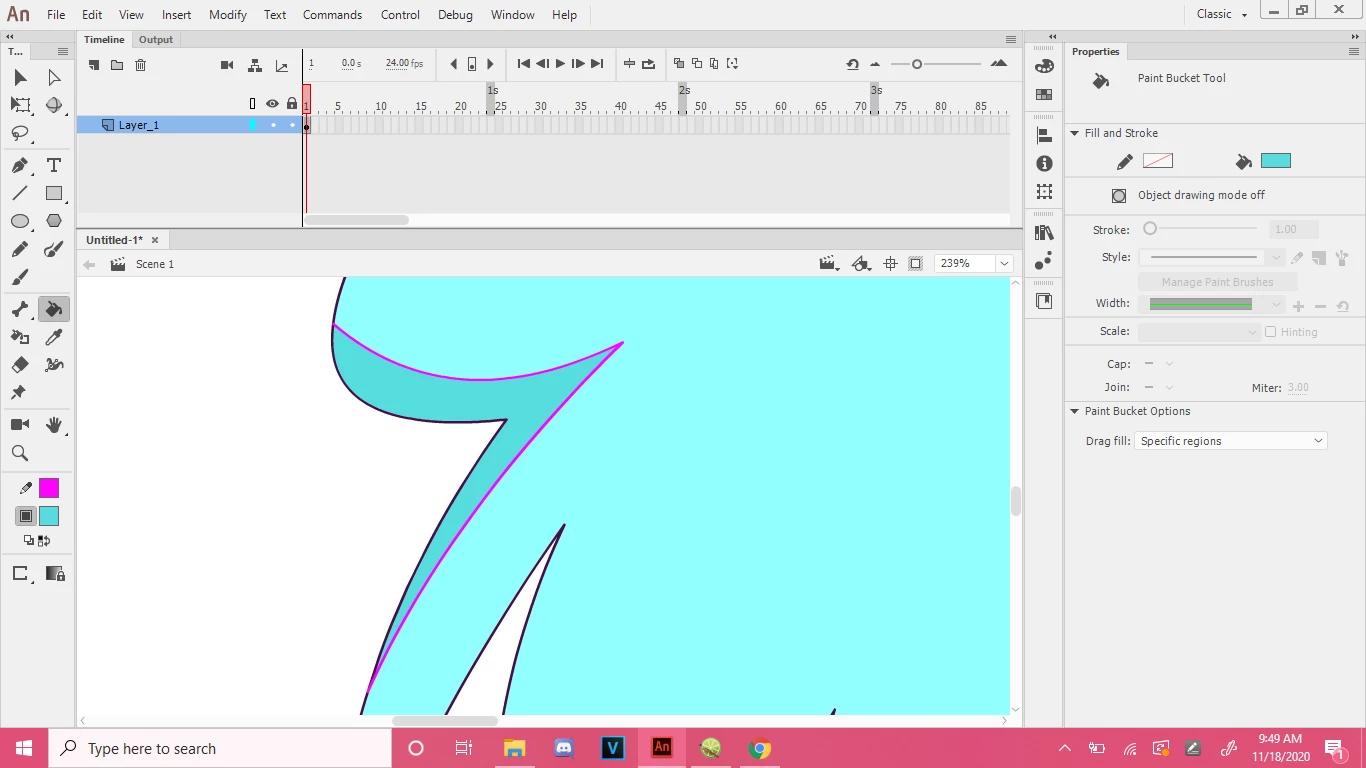
    I use this specific way which is like:

    1: Get the line tool

    2: Put it ove the area you want to shade

    3: make sure to use a bright color

    4: Not too thick

    5: pick a shading color

    6: just use the bucket tool to fill it in

    7: (The setting on the bucket tool has to be on fill large gaps)

    8: After you are finished, double click the line that you made to amke the shading, (for example the bright pink one) Then click backspace.


    返信数 1

    lidiya_127
    lidiya_127解決!
    Inspiring
    November 18, 2020

    I use this specific way which is like:

    1: Get the line tool

    2: Put it ove the area you want to shade

    3: make sure to use a bright color

    4: Not too thick

    5: pick a shading color

    6: just use the bucket tool to fill it in

    7: (The setting on the bucket tool has to be on fill large gaps)

    8: After you are finished, double click the line that you made to amke the shading, (for example the bright pink one) Then click backspace.


    StevicNinja
    StevicNinja作成者
    Participating Frequently
    November 19, 2020

    Spot on! Thank you!!!!! 😃