Known Participant
February 8, 2010
Answered

Issue loading MC from library in MC Holder

  • February 8, 2010
  • 1 reply
  • 1286 views

I searched previous posts last week about this and learned that I can load a movie clip from the library in a blank mc holder similar to how I load an exernal swf. But so far that code is not working for me. I also need a way to close/make invisible the clip on user clicking an X.

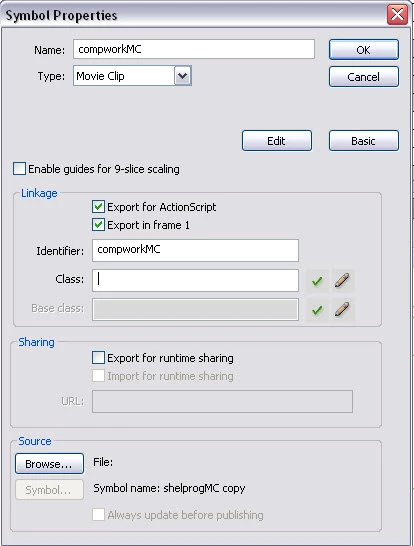
I have a page with about 6 key words over which I will place invisible buttons. First button instance is named compworkBtn. I have a blank mc on the stage, name of mcLoadertop. My mc I want to play is in the library and named compworkMC. I read that I need to set the properties to export and I have done this (picture attached for compworkMC).

Here is my action script to load the compworkMC:

//load popups in movie clip loaders top and bottom//
compworkBtn.onRelease=function(){
mcLoadertop.attachMovie("compworkMC");
}

So first I need to get the thing to load.

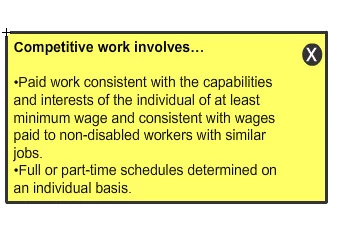
Then I want the user to click on the X or close button and it goes away. I thought the easiest thing for this work be to program the Close button itself to drive the MC to a frame that had no content. It will still be there, of course, but not be visible. Then the user would click on the next key word and the next MC will load. Not sure that is a good solution though, because they will both still be there. So, I'd like a suggestion for another solution to unload the first mc and load the second one. I have done a similar thing with external swfs, but I will need a close button instance for each of the unloads, right?

Any help is appreciated here!
This topic has been closed for replies.
Correct answer Ned Murphy

If you look at the attachMovie() method in the help files they will explain most of what you need to deal with.  The attachMovie method takes a minimum of three arguments..

attachMovie(id:String, name:String, depth:Number)

To remove a movie added using attachMovie you can use the removeMovieClip() method.  That is also explained in the help documents.

As far as assigning functionality to that X button, you can do that after you have attached the movie via using its instance name... something along the lines of... (this is not a verbatum example, just the concept):

instanceName.btn.onRelease = function(){

     removeMovieClip();

}

1 reply

Ned Murphy
Ned MurphyCorrect answer
Legend
February 8, 2010

If you look at the attachMovie() method in the help files they will explain most of what you need to deal with.  The attachMovie method takes a minimum of three arguments..

attachMovie(id:String, name:String, depth:Number)

To remove a movie added using attachMovie you can use the removeMovieClip() method.  That is also explained in the help documents.

As far as assigning functionality to that X button, you can do that after you have attached the movie via using its instance name... something along the lines of... (this is not a verbatum example, just the concept):

instanceName.btn.onRelease = function(){

     removeMovieClip();

}

Known Participant
February 18, 2010

Ned,

Ok, my mistake again. I cannot get the programming for the Close button to work. Here's the code I put into the action layer for the button.

closeBtn.onRelease=function(){

    removeMovieClip;

}

Tried it with and without () after MovieClip. Also tried specifying "window" as parameter in Movie clip since that is how it is loaded from the main timeline.

I can get this MC to load from a button on the main timeline using the following code. I just can't close it with the button in the MC itself:

on (release) {
this.attachMovie("1918MC","window",1);
window._x = 200;
window._y = 345;
}

Ned Murphy
Legend
February 18, 2010

Try:

on (release) {
      this.attachMovie("1918MC","window",1);
      window._x = 200;
      window._y = 145;
      window.closeBtn.onRelease=function(){
          removeMovieClip(window);
      }
}