


Issue with exporting transparency embedded within a Movie Clip
Hello all 🙂
This will be difficult to explain, but I will include images to aid the description of my issue.
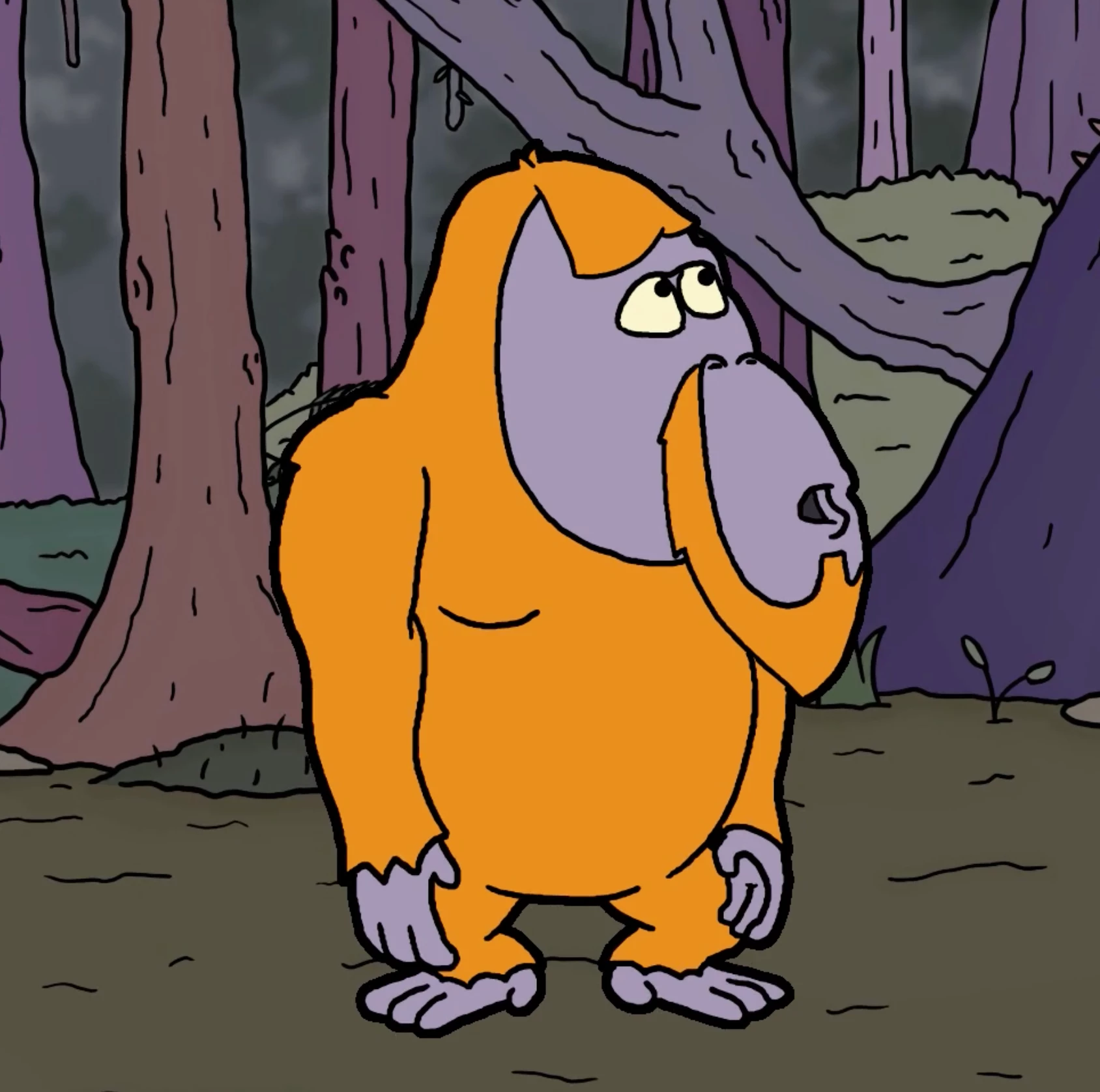
So I have created a rig of an Orangutan cycling a bike which is towing a trailer carrying his dog (this will feature in my upcoming student film, 'Albert').
The style we decided to go for with this film is similar to the Mr Bean animated series (if any of you are familiar), where all the characters and significant objects have a thick outline around them. From what I know, Adobe Animate does not actually have a feature intended for creating this look, but I discovered a hack which allows me to output such an effect:
Put all of your frames of animation into a Movie Clip > Add the "Glow" filter > (the filter allows you to control the blur & strength for your glow line; Put the strength up as high as it goes (25500%) then the glow line will not blur due to the stength overwhelming it; meaning you can control the weight of your outline with the blur adjustment.
This is how I have achieved this effect on my characters and objects so far, and I'm pretty pleased with how it looks -- however it would be great if this feature was added to Adobe Animate.
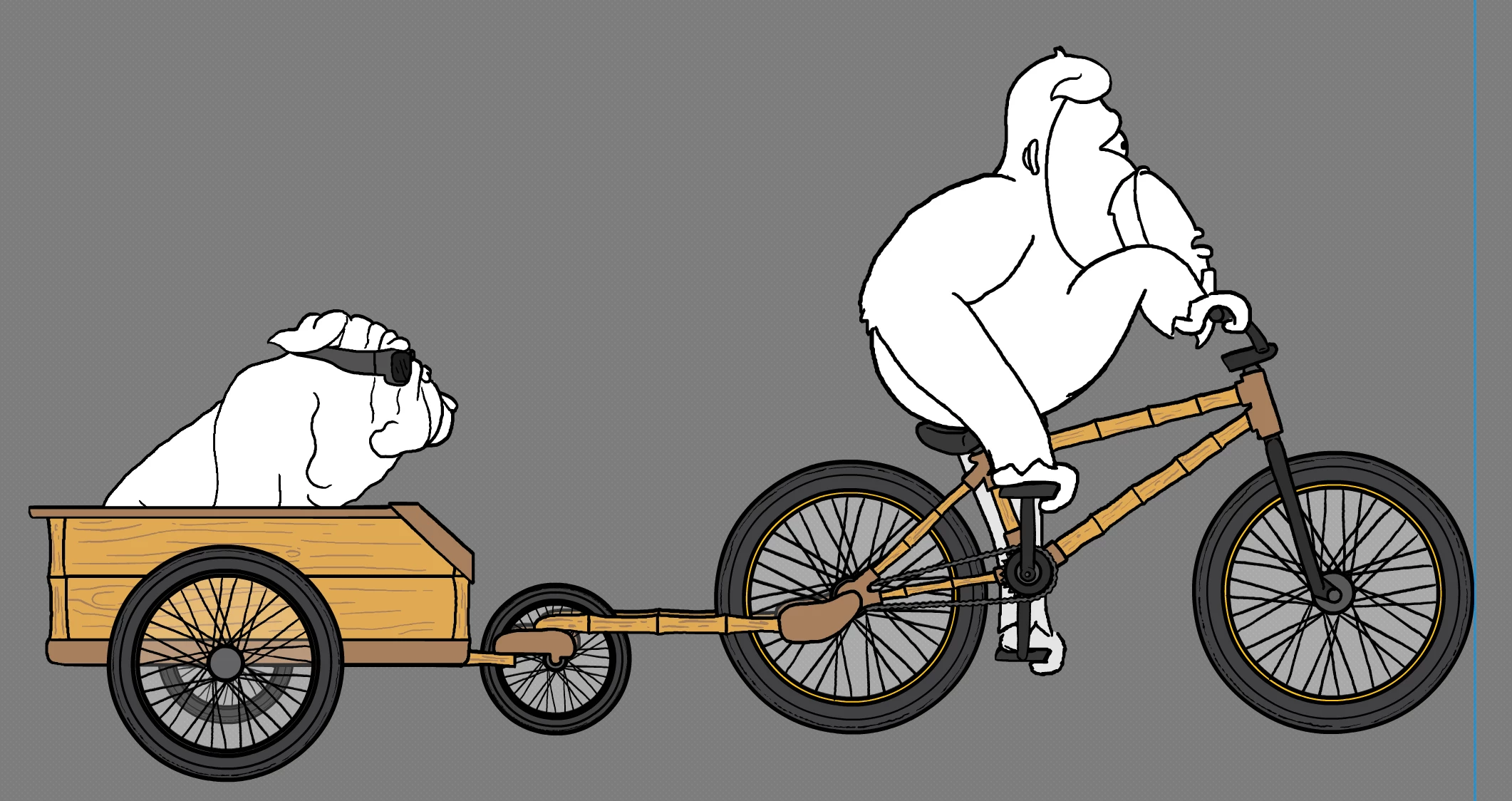
Now, on this particular rig, my issue with applying this effect is with the wheels. As you can see, the wheels have the thin spokes in the middle of them which the Movie Clip filter picks up as the edges, and the output of which looks pretty terrible:
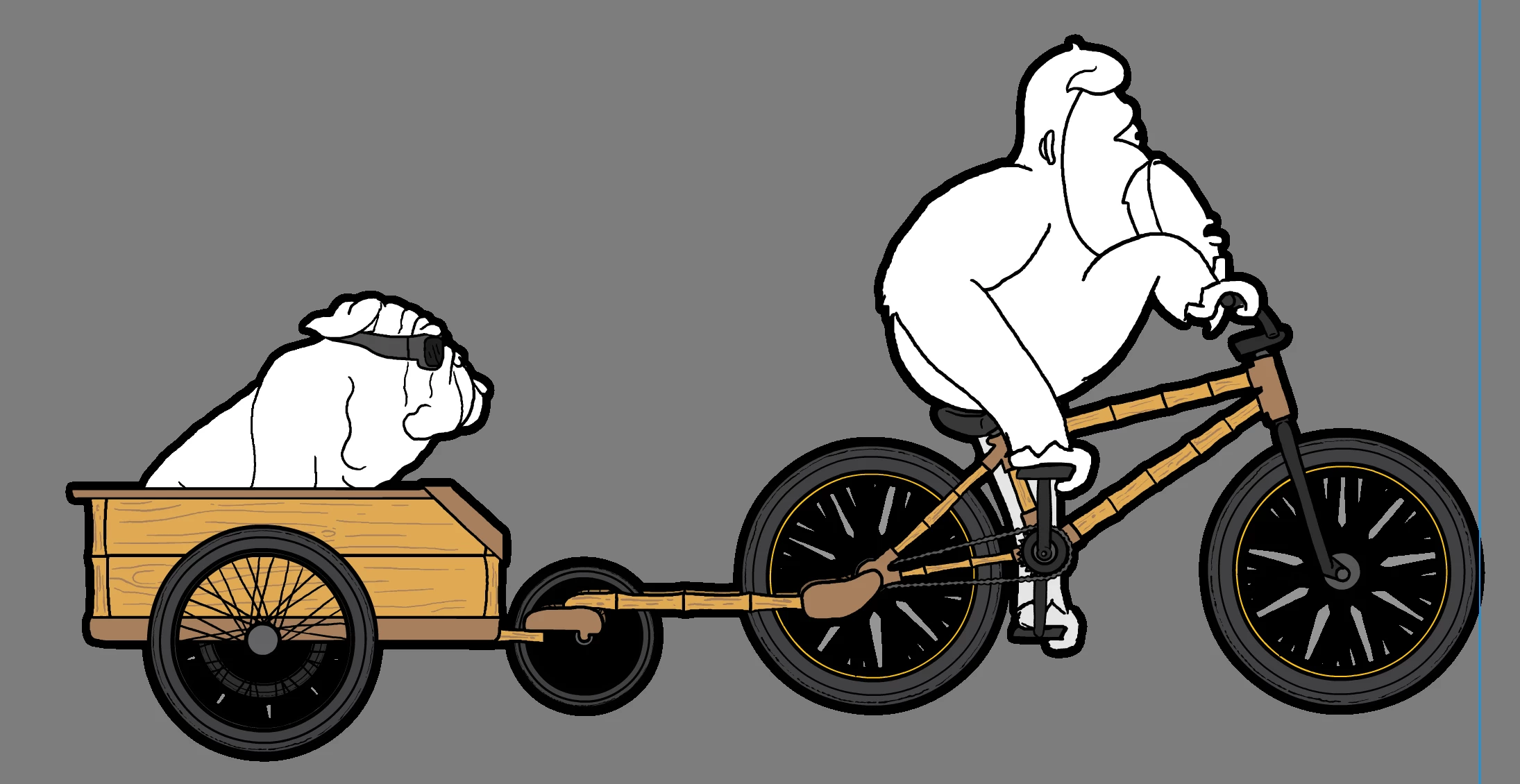
Ideally.. everything on the rig will have this outline apart from the insides of the wheels.
So, I tried putting a fill with 0% opacity behind the wheels within the Movie Clip, but the fill is not picked up and the same thing still happens. When trying to do a fill with 1% opacity, the fill just outputs as black, for some reason. The latest thing I have tried is a fill behind the wheels with 20% opacity, which so nealry gives the desired effect, but when the Movie Clip (entire rig) is placed infront of the background, the transparency of the fill behind the wheels is only embedded within the Movie Clip, and a grey fill with no opacity surrounds the spokes:
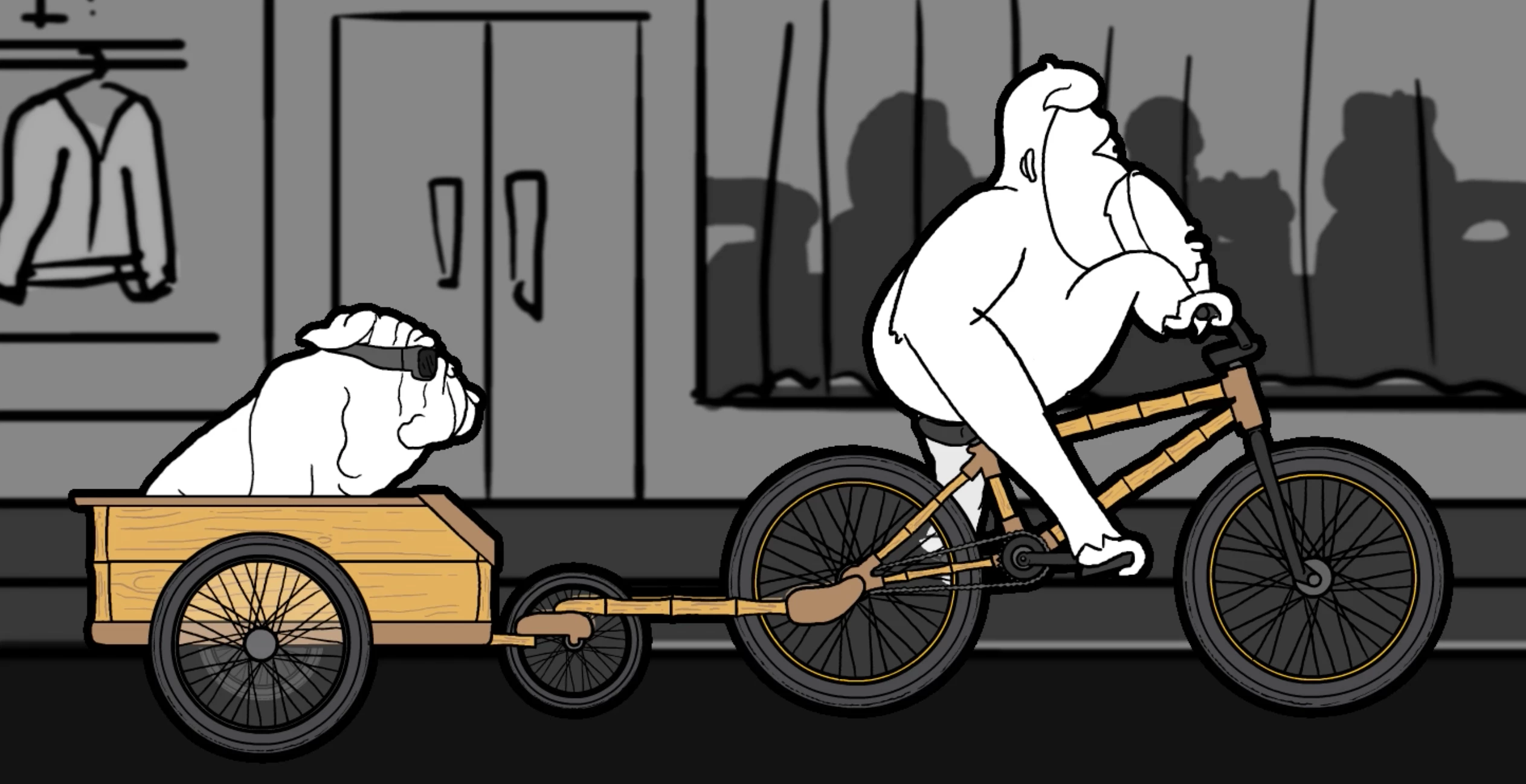
- notice how you can see the the character's arm behind the bicycle wheel, the part of the trailer through its wheel (and so on); but it completely covers the background we should see through the wheel also.
I hope my issue is understanable and I would really appreiciate if someone could help me resolve this!
Cheers and all the best!
Jedd


 AdChoices