Inspiring
October 7, 2020
Question

Joint not connecting in Parenting Layets properly

  • October 7, 2020
  • 1 reply
  • 619 views

This usually works finr for me, but now I can't get past this problem.


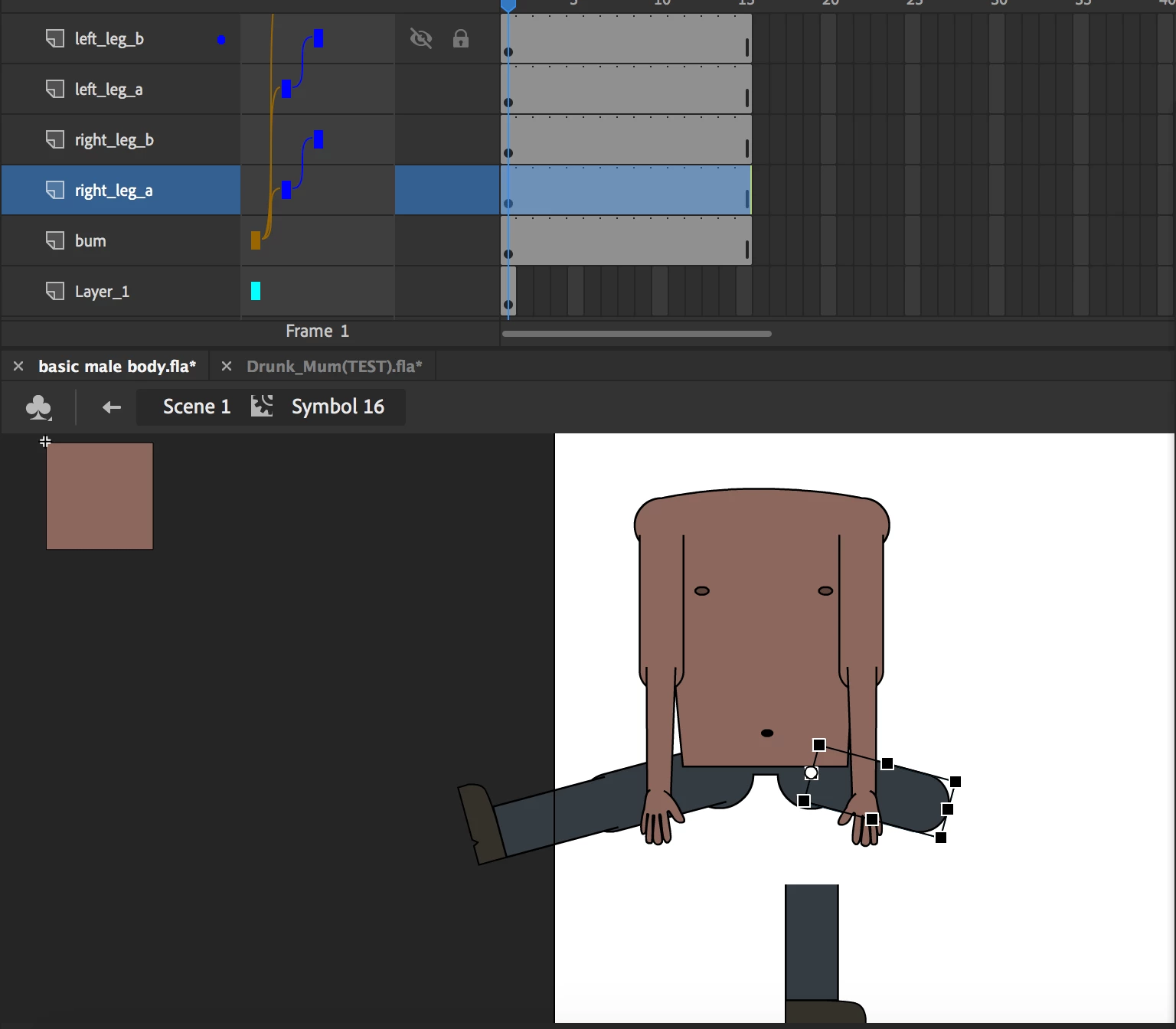
When I click the left leg A, it moves correctly, taking with it left leg B. But when I move right leg A, despite the fact that it is nested with right leg B, it behaves as if it is not.  (please look at images below).
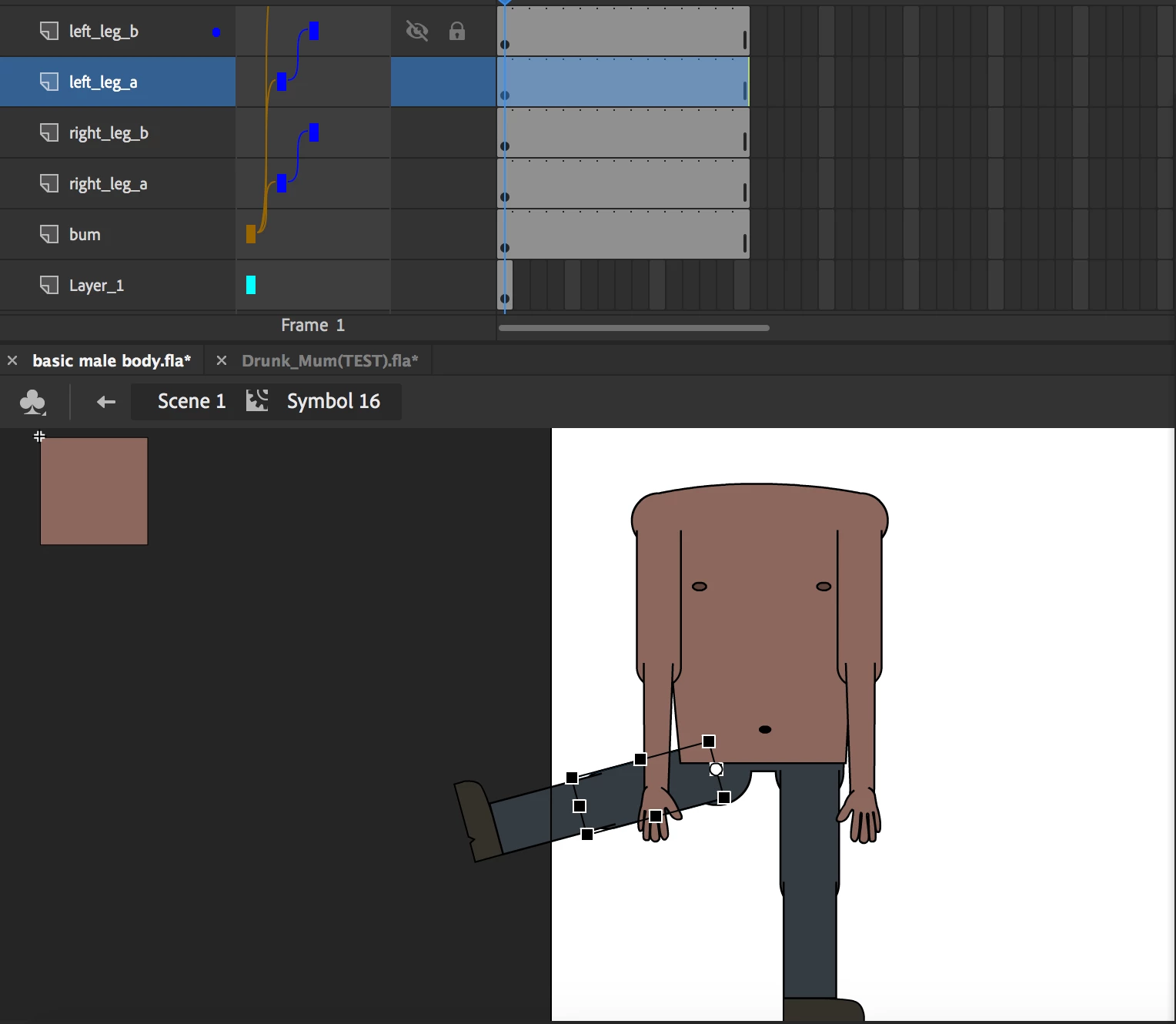


This is also happening with the arm layers for some reason.


I have tried to remove the parenting layers then re-attach, that does not work.


I tried to restart adobe and the did not work either.


Am I missing something here? Any assistance would be greatly appreeciated 🙂

This topic has been closed for replies.

1 reply

Community Expert
October 7, 2020
skipatAuthor
Inspiring
October 7, 2020

Hi Nick, I watched the video just now (I have seen this one before).


As a test, I decided to build this rig again from scratch, this time I made sure to not extend the keyframes before turning graphic files into symbols, moving each indiviual pivot points, and connecting the parenting the layers.


Oddly enough, i'm exactly where I started. Most parenting layers are not responding


The following layers don't seem to be responding correctly as parent layers:

1. right arm a

2. right arm b (forearm)

3. left arm a

4. left arm b (forearm)

5. right leg a


Parent layers that work:

1. Left leg A

2. Torso

3. Bum


Any idea why this would be?


Community Expert
January 22, 2022

Hmm. Did you make sure everything was lined up?