

Jumping Across the Time Line with Buttons
Hi Everyone,
I'm currently making a short animated film in Adobe Animate CC on an HTML5 Canvas for a school project. The film I am making is supposed be split up into several sections and at the end of each section, the film is supposed to stop. When it stops, a button is supposed to appear. When that button is clicked, the playhead is supposed to jump to the next part of the film and start playing again. To do this, I tried to use the "Stop at this Frame" code snippet and the "Click to go to frame and play" code snippet, but for whatever reason (even though I've followed tutorials), when I go to test the animation, I get a 1061 error, and neither the stop script nor the button work. Can someone help me fix these problems and make my animation work as intended?
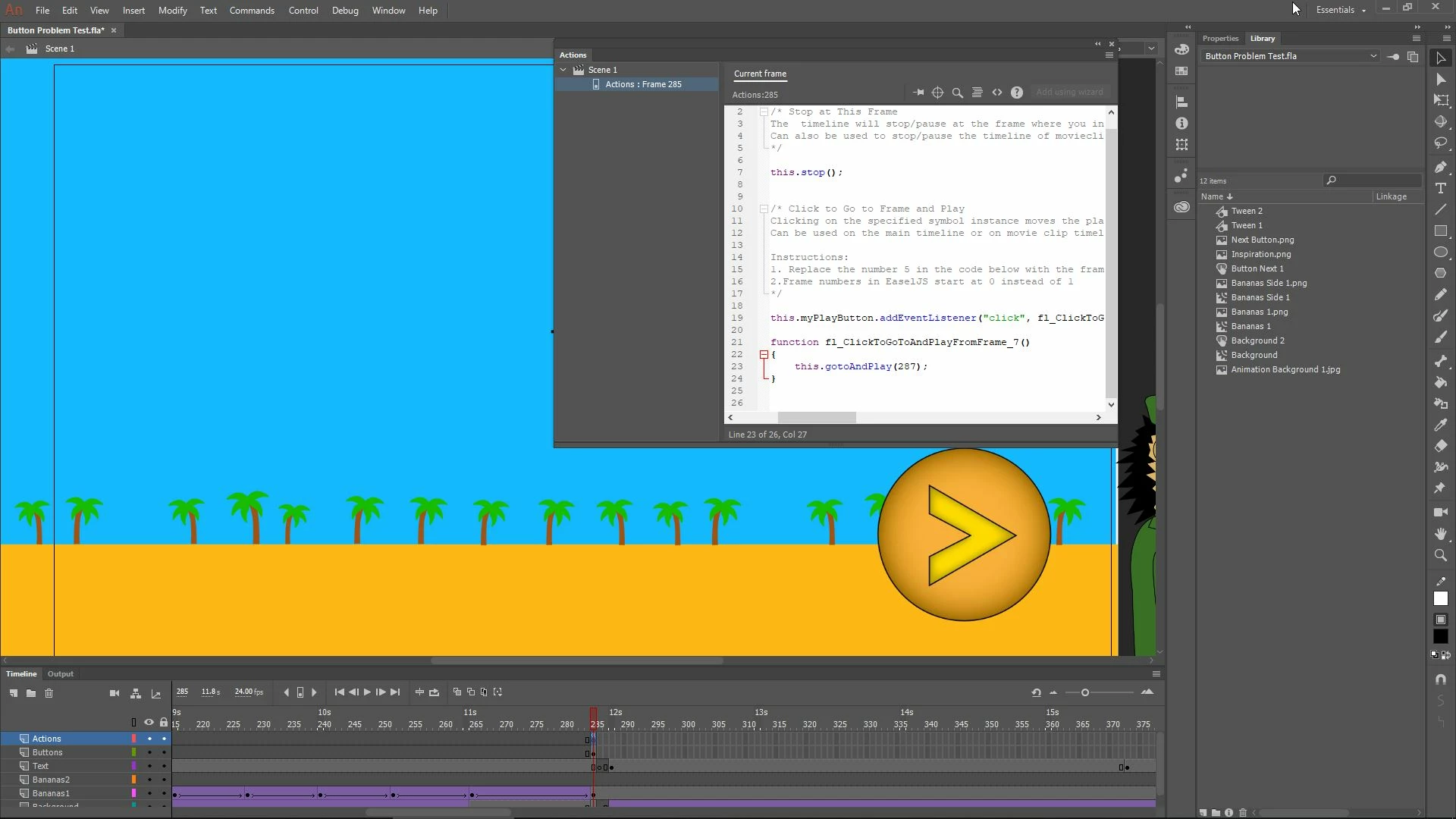
I'm attaching a screenshot of my time line and actions window. In section in the image below, I specifically want the playhead to stop on frame 285 I then want to be able to click the button and have the playhead jump to frame 288 and begin playing again.


 AdChoices