


Participant
June 19, 2020
Question

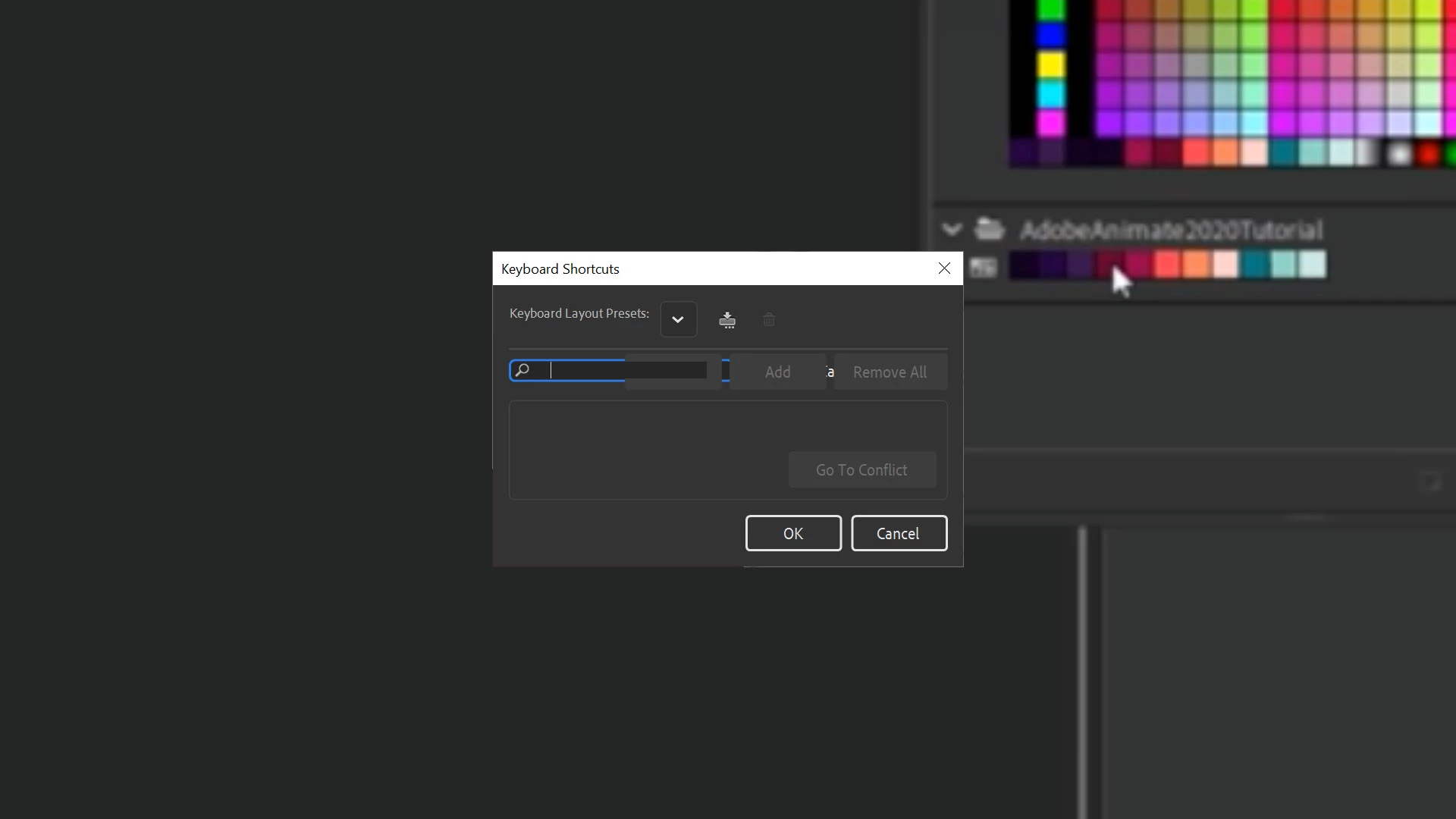
Keyboard Shortcuts window is corrupted

  • June 19, 2020
  • 1 reply
  • 231 views

Below is what I get when I try to Edit > Keyboard Shortcuts.  I get this behavior for Adobe Animate 2019 and 2020, but the Keyboard Shortcuts window works properly for Adobe Animate 2018.  I'd really like to put a keyboard shortcut on (among other things) the Fluid Brush Tool.  My operating system is Windows 10 Pro.
This topic has been closed for replies.

1 reply

n. tilcheff
Legend
June 19, 2020

Hi mate,


I don't know what is causing this, but see if you have any display scaling enabled from your OS settings.

Maybe it's worth trying to disable it, i.e. reset everything to 100%. That might show you the panel without distortion.


Another thing that you can do is save a shortcut file in AA 18 and then move that to AA 20 and manually add an entry for the fluid brush.


Here is a line that you can add (paste) to the XML and it will just work:

<keycmd><cmd>Tool.GPUBrushRound</cmd><uchar>F</uchar></keycmd>


In this case I've bound the fluid brush to F. You can change the key.


The shortcuts file resides in:

C:\Users\YourUserName\AppData\Roaming\Adobe\Animate\2020\Shortcuts


But you will have to have a whole XML saved in AA 18 to start with.


Hope this helps!


Nick - Character Designer and Animator, Flash user since 1998 | Member of the Flanimate Power Tools team - extensions for character animation