

Question
Layer bug: .PSD file to Adobe Animate
Hello everyone,
I'm recently working on an animation project
require crayon brush texture.
So I used Sketchbook pro for the drawing and tried to animate them in Adobe animate.
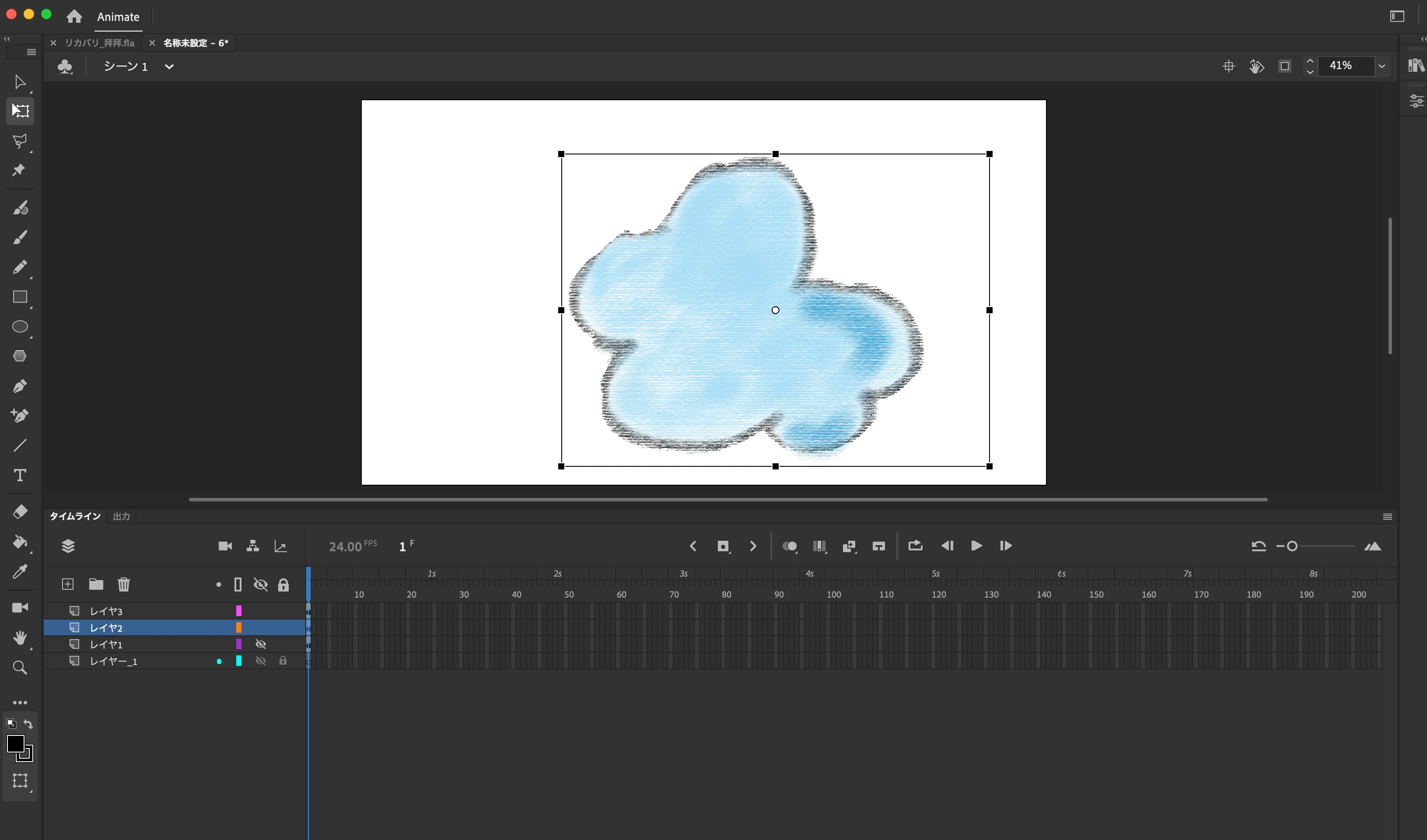
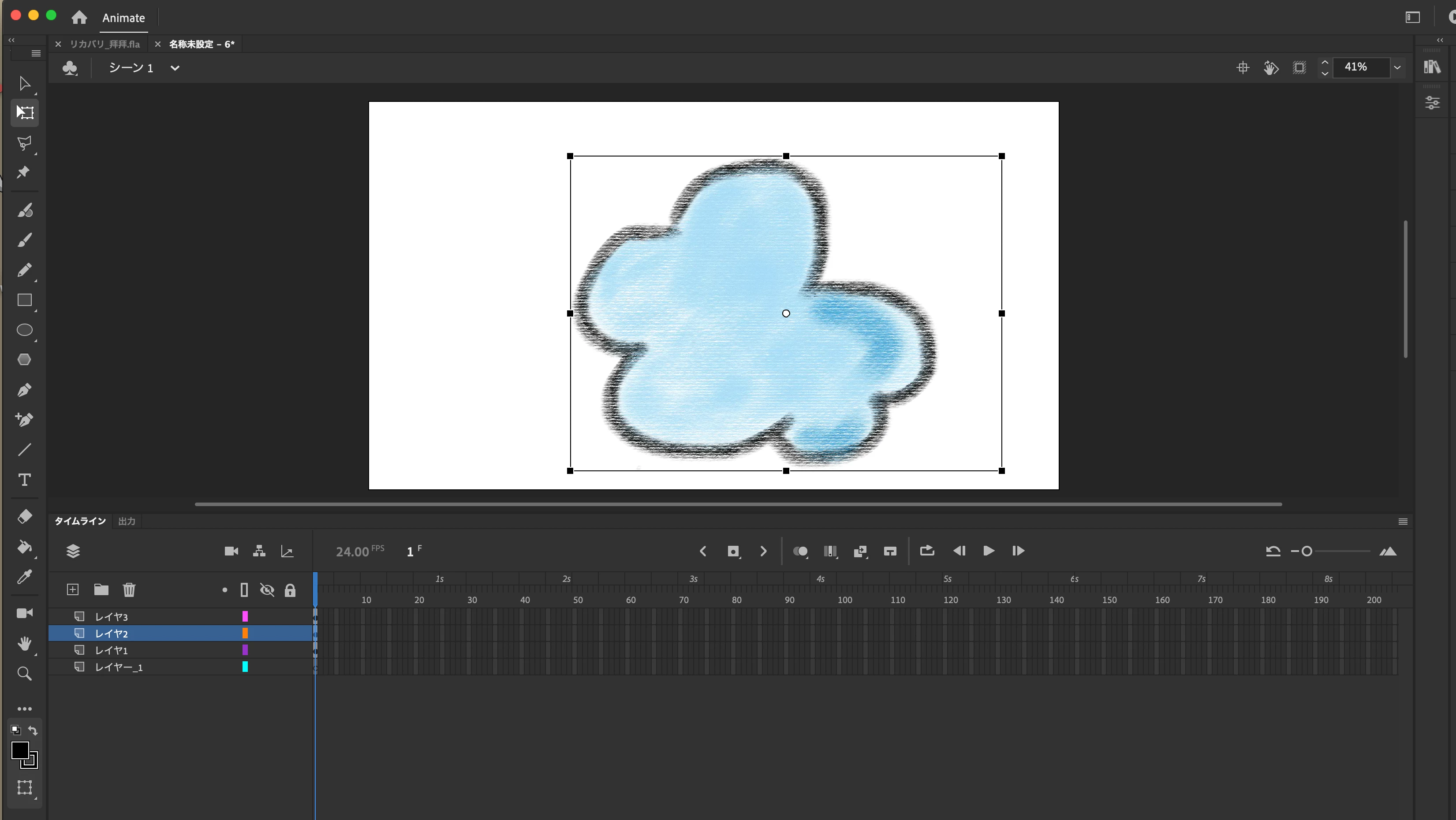
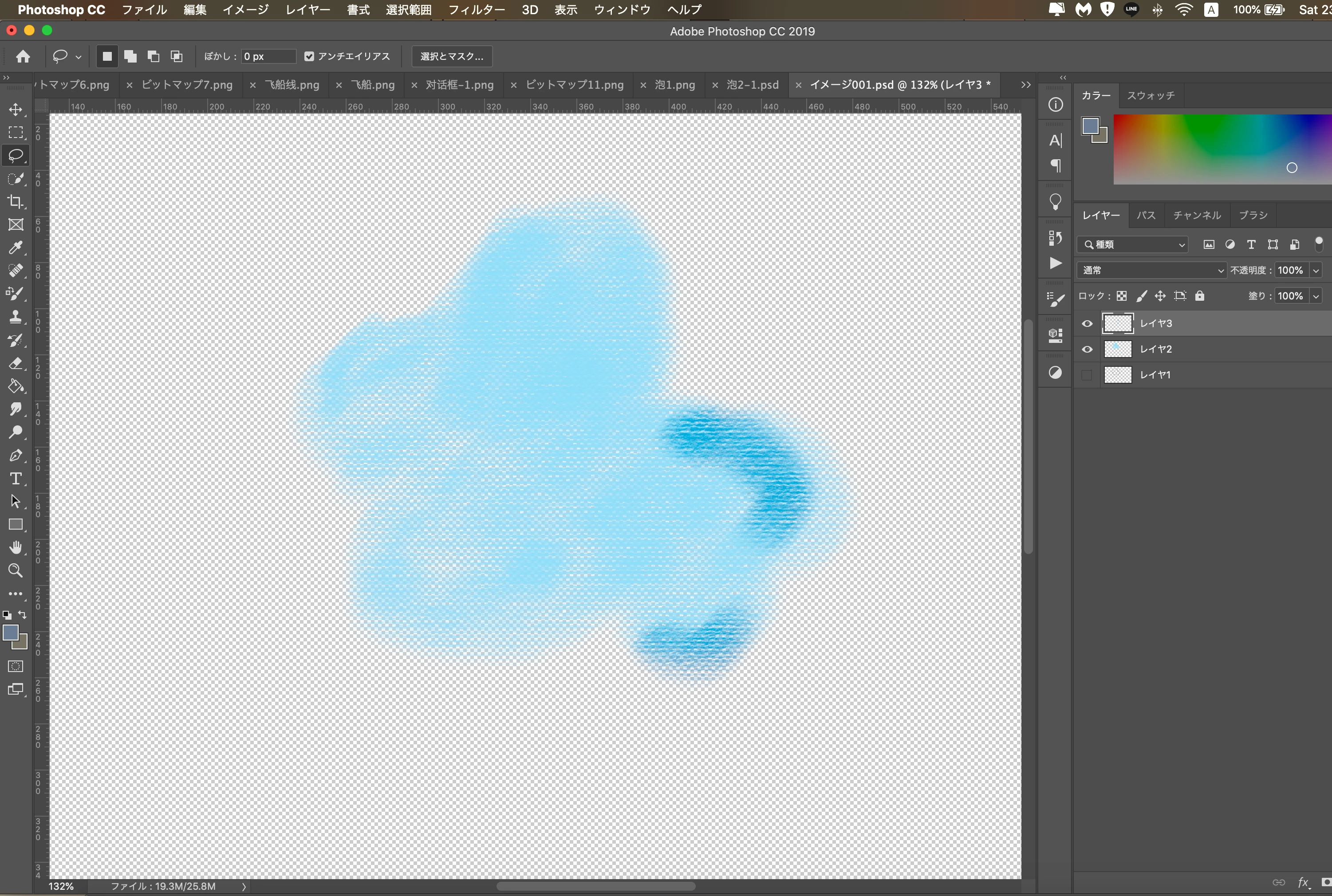
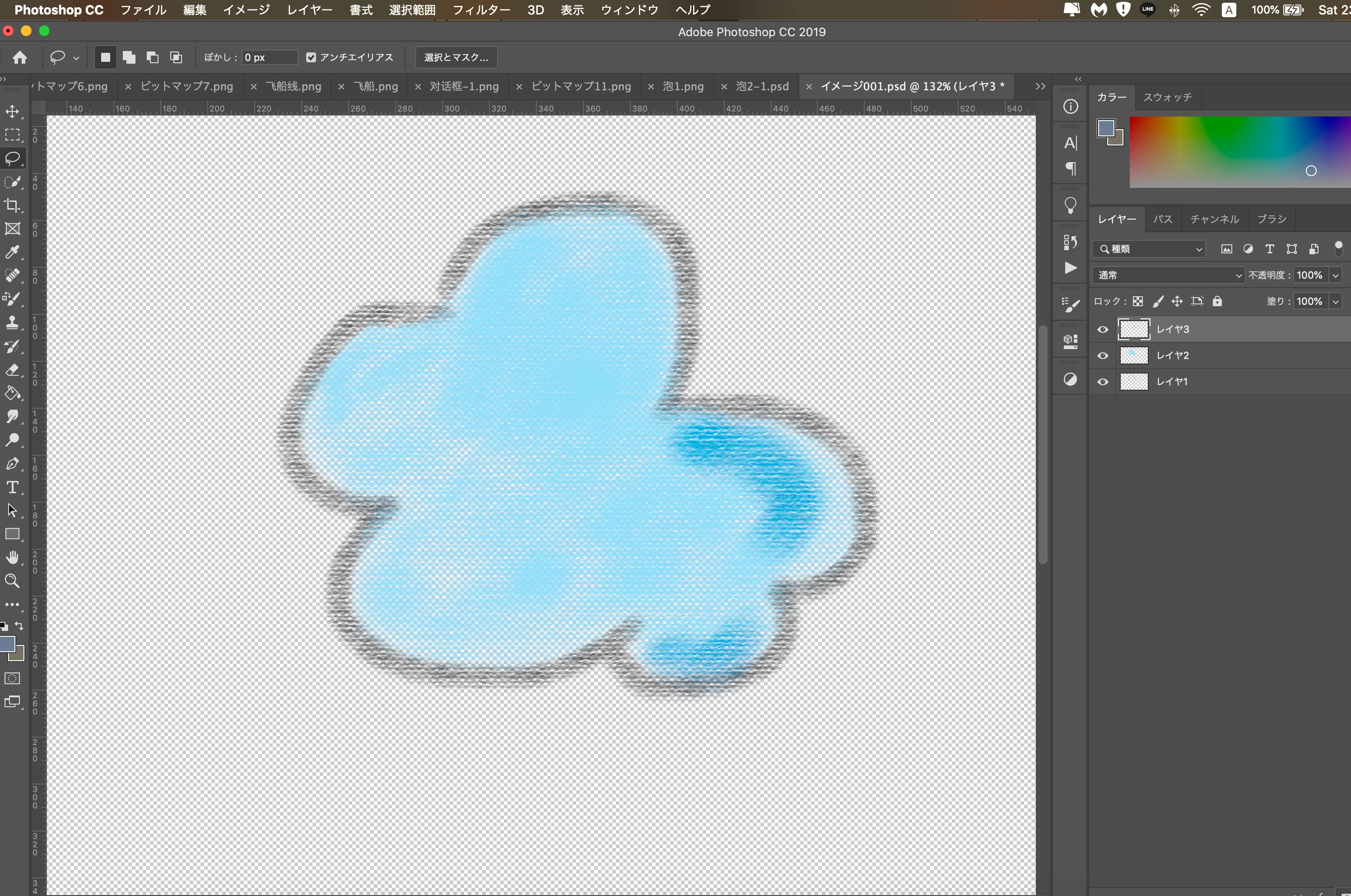
What happened was: when I tried to open the.PSD file exported from Sketchbook, layers that overlap merge each other's colours in it. (not a clean layer)
Does anyone ever have the same issue when trying to animate a.PSD file?
P.S
No problem opening the .psd file exported from Sketchbook, every file I tried shows cleanly separated layers, so I assumed the issue happens during .psd <------>Adobe Animate.
It's such a pain in the S trying to remove those merged spots layer by layer...
Please help me...


 AdChoices