
Participant
April 5, 2018
Answered

Layer depth position problem

  • April 5, 2018
  • 1 reply
  • 887 views

Hi! I really love that layer depth tool, but there is one BIG problem I can`t solve for a long time. Let me show you.

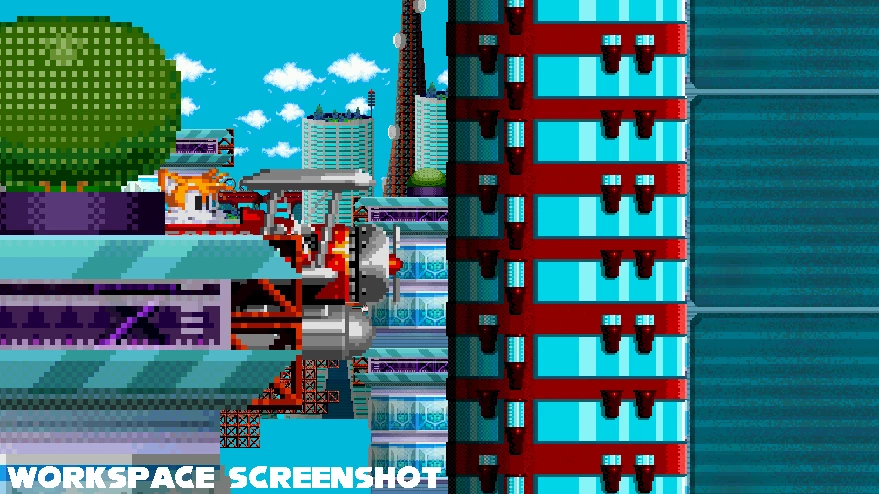
This is an actual workspace screenshot:
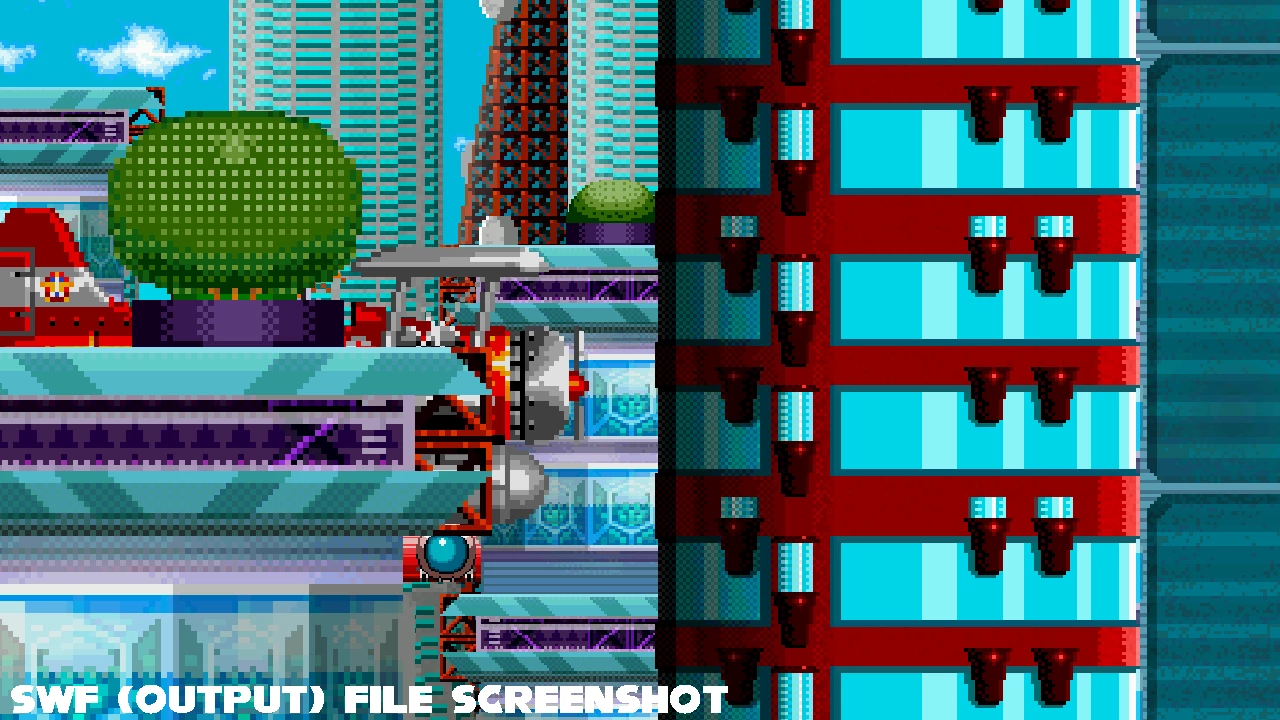
And this is swf-file screenshot at the same frame:
Without explanation it is clear that background layers have increased in size, so it is really difficult to find the right position for the layers. Is this a bug or I need to find something in the settings? I really hope for the right answer, thanks.
    This topic has been closed for replies.
    Correct answer UDESCO

    No matter what size the assets will have, they will still be scaled in the output file. I believe that the problem is in Animate itself, because I have not yet met someone who had a similar situation. If the problem is still not clear, then here are a couple more screenshots at the same frame: 


    Can you please share your file for us to look at. You can use any file sharing utility like drop-box and post/message the link.

    1 reply

    kglad
    Community Expert
    Community Expert
    April 5, 2018

    is your workspace at 100%?

    TrianglyAuthor
    Participant
    April 5, 2018

    Even if I`ll use 100%, this problem is still happens. But, for example, I downloaded example file from Adobe sites and parallax looks fine

    kglad
    Community Expert
    Community Expert
    April 5, 2018

    with the topmost screenshot was your workspace at 100%?