Inspiring
April 22, 2021
Answered

Layer in timeline is purple now with bold purple underline. Why?

  • April 22, 2021
  • 1 reply
  • 2026 views

Have a student working on  their rotoscope animate project. One of their layers is now highlighted purple with a thick purple underline and I can't figure out what it means. I know it means something important, I'm just not sure what and I can't find anything searching for the answer. Please help. Thank you. The file is an action script file. 

This topic has been closed for replies.
Correct answer JoãoCésar17023019

Hi.


This is a feature introduced recently to highlight layers. It's just a visual hint.


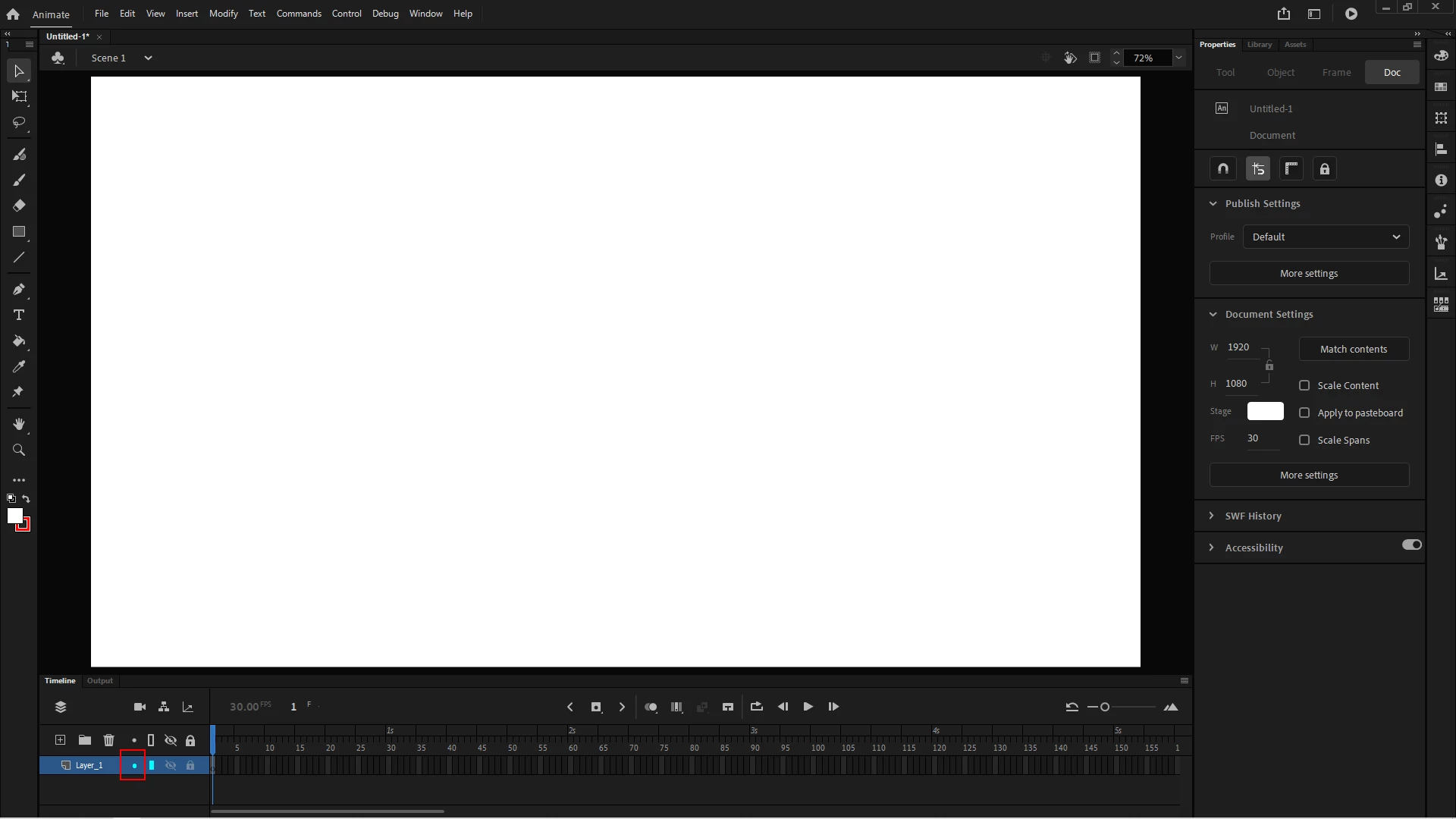
You can turn it on/off by going to the desired layer and clicking the small dot in the column between the delete button and the outline mode button.


I hope it helps.


Regards,

JC

1 reply

JoãoCésar17023019
Community Expert
JoãoCésar17023019Community ExpertCorrect answer
Community Expert
April 22, 2021

Hi.


This is a feature introduced recently to highlight layers. It's just a visual hint.


You can turn it on/off by going to the desired layer and clicking the small dot in the column between the delete button and the outline mode button.


I hope it helps.


Regards,

JC

Inspiring
April 22, 2021

Thank you! I thought I had already tried that, but I guess not. It must have been the outline mode button I hit. Easy problem solved. The students video was frozen and wouldn't allow us to move it with the move tool even though the layer was not locked. So I figured it had to do something with the layer being highlighted. Now I know it had to have been something else. Thanks again. 

JoãoCésar17023019
Community Expert
Community Expert
April 23, 2021

You're welcome!


Great to know that everything is cleared up now!