Inspiring
August 12, 2018
Question

Layer Parenting in Animate CC

  • August 12, 2018
  • 2 replies
  • 2827 views

There should be layer parenting in Adobe Animate, just like After Effects does it.
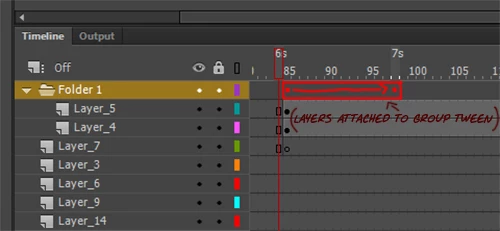
Another way could be simply adding keyframing properties to animate groups containing layers. That way when animating hand-drawn animation, you only animate the group and not every body part. And also you don't have to be juggling between symbols.
This topic has been closed for replies.

2 replies

Colin Holgate
Inspiring
November 3, 2018

For anyone chancing across this post, like I just did, the CC 2019 version of Animate does have layer parenting now. Here is an article on the new feature:

Create timeline layers with Animate CC

chenjil43641795
Legend
August 12, 2018

Strongly agree.

It's important to control the Layer folder.

Add Frame Delete Frame etc

Drag, rotate, etc.

And I also need

It is best to identify a separate contour in the Layer folder and copy it to the new layer.

Because when we draw, we often draw step-by-step.

Hands, body, etc are all different layers.

And when it comes to filling, it's a problem.

We're going to have to handle every graphic in a closed line.

Or, reinsert each frame in the layer into the keyframe, and then select and paste it into the new layer.

The workload is huge.