Participating Frequently
June 28, 2022
Answered

Letter limit and move to other box Adobe Animate HTML5 Canvas

  • June 28, 2022
  • 1 reply
  • 553 views

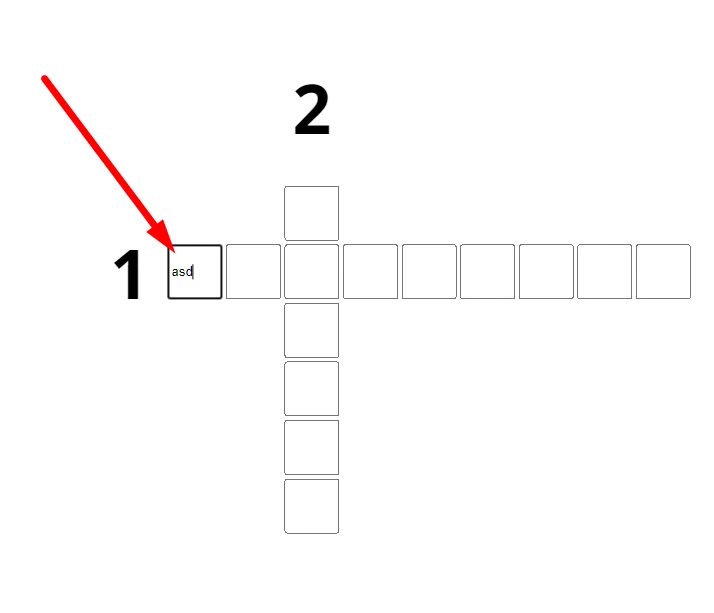
What do I need to do to get only 1 letter written?

What should I do to switch to the next box after typing?


    This topic has been closed for replies.
    Correct answer kglad

    Is this the only place I would name the code based on my project? because i am getting error
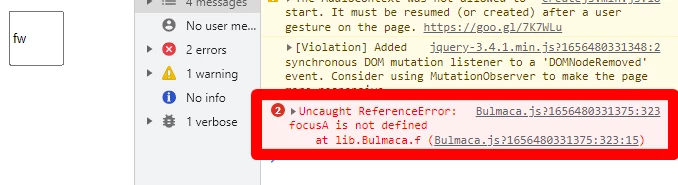


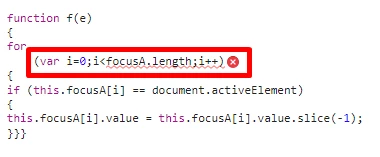
    that's my error.  focusA != this.focusA, so 


    for(var i=0;i<focusA.length;i++){


    should be


    for(var i=0;i<this.focusA.length;i++){

    1 reply

    kglad
    Community Expert
    Community Expert
    June 28, 2022

    what determines the end of typing? (eg, the enter key press)

    what's the instance name of the "next" textfield?

    are those dynamic textfields?

    are you listening for keyboard events and then adding text using js?

    Participating Frequently
    June 28, 2022

    No problem thanks,

    but What do I need to do to get only 1 letter written?

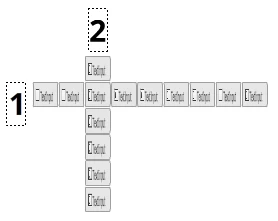
    (textinput)

    kglad
    Community Expert
    Community Expert
    June 28, 2022

    that's a mistake.  (using a textinput component.)  as mentioned before you should be using a dynamic textfield.


    but if that's what you want, this will do what you want and set you up to continue to the next problem:


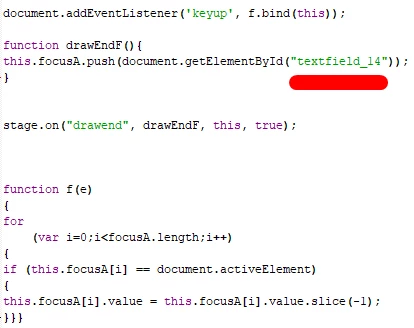
    this.focusA = [];

    document.addEventListener('keyup', f.bind(this));

    function drawEndF(){
    this.focusA.push(document.getElementById("ti_1"));  // where ti_1 is a text input component.  you'll want to loop through them all here
    }


    stage.on("drawend", drawEndF, this, true);


    function f(e){
    for(var i=0;i<focusA.length;i++){
    if(this.focusA[i] == document.activeElement){
    this.focusA[i].value = this.focusA[i].value.slice(-1);
    }
    }
    }