
April 22, 2014
Question

linkage sound to actionscript in flash cc

  • April 22, 2014
  • 3 replies
  • 3112 views

Hi,

i have an issue, maybe i dont understand the process well.

- I imported a short mp3 in flash cc library.

- I try to linkage it to actionscript, but i can' t.

- If i click on the sound file, and choose properties, there is no checkbox to export for actionscript.
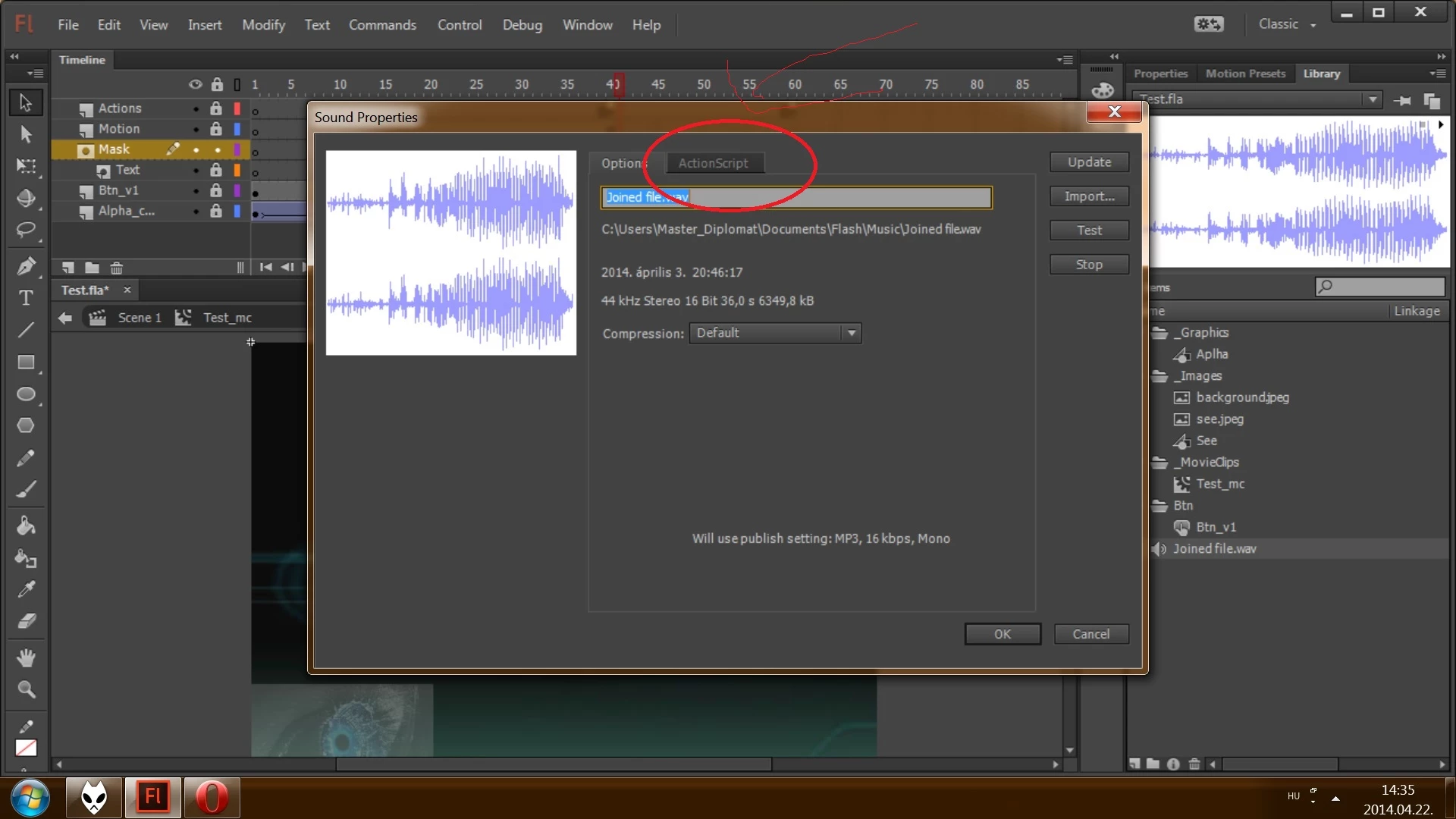
I see an actionscript tab, but i can' t reach it. I can' t click on it.

- How can i solve this issue ?

This topic has been closed for replies.

3 replies

Amy Blankenship
Legend
May 22, 2014

Try saving this extension to the CC commands directory (I don't use CC, so I can't tell you the exact location, but in CS 6 is C:\Users\{you}\AppData\Local\Adobe\Flash CS6\en_US\Configuration\Commands) and see if it gets you close to what you need. If so, you should be able to edit it to get you the rest of the way:

var doc = fl.getDocumentDOM();
var lib = doc.library;

var selections = lib.getSelectedItems();

if (selections.length > 0) {
//Stolen from Search and Replace by Dave Logan
//so we don't have to enter the parameters every time
var searchFor = '.mp3';
var replaceWith = '_Sound';
searchItems = selections;
nameList = removePath(true);
if (searchItems.length == 0){
  alert('No items to replace ".mp3" in');
}else{
  for(i = 0; i < searchItems.length; i++){
   var searchRegExp = new RegExp(searchFor,"g");
   oldname = nameList;
   newname = oldname.replace(searchRegExp, replaceWith);
   searchItems.name = newname;
  }
}
//end stolen/modified code
var newFolder = prompt('Enter folder name to place sound files in', '');
if (newFolder != '') {
  lib.newFolder(newFolder);
}
fl.trace(selections.length);
for (var i=0; i< selections.length; i++) {
 
  var item = selections;
  fl.trace(item.name);
  lib.selectItem(item.name);
 
  if (lib.getItemProperty('linkageImportForRS') == true) {
   lib.setItemProperty('linkageImportForRS', false);
  }
  lib.setItemProperty('linkageExportForAS', true);
  lib.setItemProperty('linkageExportForRS', false);
  lib.setItemProperty('linkageExportInFirstFrame', true);
  lib.setItemProperty('linkageClassName', item.name);
  lib.setItemProperty('compressionType', 'MP3');
  if (lib.getItemProperty('useImportedMP3Quality') != undefined) {
   lib.setItemProperty('useImportedMP3Quality', true);
  }
  if (newFolder != '') {
   lib.moveToFolder(newFolder, item.name, true);
  }
}
}

//Also stolen from search and replace by Dave Logan
function removePath(bSelItems){
if(bSelItems){
  libSelPath=fl.getDocumentDOM().library.getSelectedItems();
}else{
  libSelPath=fl.getDocumentDOM().library.items;
}
itemNames = new Array();
for (a = 0; a < libSelPath.length; a++){
  charStart = libSelPath.name.lastIndexOf("/") + 1;
  itemNames
= libSelPath.name.substring(charStart);
}
return itemNames;
}

Participant
May 18, 2014

I'm having what might be a similar problem.

It isn't about what file type... but the fact that the "ActionScript" tab in the Sound Properties modal is inaccessible.

I can see the tab change to it's rollover state when I mouse over it... but clicking it does nothing... and as the original poster said... you can't tab to it either.

This is one of may similar issues I'm coming across with the Flash CC IDE interface.

Does anyone know what's up?

kglad
Community Expert
Community Expert
May 18, 2014

what are your publish settings?

if you're publishing for html5, you can't link anything.

Participant
May 18, 2014

Publishing to SWF.

If I open the file in Flash CS6 I can get to the tab and set the audio settings just fine.

For some reason this tab is broke on Flash CC.

Any thoughts?

kglad
Community Expert
Community Expert
April 22, 2014

convert to an mp3 and import.

April 22, 2014

Hi,

i converted, the same window pop-up, but i still can' t reach the actionscript tab.

I can' t click on it, and using TAB on keyboard  i can't reach it neither.

kglad
Community Expert
Community Expert
April 22, 2014

actually, it should work with a wav file, too if you're publishing a swf.  what are your publish settings?

if you're publishing for html5, you can't link anything.