ok, now i have this:
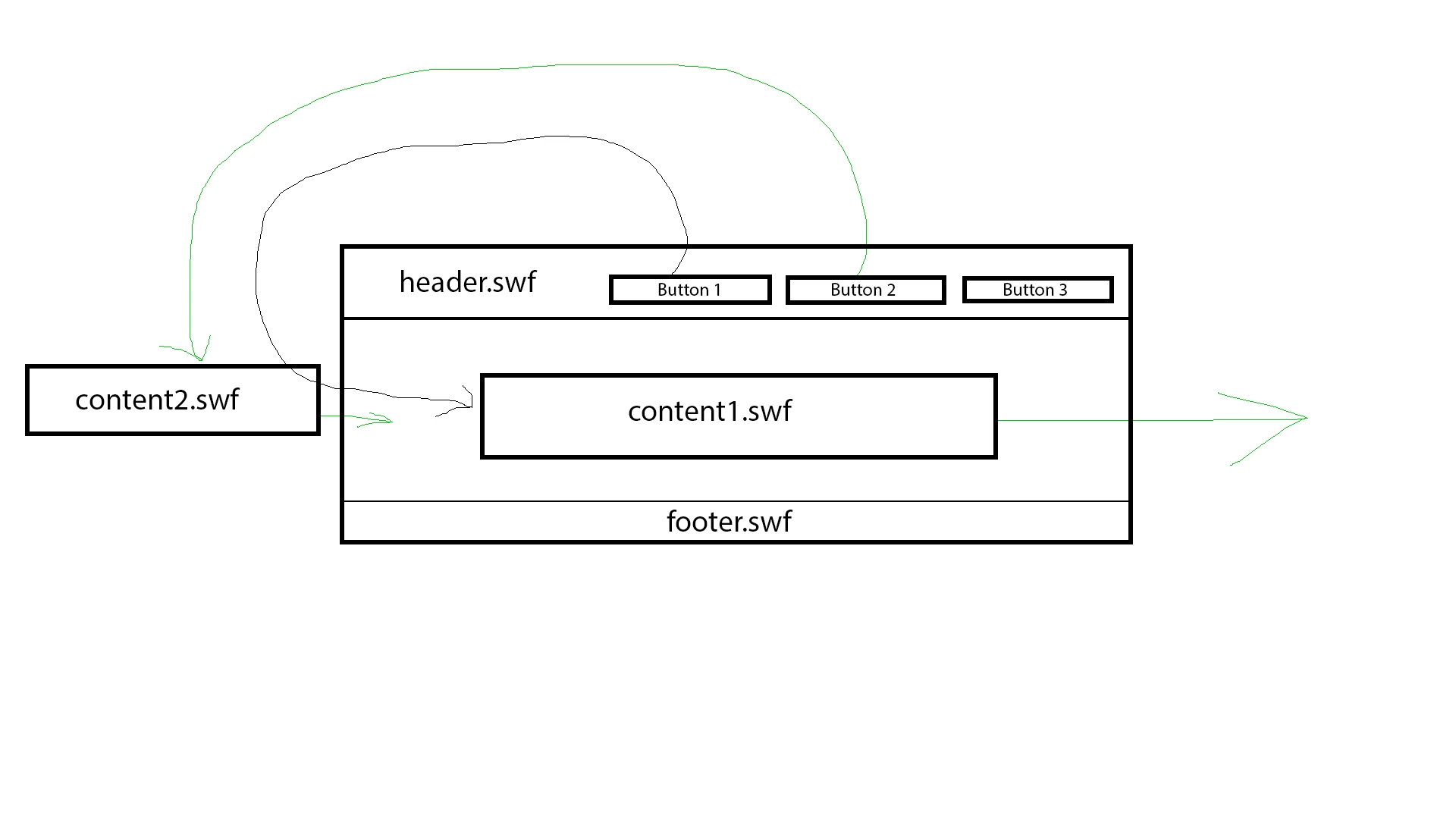
// (in public class) private var contentLoader:Loader = new Loader(); private var content1Loader:Loader = new Loader(); // sign up page // (in constructor function) var signUpRequest:URLRequest = new URLRequest("../swf/menubar.swf"); content1Loader.load(signUpRequest); // (not in constructor, somewhere in my code) // menuMc because of addEventListener is linking to button in else SWF menuMc.signUp1_btn.addEventListener(MouseEvent.CLICK, goContent); private function goContent(e:MouseEvent):void { if(contentLoader) { TweenLite.to(contentLoader, 1, {x:stage.stageWidth}); } contentLoader = this("content" + e.currentTarget.name.substr(17, 1) + "Loader"); addChild(contentLoader); contentLoader.x = -1250; // out of stage because of tween TweenLite.to(contentLoader, 1, {x:0, ease:Elastic.easeInOut}); } |
and i don't understand this line:
contentLoader = this("content" + e.currentTarget.name.substr(17, 1) + "Loader");
// contentLoaders name is: static word content + dynamic name of button(character number 17th, ?) + static word Loader
right?
so contentLoader will load content called content1Loader ??
you're still changing the names of your buttons.
when you finally decide on your button names, add them to an array and use:
var buttonA:Array = [the button that corresponds to content1Loader, the buttons that corresponds to content2Loader, etc];
var prevOnStageLoader:Loader;
for(var i:int=0;i<buttonA.length;i++){
buttonA.addEventListener(MouseEvent.CLICK, goContent);
}
function goContent(e:MouseEvent):void
{
if(prevOnStageLoader){
TweenLite.to(prevOnStageLoader,1,{x:stage.stageWidth});
}
prevOnStageLoader=Loader(this["content"+(1+buttonA.indexOf(e.currentTarget))+"Loader"]);
addChild(prevOnStageLoader);
prevOnStageLoader.x = -1250;
TweenLite.to(prevOnStageLoader, 1, {x:0, ease:Elastic.easeInOut});
}


 AdChoices