
July 31, 2014
Answered

Loadmovie blurry

  • July 31, 2014
  • 1 reply
  • 477 views

I am experiencing a problem when loading images at run-time. In my particular case, loading a 128px x 128px .png results in an image that is "blurry". I get the same problem whether I am using the MovieClip::loadMovie function, or using MovieClipLoader::loadClip. I had found a topic on another site where the same problem was experienced; here's a sample image:
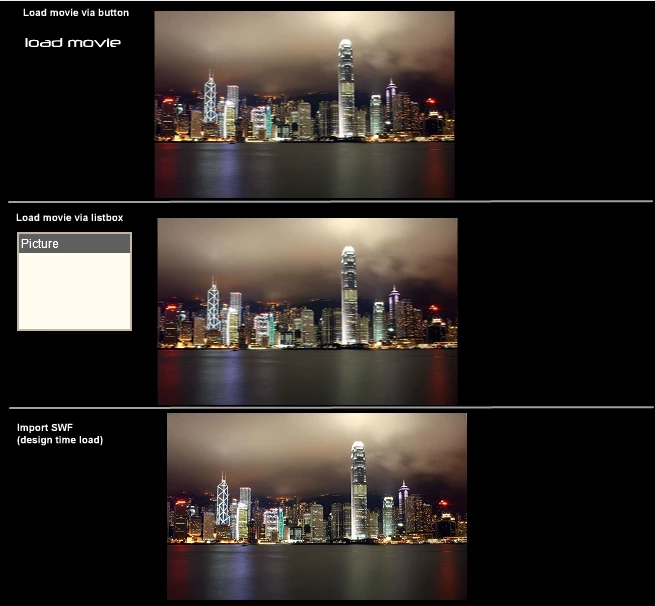
The images I am trying to load are not embedded into the asset (can not be in my case). The asset doesn't seem to be the problem; I imported a sample into the .fla and placed it on the stage, where it appears perfectly clear. I also tried using an uncompressed .jpg and the same issue occurs.

I've been able to clean up the "blurriness" to a degree by making the loading canvas 127.5px x 127.5px, based on a suggestion found elsewhere, however I have no grounds to explain why that is actually helping. Can anyone provide some information on this issue, and how I can get my images to load in clearly?

Using Flashplayer 9 and AS2

Thanks.

This topic has been closed for replies.
Correct answer

i can't duplicate that problem:  http://www.kglad.com/Files/forums/test.html

the top is a diagonal line and the bottom is that line exported as a png and loaded using the code i suggested in message 3.  both show un-aliased lines.  ie, no smoothing was applied.


Appreciate you continuing to look at this.

Is your line .png being accessed from the .fla library, or as a loose file? (If you are using MovieClip::loadMovie on a loose asset (as I am), can you provide a .zip of your test.fla so I can narrow down the difference?)

I did another test in a new .fla just to publish the results in Flash player, and the loaded .png appears fine. Without getting into too much detail, I am leveraging the .swf using Scaleform; I believe the effect I am experiencing is being caused by outside forces. I'm going to investigate the problem further, but I do believe that Flash is behaving as expected.

1 reply

kglad
Community Expert
Community Expert
July 31, 2014

those look like rectangular images, not 128x128 squares. 

if those are not 128x128px squares you're showing, you're resizing a bitmap.  if you resize a bitmap you're going to have pixelation or you'll use smoothing.

July 31, 2014

"I had found a topic on another site where the same problem was experienced; here's a sample image:"

I was just illustrating the effect. In my particular case, the same effect occurs when loading 128px by 128px images into a 128px by 128px canvas. No transformation is being applied to the canvas.

kglad
Community Expert
Community Expert
July 31, 2014

i don't see that problem.

use the following:

var mc:MovieClip=this.createEmptyMovieClip("mc",this.getNextHighestDepth());

mc.loadMovie(your 128x128 image);

any problem?