
MainTimeline Compiler Errors; rendered videos are often mangled .
I've been working on an animation that uses no interactive components, but recently I came across a frustrating issue where I would receive pairs of errors involving the MainTimeline when rendering videos. The videos would finish compiling, but they were guaranteed to be completely screwed up and not match the editor at all. Given that it says it's an issue with the Timeline, I checked through it to see where the problem was, but couldn't find any solutions there.
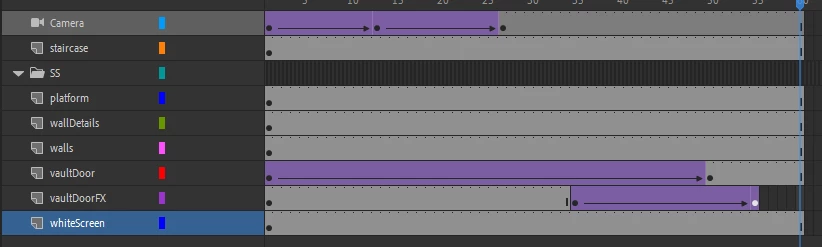
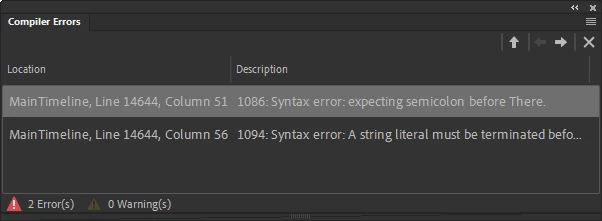
Right-clicking on the errors gives the option to "Go To Source" to debug it, however clicking it does nothing.
This may very well be an issue stemming from me having to use different versions of Animate across my main PC (using the latest Adobe Animate 2022) and two school computers (that are stranded on Adobe Animate 2020, presumably due to IT standards.)
Any solutions would be great. A scene from the video that gets mangled is included as an attachment. The video uses the Camera tool and Layer Depths and exclusively uses Classic Tweens instead of the Shape or Motion Tweens.


 AdChoices