Known Participant
July 7, 2017
Answered

Mask effect, buttons and sound

  • July 7, 2017
  • 2 replies
  • 554 views

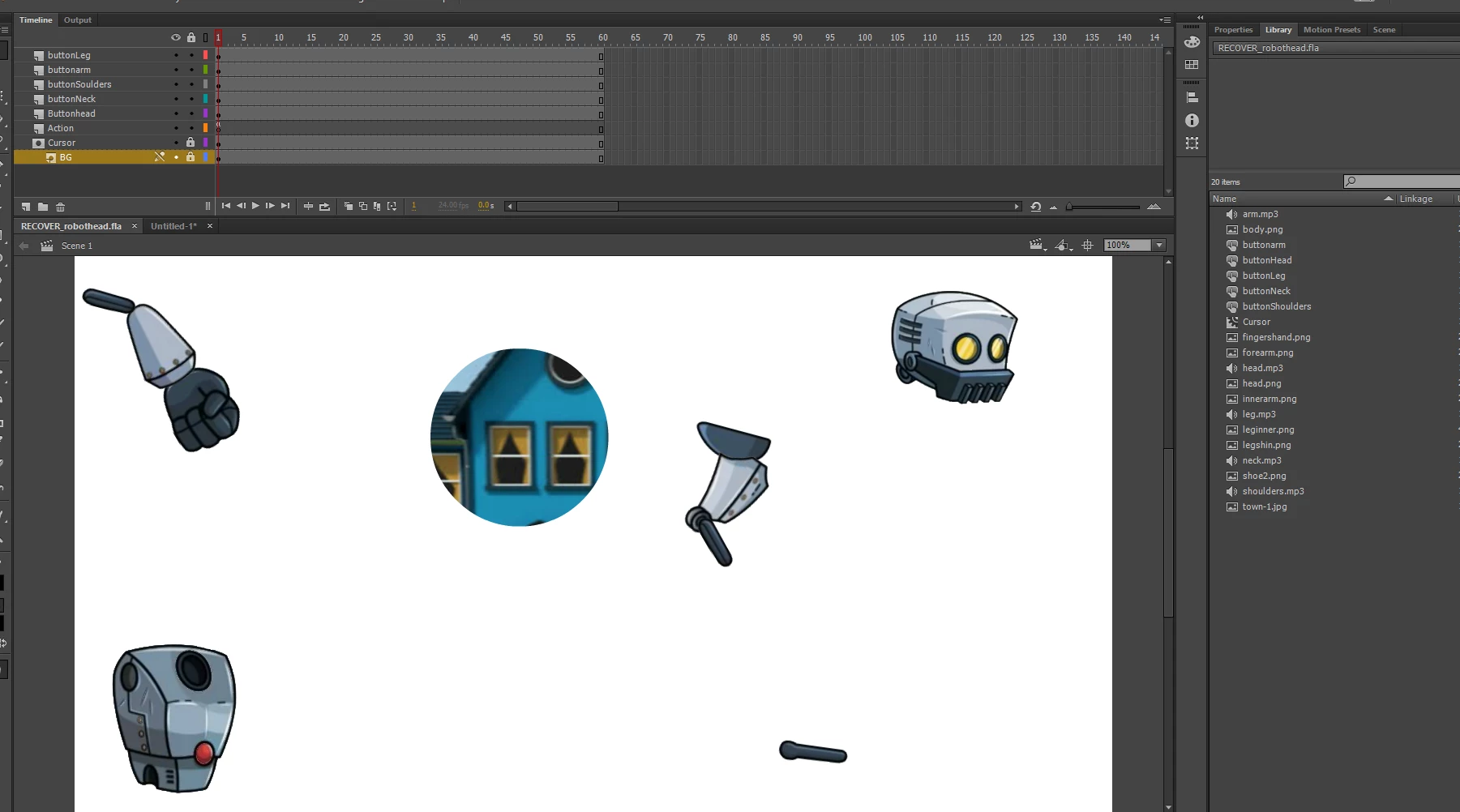
Hello everyone.  I created a project with masking buttons and sound.  The object is to find the body parts, click on it once found and the learner can hear hear the sound.  Everything works fine except I can't seem to get the body parts, which are buttons, hidden under the mask. Thank you for your time.
    This topic has been closed for replies.
    Correct answer Nick Gioia

    All the layers need to be dragged under the mask layer for it to work.

    2 replies

    travisbrainerd
    Participating Frequently
    July 8, 2017

    You will need to nest the body part layers to the mask layer, like the layer "BG" currently is.

    Known Participant
    July 8, 2017

    Phew.  Ok let me try that.

    Legend
    July 7, 2017

    In your timeline screenshot your buttons are clearly not underneath the mask layer. How were you expecting that they'd be masked?

    Known Participant
    July 8, 2017

    Is this a better placement? This was the original build. I've tried this as well with the same result.  And tried moving the parts to the back.  Not sure what I'm doing wrong..  I tried the background to body parts buttons, sound then mask.  The background to ask then body parts buttons with sound.  Moving the configuration around and so on.  The end result is always the same, .body parts on top of the mask.  Perhaps I'm not smart.  I know it's probably something simple but I've worked on it, researched it for weeks. 

    Nick GioiaCommunity ExpertCorrect answer
    Community Expert
    July 8, 2017

    All the layers need to be dragged under the mask layer for it to work.