February 22, 2012
Answered

Mask Help

  • February 22, 2012
  • 1 reply
  • 624 views

Been working on this for far too long - need some opinions / fresh thoughts on what I can do.

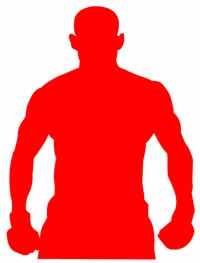
So, I have a mask like so:

I need to allow the user to modify this mask. They need to be able to use a 'brush', to either add to or subtract from the mask. Basically add or remove red.

I have tried the mask as both vector and bitmap and haven't had much success with either.

Anyone have any ideas?

This topic has been closed for replies.
Correct answer

What did I paste my code in? I didn't test your code, but at a cursory inspection, it's _very_ similar to my own! Funny. I use an EnterFrame on mouseDown, instead of a Move, but otherwise... what is different is using hitTest. I don't care if the user clicks on the bitmap... they can choose to erase or draw anywhere they like. But that's a nice option.

Currently I simply do (hardcoded 12px brush size for testing)

private function erase(e:Event):void

{

          maskData.fillRect(new Rectangle(mouseX-6,mouseY-6,12,12), 0xffff0000);

}

And that does work fine. I can draw red, or transparent... However, I'd really like to use a circle instead of a rectangle.


I worked it out. Found an algorithm for drawing a filled circle pixel by pixel. Just used setPixel32 with that and I can add or subtract from the mask with varying size circular brushes. Whew.

Thanks!
1 reply

February 22, 2012

I've gotten closer using a bitmap for the mask. With a bitmap I can use setPixel32 to either a fill color, or transparency and I get what I need. But only one pixel at a time. Doable, but I need varying size brushes and a 20x20 circular brush would require lots of setPixels - probably still ok performance wise but coding it would be a pain. It also works with fillRect... But I need a fillCircle, which BitmapData doesn't have.

I haven't had success using copyPixels to copy a circular image...

Any help is much appreciated.

kglad
Community Expert
Community Expert
February 22, 2012

use fillRect():

// where mc is your boxer silhouette

var bmpd:BitmapData=new BitmapData(mc.width,mc.height,true,0x00000000);

var mat:Matrix=mc.transform.matrix;

bmpd.draw(mc);

var bmp:Bitmap=new Bitmap(bmpd);

mc.visible=false;

addChild(bmp);

bmp.x = mc.x;

bmp.y = mc.y;

base.cacheAsBitmap=true;

bmp.cacheAsBitmap=true;

base.mask=bmp;

stage.addEventListener(MouseEvent.MOUSE_DOWN,startF);

stage.addEventListener(MouseEvent.MOUSE_UP,stopF);

function startF(e:Event):void {

    stage.addEventListener(MouseEvent.MOUSE_MOVE,eraseF);

}

function stopF(e:Event):void {

    stage.removeEventListener(MouseEvent.MOUSE_MOVE,eraseF);

}

function eraseF(e:MouseEvent):void {

    if (bmpd.hitTest(new Point(0,0),0,new Point(-bmp.x+mouseX,-bmp.y+mouseY))) {

        var rect:Rectangle=new Rectangle(-bmp.x+mouseX,-bmp.y+mouseY,20,20);

        bmpd.fillRect(rect, 0x00000000);

        bmp.bitmapData=bmpd;

    }

}

February 22, 2012

What did I paste my code in? I didn't test your code, but at a cursory inspection, it's _very_ similar to my own! Funny. I use an EnterFrame on mouseDown, instead of a Move, but otherwise... what is different is using hitTest. I don't care if the user clicks on the bitmap... they can choose to erase or draw anywhere they like. But that's a nice option.

Currently I simply do (hardcoded 12px brush size for testing)

private function erase(e:Event):void

{

          maskData.fillRect(new Rectangle(mouseX-6,mouseY-6,12,12), 0xffff0000);

}

And that does work fine. I can draw red, or transparent... However, I'd really like to use a circle instead of a rectangle.