Meta name "ad.size" in exported HTML does not match Stage size in Animate CC
I created a series of online display ads in Animate CC and exported them as HTML5. They animate correctly and look fine in a browser test straight from Animate CC, but when testing it on the HTML5 Validator and some ads were getting cropped. Well, I discovered that it uses the Meta name "ad.size" to discern the ad size and generate the frame to show the ad in. But Animate CC is not generating the Meta Name ad.size to match the size of the Stage.
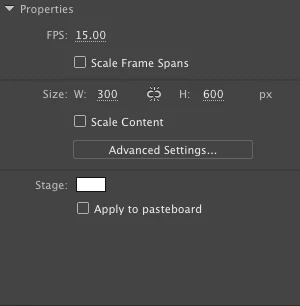
The first ad I created generates the correct Meta Name ad.size dimensions. Then I duplicated that project and modified the Stage size for the next ad. But Animate CC isn't recognizing that change and continues assigning the ad.size with the original pixel dimensions.
How do I get Animate CC to use the current Stage size when generating the ad.size dimensions so that it matches the stage size?
I have 16 ads completed and it's a real inconvenience to have to fix that with every little change on every ad. I fairly new at using Animate CC so, I'm hoping it's some simple preference checkbox that I don't know about.
Thank you!

 AdChoices