Inspiring
May 8, 2016
Answered

Minimum characters allowed, textfield.

  • May 8, 2016
  • 1 reply
  • 664 views

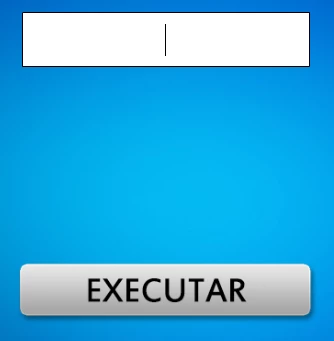
Good afternoon users, how can I be limiting the minimum characters allowed in a textfield? The action is executed from a button, however, I like to put a minimum of four characters to be able to button selection.

Can anybody help me? I am grateful in advance for attention!

This topic has been closed for replies.
Correct answer Ned Murphy

calcular.addEventListener(MouseEvent.CLICK, resolver);

var num:Number;

function resolver(Event:MouseEvent): void {

  num = 0;

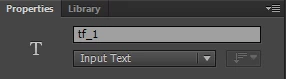
  num = Number(tf_1.text);

  if(num % 400 == 0 || num % 4 == 0 && num % 100 != 0) {

  trace("Yes!");

  gotoAndStop(44);

  }

  else {

  trace("No!");

  gotoAndStop(45);

  }

}

This is the elaborate code, however, like to add a condition that if the user to enter a minimum number of four characters, the operation is not performed, giving a return not to proceed further.

Would you help me?


calcular.addEventListener(MouseEvent.CLICK, resolver); 

var num:Number; 

function resolver(event:MouseEvent): void { 

   if(tf_1.text.length > 4){

       num = Number(tf_1.text); 

       if(num % 400 == 0 || num % 4 == 0 && num % 100 != 0) { 

           trace("Yes!"); 

           gotoAndStop(44); 

       } else { 

           trace("No!"); 

           gotoAndStop(45); 

       }


   } else {

        // do whatever you mean by "giving a return"

   }

1 reply

Ned Murphy
Legend
May 8, 2016

The following hides the button until there are 4 or more characters in the textfield...  you can change it to use the mouseEnabled property instead of the visible property if you don't want to hide the button.

btn.visible = false;

tf_1.text = "";

tf_1.addEventListener(Event.CHANGE, checkText);

function checkText(evt:Event){

     if(tf_1.text.length > 3){

         btn.visible = true;

     } else {

         btn.visible = false;

     }

}

vvvverTAuthor
Inspiring
May 9, 2016

else if(tf_1.text.length > 3) {

  trace("Fill out the field");

}

Hello Ned, this part of the code I'm saying.

I would like to add this condition, perhaps with a return not to advance to the following conditions. Thus, if the user types something with less than 3 characters will not advance.

However, when I try for a return always the error by adding a "return 1;" the end condition.

Would you help me?

Ned Murphy
Legend
May 9, 2016

Your explanation is not clear to me, nor is the code you show.  If the text length is > 3 then you should not be telling someone to fiull out the field... they have done that.

Showing just a portion of the code does not explain what you have tried.  Please show all of the code that is giving you a problem.  The code that I showed works when I have a textfield and a button.