Participant
January 19, 2022
Answered

Missing object when exported from Adobe Animate

  • January 19, 2022
  • 1 reply
  • 1579 views

Hi everyone,

I'm new to Animate and so far honestly it's been a strugle. 

My biggest issue on the current project is that one of my objects dissapears only when the animation is exported either in test swf file or final mp4 file. 

I found in this community the same topic and suggestions to turn off Guides but in my case I don't have any Guides used to create this animation. It's completely done by simple Classic Tweens and some Symbols. 

I've attached photos to show you the issue.

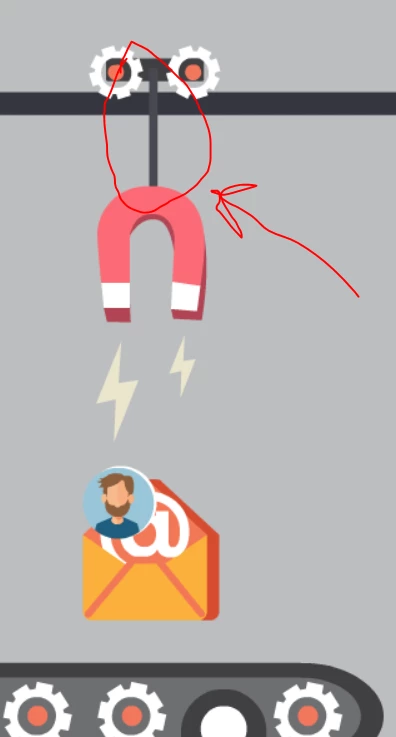
Photo 1 is inside Animate and the visible object in question 

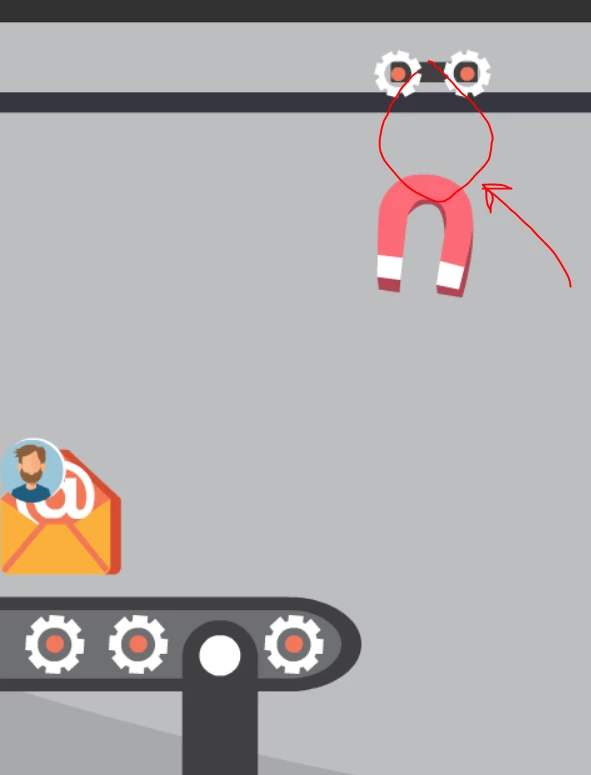
Photo 2 is when the project is exported and the missing object

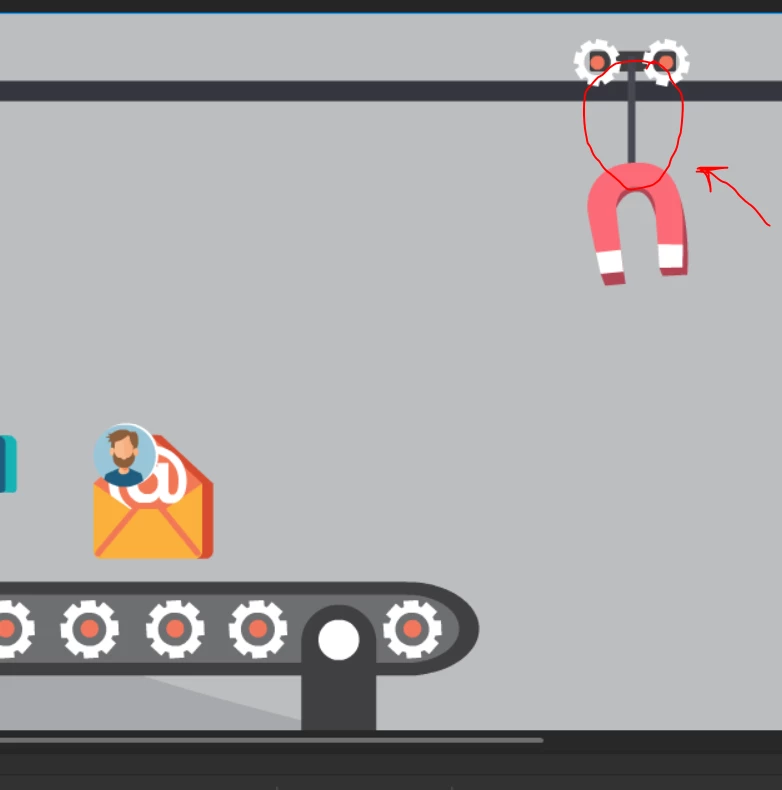
Photo 3 is when the project is exported and the missing object reapears just a moment before the animation finishes. 

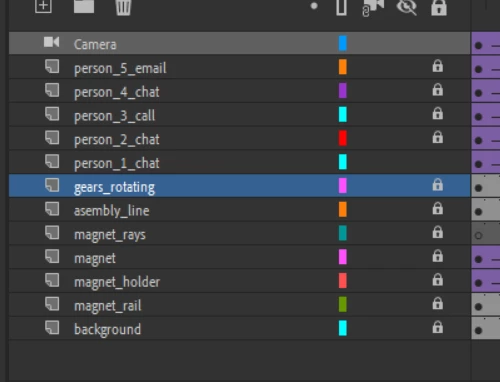
Photo 4 current Layers in that Project to show there are no Guides. 
First version of this project had one Guide and I had the 1084 Syntax Error message appear when exporting the file so that's why I redid it without the Guide to see if it will help. Now there is no Error message but the object in question is still missing when I export the project. 
Thanks in advance for any information and help to solve this issue. 
    This topic has been closed for replies.
    Correct answer Milica_aciliM

    I just fixed it thanks to your questions Joseph. The dissapearing object needed a stroke not just the fill in order to work. So thank you. I thought the stroke was only important for Shape Tweening. Learned something new today.

    1 reply

    Joseph Labrecque
    Community Expert
    Community Expert
    January 22, 2022

    What kind of object it that itm that disappears? Shape (stroke or fill?)... symbol?

    Participant
    January 24, 2022

    Drawn with Rectangle tool, only fill, no stroke. It's not a part of the symbol but it is on the same layer, just 'follows' it in same frames due to Classic Tween. Symbol itself is the rectangular shape with wheels because the weels turn as the entire object moves from right to left.


    Symbol and (disapearing) object on the same Layer


    Symbol

    Milica_aciliMAuthorCorrect answer
    Participant
    January 24, 2022

    I just fixed it thanks to your questions Joseph. The dissapearing object needed a stroke not just the fill in order to work. So thank you. I thought the stroke was only important for Shape Tweening. Learned something new today.