
Motion Tween Animation Problem
Hello, I have a serious problem while I was making motion tween animation in Animate CC 2018.
Here's the thing, I drew a rabbit using paint brush and divided it into different symbols(head, ears, body, hands, legs, feet and tail), and I trying to use these symbols to create a motion tween animation like rabbit jumping. In this process, a serious problem has always appeared and I don't know how to solve.
I have tried two ways to make the motion tween animation and first is using the bone tool. Everything went smoothly until I adjust the bunny to the flying posture. Every time when I doing this, I would rotated and remove my whole bunny(including all of parts connecting with bones), and I found that there was a huge problem in the former key frames, my bunny was divided into several pieces cruelly(all my order was messed up).
Every time when this happen, I have no idea but to restart the whole process again and again.
After that, I tried another way by using 9 layers to make this motion tween animation like this.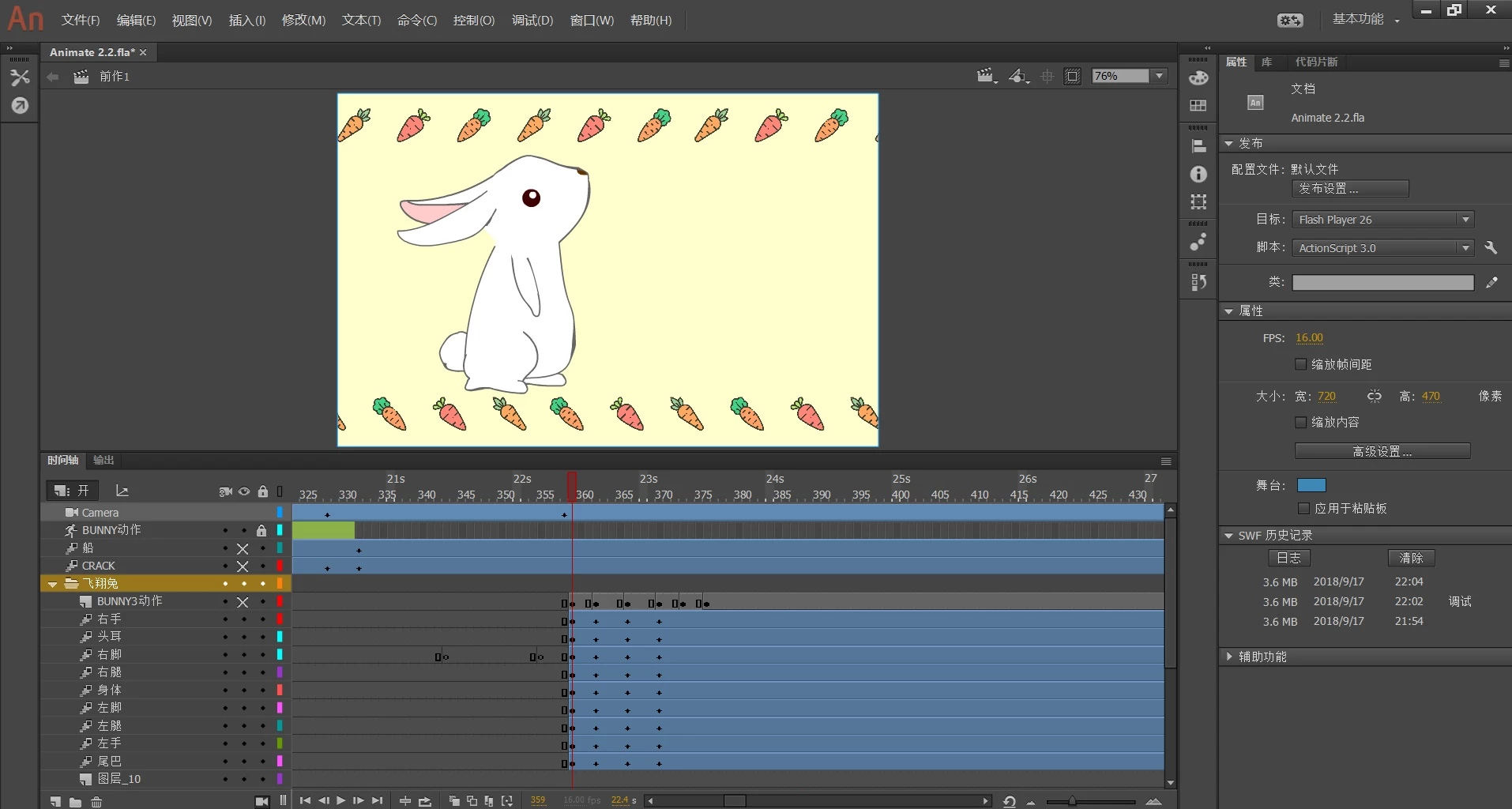
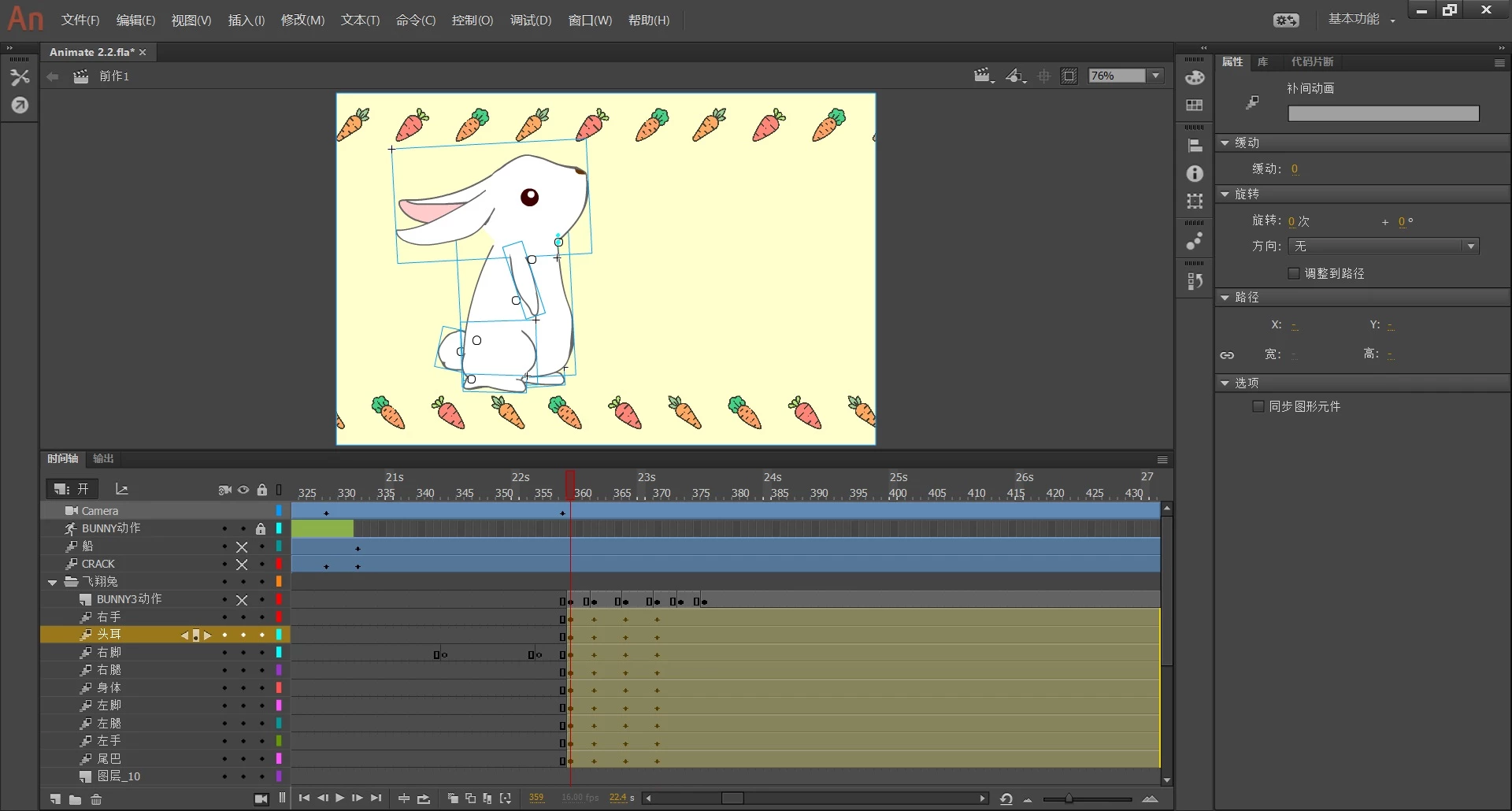
And the situation is similar to the last time. First, smoothly
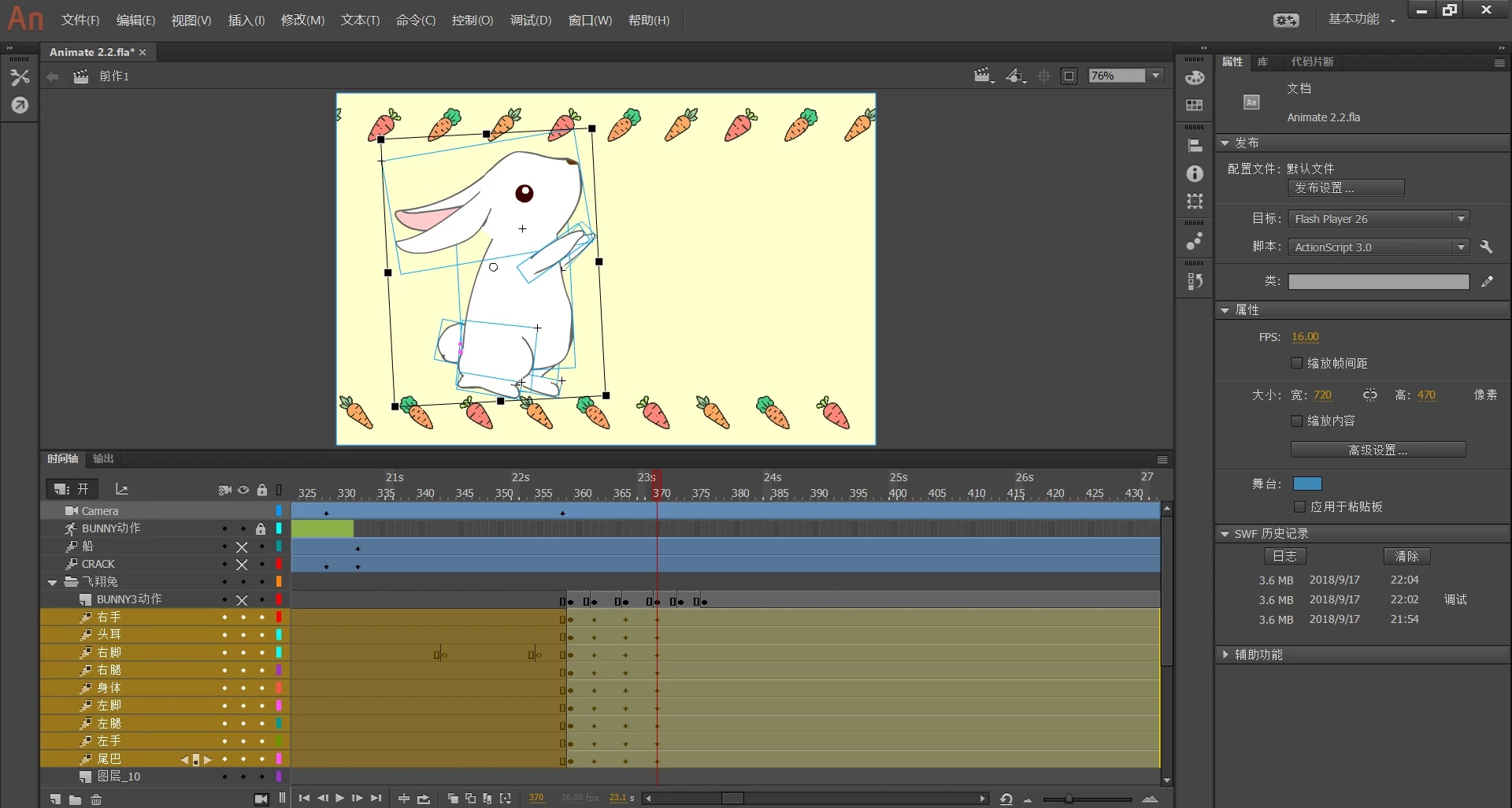
....until I adjust my rabbit to the flying posture.
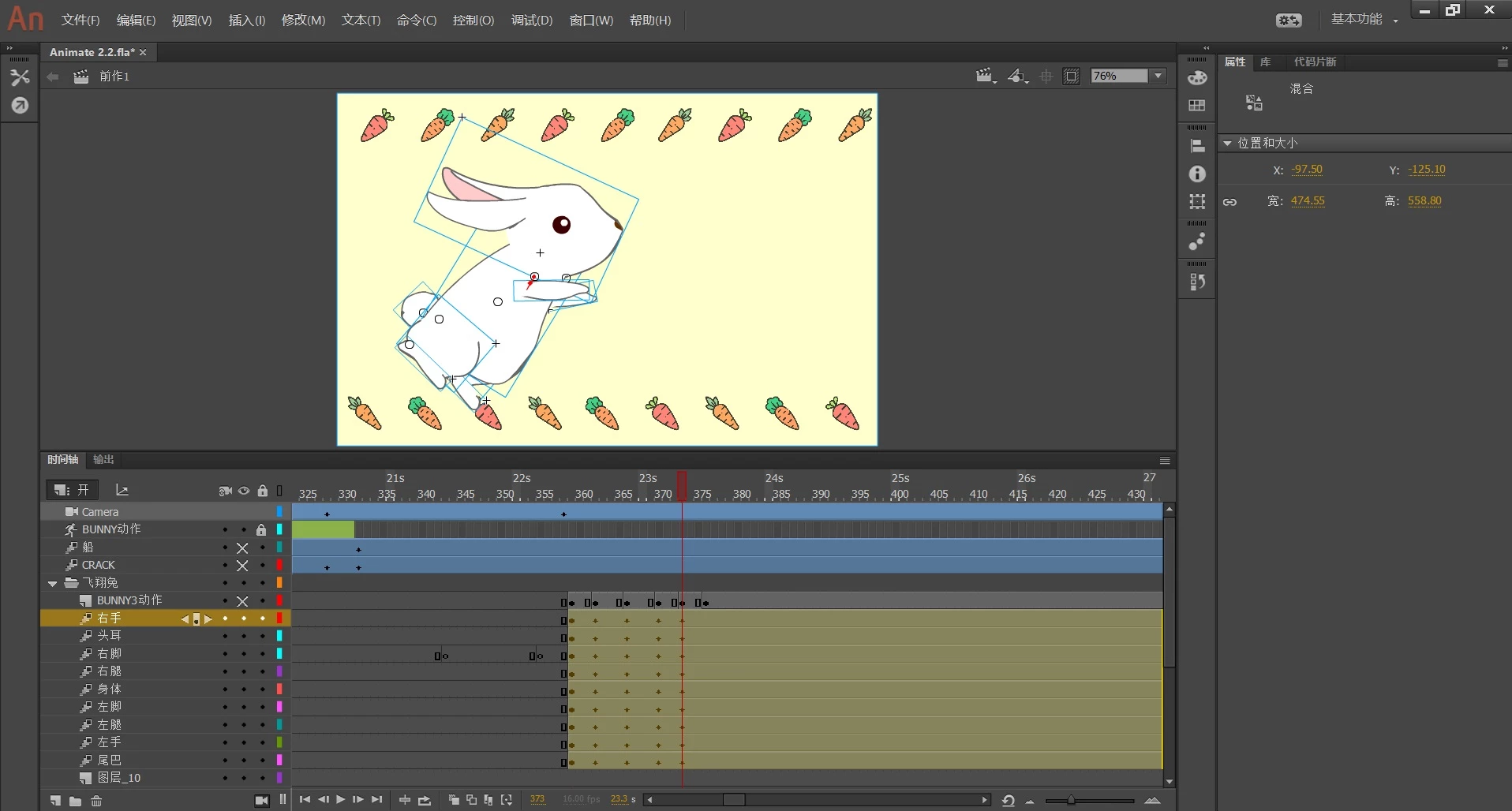
Saint Maria....when I back to the former key frames, the thing just happened(my bunny was divided into several pieces cruelly).
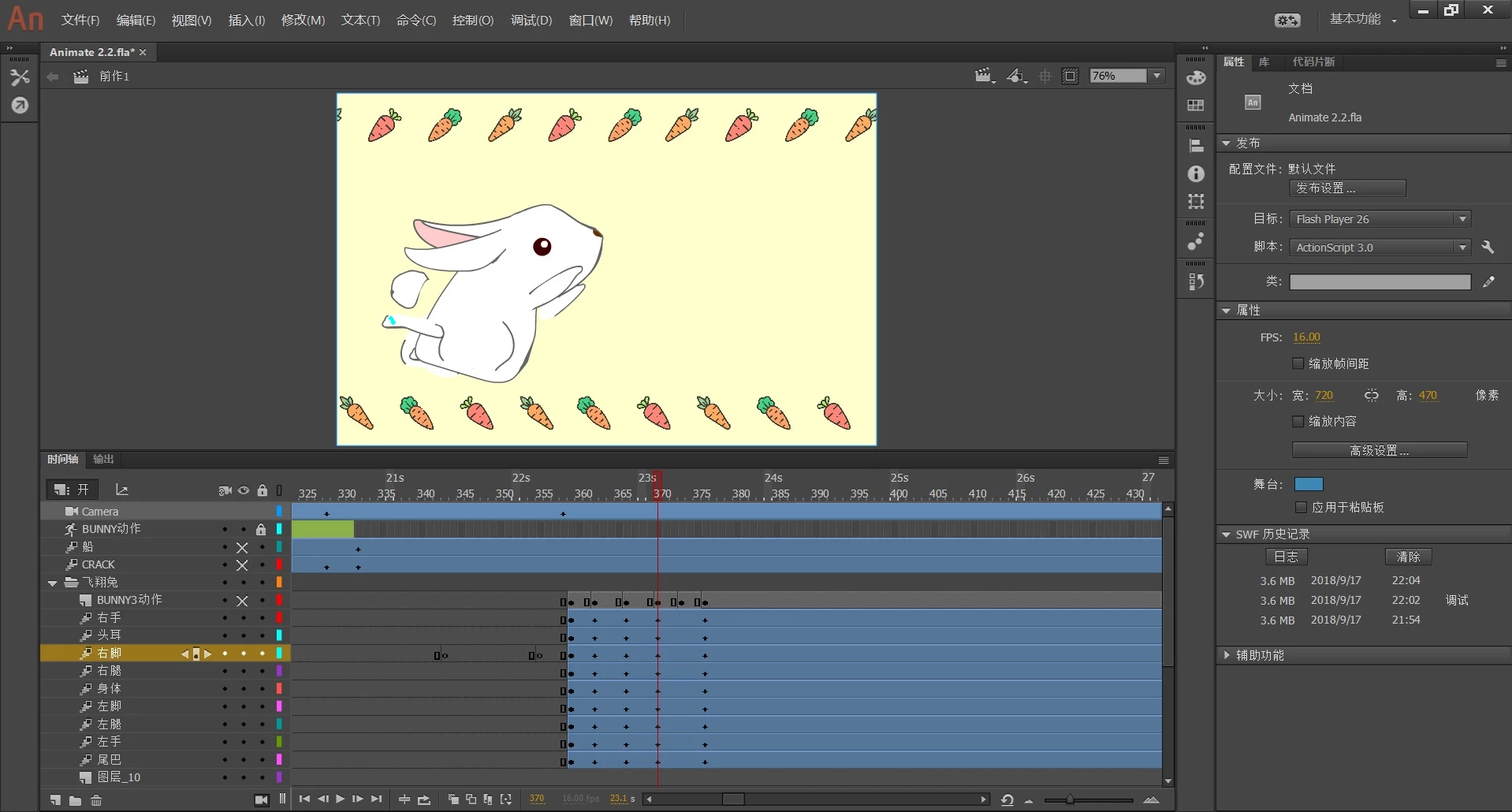
Here is a video version for my problem.(maybe do not watch it if my description is clear enough)
Finally, really appreciate for anyone's helping. Have a good day.
 AdChoices