


Participant
December 14, 2020
Question

Motion Tween isn´t showed up

  • December 14, 2020
  • 2 replies
  • 727 views

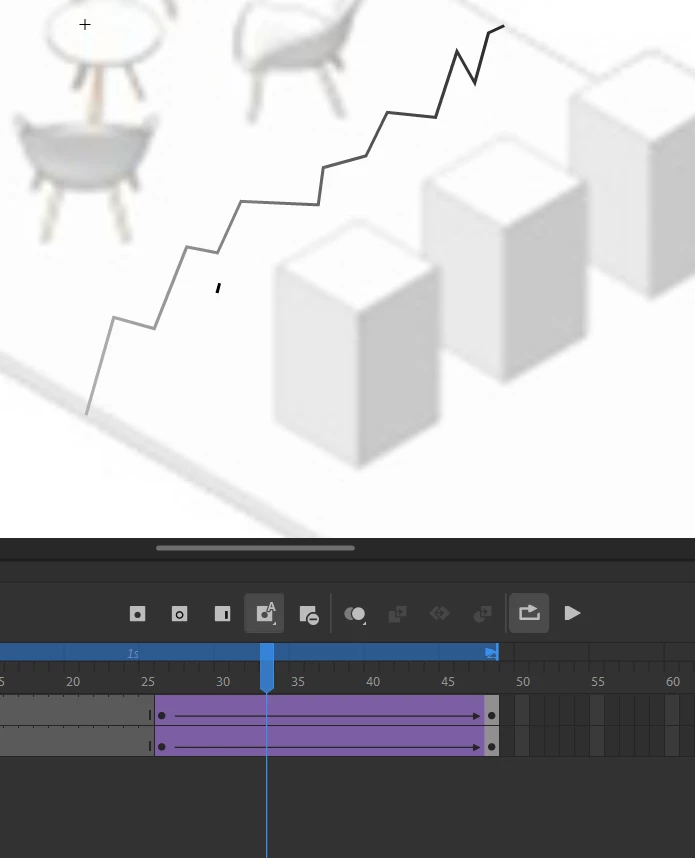
Where can I view the motion tweens in Adobe Animate? So the line I can change? I cant see the path, the Symbol is moving on. I want the Sybol (little stroke) to move along the path, but I cant see the path on which the symbol is right now, that meas I cant change the path from the motion tween..


Please Help.

Thanks.


    This topic has been closed for replies.

    2 replies

    Community Expert
    December 14, 2020

    You are using a "Classic Motion Tween" so in order to add a guide you can Right-Click the layer and select "Add Classic Motion Guide" then you can select each keyframe in the tween layer, and snap/lock each object on the guide


    hope that helps!

    Mark

    headTrix, Inc. | Adobe Certified Training & Consulting
    kglad
    Community Expert
    Community Expert
    December 14, 2020

    the object you're tweening must be on it's own layer.


    click any frame in the tween's span on that layer and the path will be on stage: