Known Participant
August 26, 2021
Answered

Need help with sound issue - not sure how to get them on main timeline

  • August 26, 2021
  • 2 replies
  • 825 views

I inherited a movie project that uses all movie clips. From recent help I've received here, I started the task of converting all mcs to graphic symbols. I'm running into an issue with some sound effects. 


Right now, there's a graphic symbol (used to be mc) of a clapboard. On the main timeline, it has a motion tween from left to right to get it center stage. That takes 12 frames (ends at frame 127) and is fine. The gs itself is 135 frames long - lots of stuff going on including 2 sound effects, a "clap" at frame 45 and a "ding" at frame 70. When I scrub the gs itself, everything works fine. However, the sounds don't play either when scrubbing or after publishing the movie as a swf. I tried making sure my main timeline extends out far enough for the whole gs to play but that didn't change anything. The visual part works fine but the sounds don't play.


I've been reading other posts and it sounds like I need to move all the sounds to the main timeline. However, I think I must be missing something because when I scrub, the gs symbol itself never plays so I can't see where the sounds should go. I thought one of the advantages of using graphic symbols instead of mcs is that you could scrub them on the main timeline. Mine don't do that. I don't know if I misunderstood what's possible (in terms of scrubbing them) or if maybe I didn't convert them correctly. Or there's something else I don't know.


Appreciate any help.


Susan 

    This topic has been closed for replies.
    Correct answer n. tilcheff

    Excellent tips! Is the counter you're talking about the tool called "Sync Symbols To Timeline"?


    I really appreciate your help.   


    No, Sync Symbols To Timeline will allow you to sync timelines very easily at the press of a button.


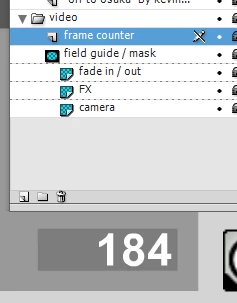
    The counter I had in mind is just a graphic symbol with numbers that you put where you need to visualise the frame numbers. 

    You can grab it from the Movie Template file and use in wherever you like.

    Put on its own layer. When done with it, either 'guide' the layer or delete.


    Nested symbols and control of multiple timelines take some time to fully make sense, but after a while everything will fall into place and deciding how to structure files will become very easy.


    2 replies

    n. tilcheff
    Legend
    August 26, 2021

    Hi Susan,


    All sounds for video export should be set to Stream and on the main timeline.

    You can have duplicates of those inside Graphic Symbols for preview purposes, but none of them will play in the export.


    So, copy those audio layers inside the Graphic symbols and paste them on the main timeline. Make sure they are in sync.


    Nick - Character Designer and Animator, Flash user since 1998 | Member of the Flanimate Power Tools team - extensions for character animation
    Known Participant
    August 26, 2021

    Thanks - I had read that - but the part that confused me is that since you can't scrub the graphic symbols, you just have to add up the frames to figure out where the sound should go? That seems like an inefficient way to work. If I change anything in my gs, I'd have to remember to also go back and change the sound effects on the main timeline. That's just how it is? I was hoping I was missing something and that there's an easier way.

    n. tilcheff
    Legend
    August 26, 2021

    You can scrub Graphic Symbols. They always run in sync.

    Audio is just done on the main timeline.


    In most cases you don't need to have any audio inside the graphic symbols.

    The only exception usually is lip sync, where the audio is inside the head symbol, so that you can preview it and sync the facial animation, and also inside the character symbol, so that you can act to it.


    The best way to work is to open two views and quickly switch between the timelines.

    Open a second view via the Window menu > Duplicate Window. Then you can Ctrl+Tab and keep one on the main timeline and the other inside the symbol.


    Also you can run all nested timelines in sync if you need to.


    Nick - Character Designer and Animator, Flash user since 1998 | Member of the Flanimate Power Tools team - extensions for character animation
    Known Participant
    August 26, 2021

    P.S. The sounds were originally set to Event but I changed them to Streaming. Neither setting makes them play - unless I'm within the gs and then they're fine.