GreenEarth21
Participant
December 5, 2019
Answered

New to Animate, confused about custom brushes.

  • December 5, 2019
  • 2 replies
  • 1209 views

EDIT: Problem solved!

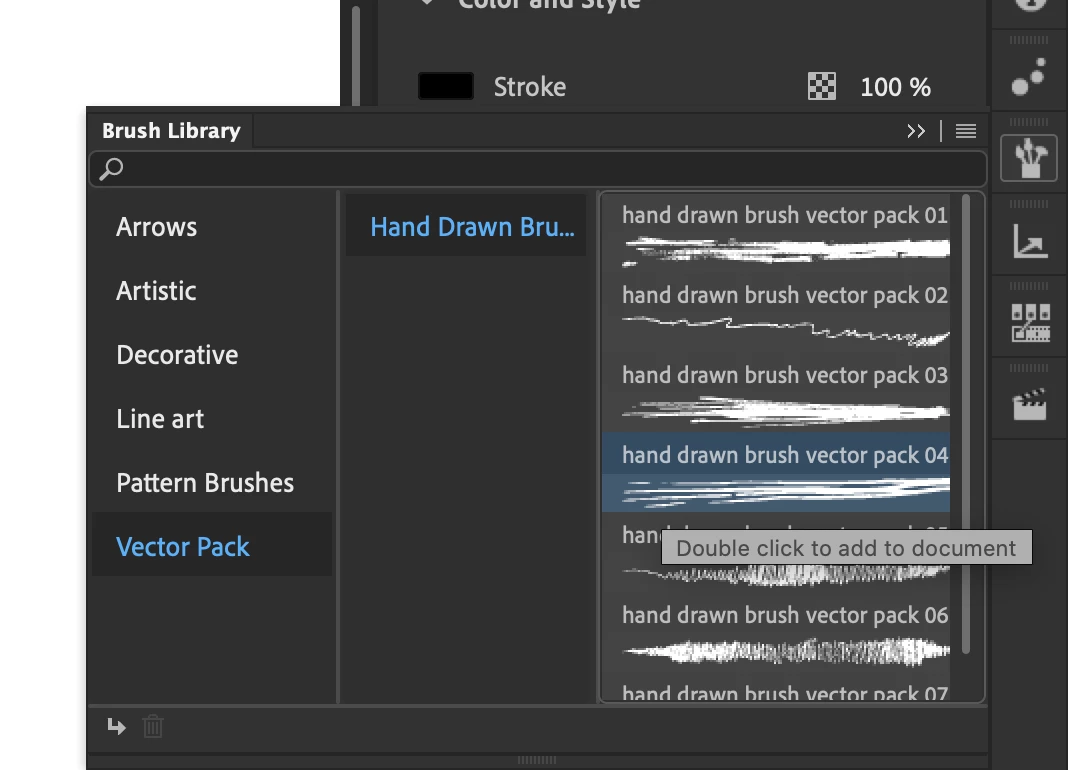
Hello! I am very new to Animate (just got it today), and am quite confused about the custom brush feature. I go to select the brush library, after which it says to double-click on a custom pattern. After doing so I can't find a way to change the brush to the new pattern. Any thoughts? Help is greatly appreciated!
This topic has been closed for replies.
Correct answer _keyframer

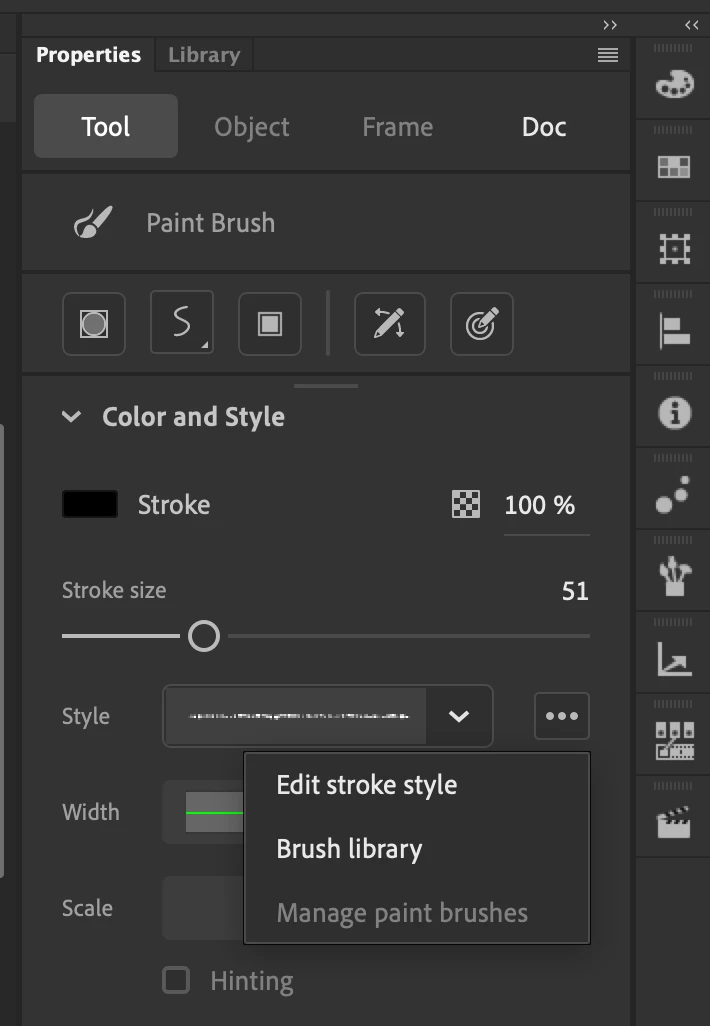
Select the Paint Brush tool.

Click the 3 dots to the right of the Style drop-down menu in PP.
Select Brush Library to find your new brush.
Double-click it.
HTH

2 replies

_keyframer
Community Expert
_keyframerCommunity ExpertCorrect answer
Community Expert
December 5, 2019

Select the Paint Brush tool.

Click the 3 dots to the right of the Style drop-down menu in PP.
Select Brush Library to find your new brush.
Double-click it.
HTH

Animator and content creator for Animate CC
GreenEarth21
Participant
December 5, 2019

Thanks for the reply! Simply wasn't using the right brush tool lol.

Colin Holgate
Inspiring
December 5, 2019

Thanks for reporting back. You could add what it was that solved things for you, in case someone else comes by here with the same problem.