


Not able to import video to enable playback on timeline in Animate CC
Hi all,
I'm quite new to this software and community so bear with me. I have an edited video in .MP4 that I want to add some 2D animations on. I knew that I could simply import the video as an embedded h.264 to use it as reference for my animations (and to export the animations on a transparent background so it can later be combined with the actual video in Premiere Pro). My problem is that when I try to import the video (It's not a short clip. It's around 12 minutes long and the file size is over 200mb), I get this error about not being able to embed the video because of it consuming too much memory.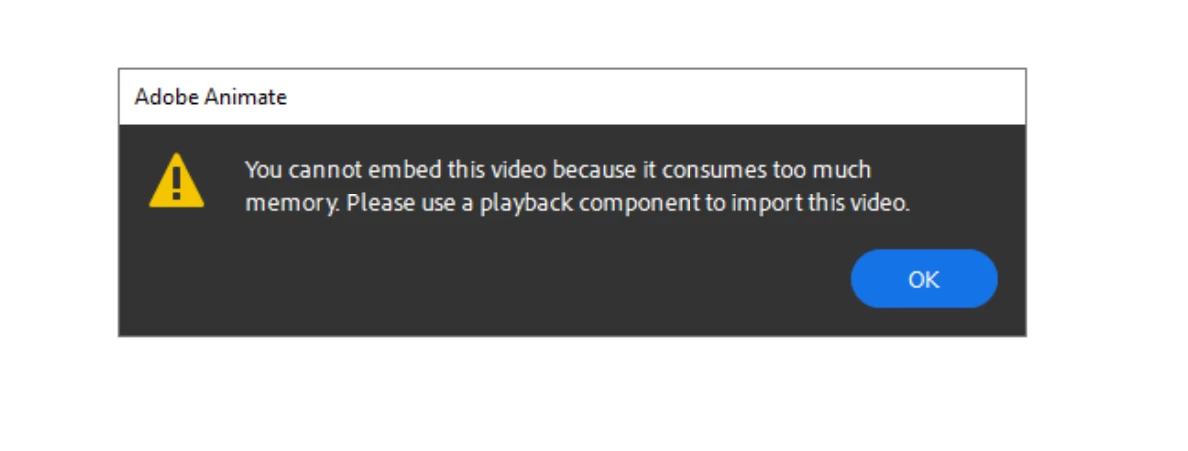
Same error apears when I tried to import an .flv file as well. Is there a way to overcome this issue? How can I make it so that it doesn't consume so much memory? I've tried compressing the files from a third-party website (assuming that the size may be the cause) but still no luck...
Here's my system: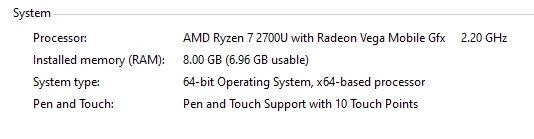
 AdChoices