antona69292586
Participant
Sep 25, 2019 2:59 PM UTC
Answered

Objects on a Layer (Where's Layer panel?)

Hello! New to Animate.

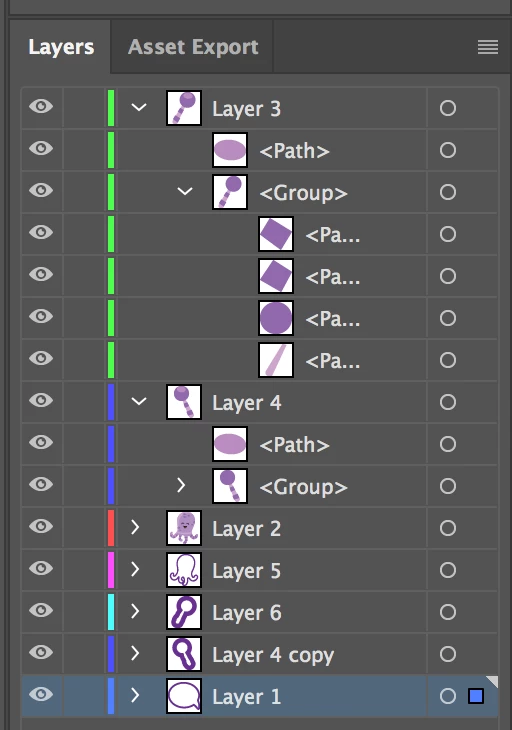
How can i see a list of objects and their order in a layer? 

I can see this in any software (illustrator, after effects, c4d ...,) but could not find it in Animate 😞

Example of it in Illustrator:
This topic is closed to new replies. Start a new post to keep the conversation going.
JoãoCésar17023019
JoãoCésar17023019Correct answer
Community Expert
Sep 25, 2019 3:05 PM UTC

Hi.


Unfortunately Animate doesn't have a tree view of timeline instances.


Your only option is to distribute the objects to layers by selecting them, right-clicking and choosing Distribute to Layers (Ctrl/Cmd + Shift + D).


And it would be a good idea to request this tree view feature:

https://www.adobe.com/products/wishform.html


Regards,

JC

1 reply

JoãoCésar17023019
Community Expert
JoãoCésar17023019Community ExpertCorrect answer
Community Expert
Sep 25, 2019 3:05 PM UTC

Hi.


Unfortunately Animate doesn't have a tree view of timeline instances.


Your only option is to distribute the objects to layers by selecting them, right-clicking and choosing Distribute to Layers (Ctrl/Cmd + Shift + D).


And it would be a good idea to request this tree view feature:

https://www.adobe.com/products/wishform.html


Regards,

JC

Translate