



christineavatar
Legend
May 16, 2020
Answered

Onion skin doesn't work for me

  • May 16, 2020
  • 1 reply
  • 1497 views

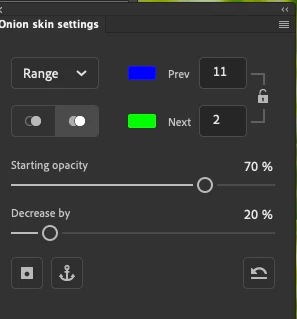
I have been messing around with this for a while. Here is the onion skin pictue:
Here is the shot of me viewing the section ahead of where I need to be:
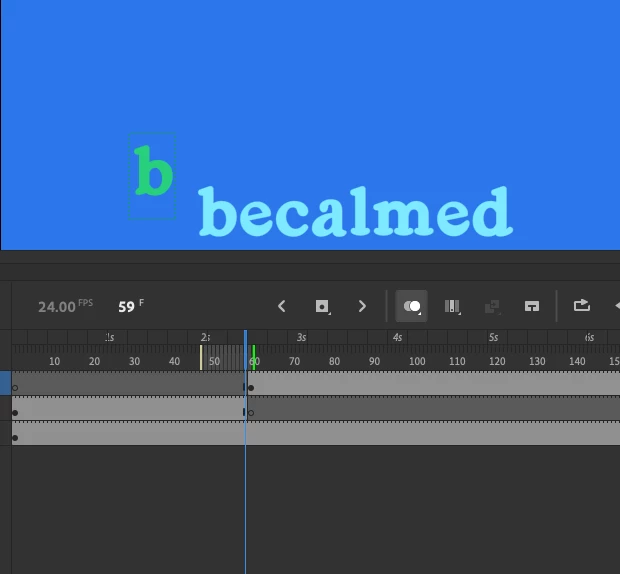
The green 'b' is the one I want to make align to the word. So, I then move the 'needle' to the 'b' I need to move and:
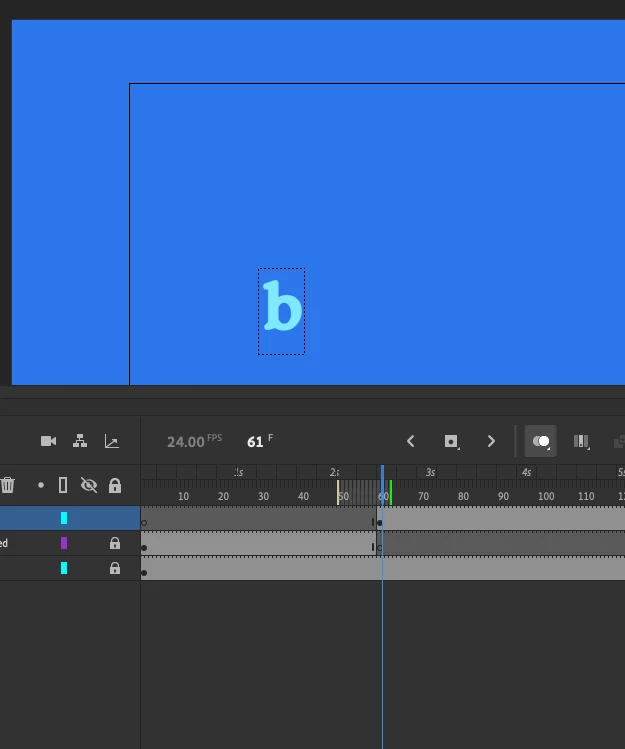
So what needs to be fixed?
    This topic has been closed for replies.
    Correct answer mark@headTrix

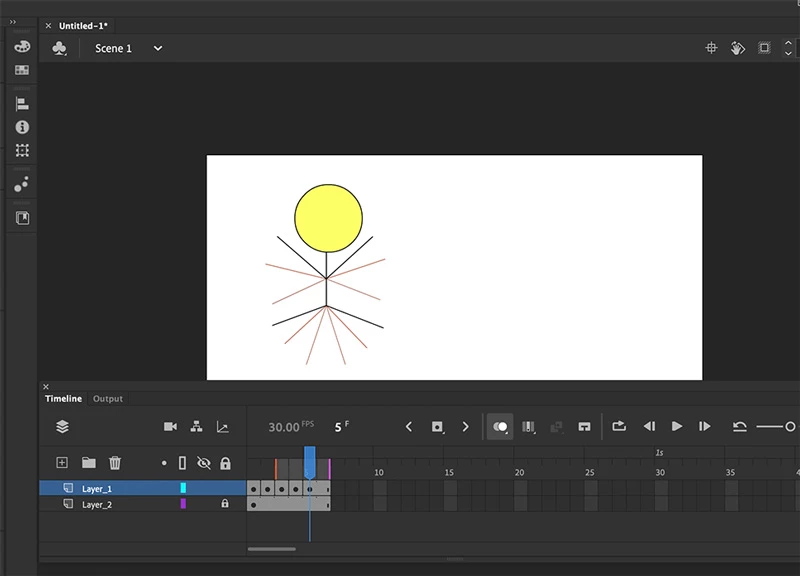
    Onion skinning is for frame-by-frame animation. So if you wanted to make a stick figure jump, in the first keyframe you would have him standing, 2nd keyframe he might squat down a little, 3rd, keyframe he will be jumping up to the air and opening his arms and legs, and so on. And to help this process, you use onion skinning, so that you can create a smooth animation by making the small incremental changes. So seeing the frame before or the frame after helps you position the current frame. See below.

    .


    Hope that helps!

    1 reply

    mark@headTrixCommunity ExpertCorrect answer
    Community Expert
    May 16, 2020

    Onion skinning is for frame-by-frame animation. So if you wanted to make a stick figure jump, in the first keyframe you would have him standing, 2nd keyframe he might squat down a little, 3rd, keyframe he will be jumping up to the air and opening his arms and legs, and so on. And to help this process, you use onion skinning, so that you can create a smooth animation by making the small incremental changes. So seeing the frame before or the frame after helps you position the current frame. See below.

    .


    Hope that helps!

    headTrix, Inc. | Adobe Certified Training & Consulting