
Known Participant
April 25, 2022
Question

Onion Skinning Issue

  • April 25, 2022
  • 2 replies
  • 310 views

I'm having a particular issue with onion skinning that I had not seen before, and I was wondering if any one else had come across it.
When turning on onion skinning, the majority of the character disappears - but not all of it. It looks as though the bounding box of the layer/object selected is obscuring the rest of the character.
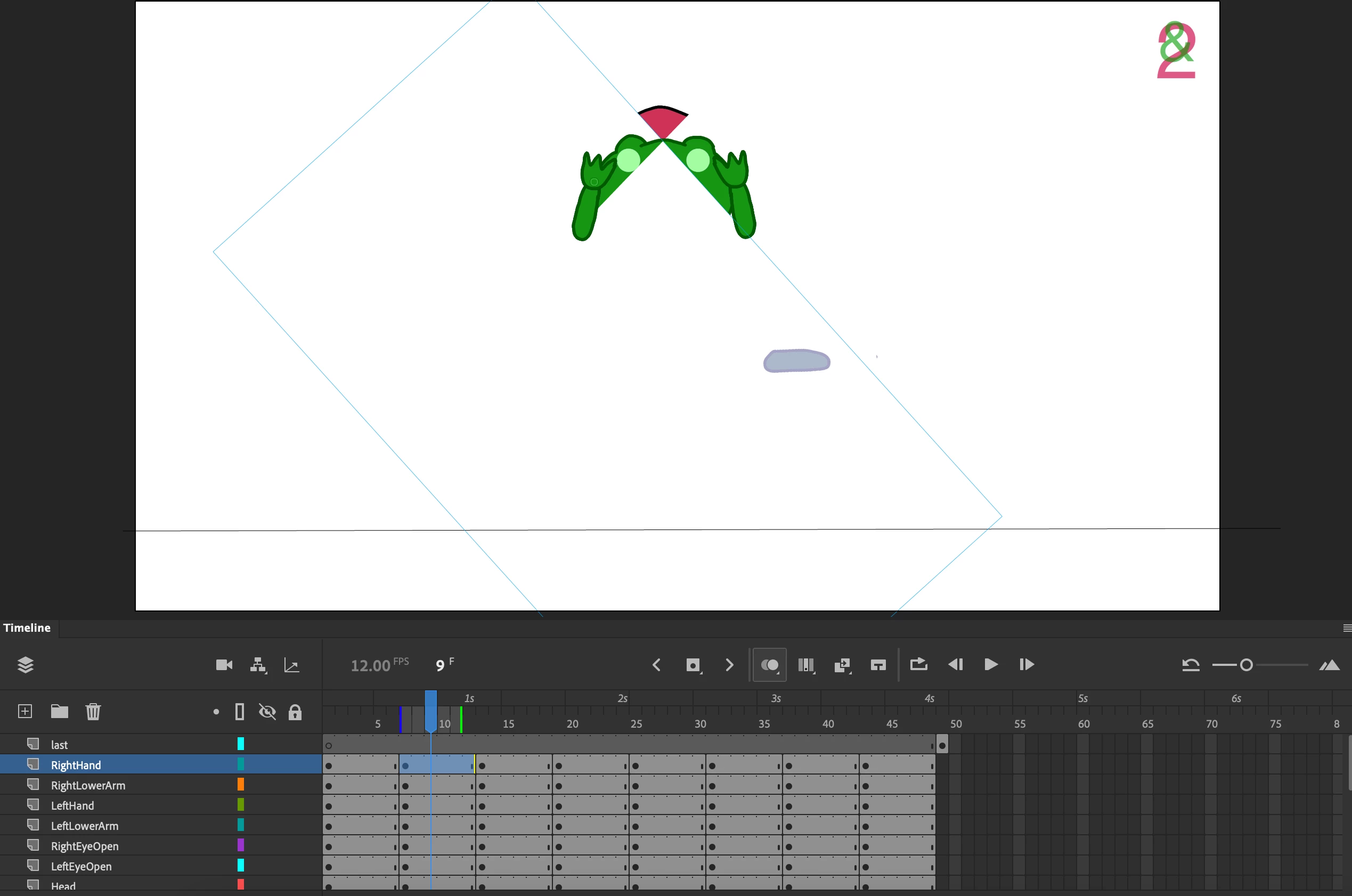
 

Not sure if it's a bug or simply user error. Any feedback is much appreciated!


This topic has been closed for replies.

2 replies

Community Expert
April 26, 2022

Try this tutorial on onion skinning and see if this helps. https://www.youtube.com/watch?v=42KIbXqxABk

kglad
Community Expert
Community Expert
April 26, 2022

what is your onion skin setting (ie, press and hold onion skin icon)?


Meg CookAuthor
Known Participant
April 26, 2022

Hello!


Onion skinning is set to "selected range".

https://we.tl/t-pZnwWUSOLO 


kglad
Community Expert
Community Expert
April 26, 2022

you're using bitmaps that have large bounding boxes causing those problems (i believe).  ie, trace your bitmaps to remove all those extraneous pixels.  try the right hand first and see if that starts to correct the problem you're seeing before investing the time to correct them all.