
Participant
March 23, 2019
Answered

Outline Problem

  • March 23, 2019
  • 1 reply
  • 297 views

I accidentally pressed a key combination (I believe it was Ctrl+shift+alt+O) and then the entire document shows as follows
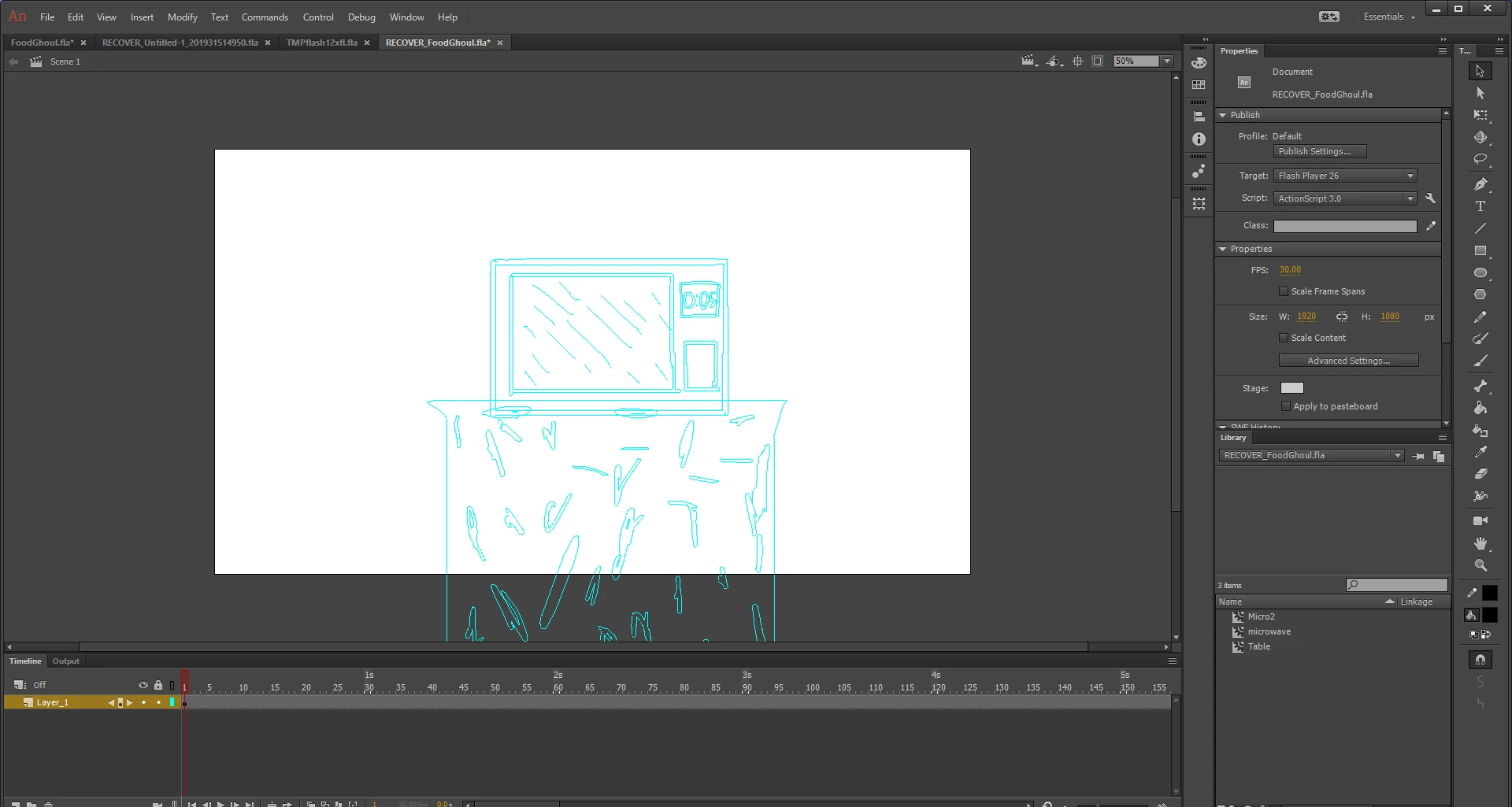
I have tried typing the key combination again multiple times but it still doesn't work

I have also saved after this happens (Which I am paranoid that I cannot get it back to normal)
This topic has been closed for replies.
Correct answer n. tilcheff

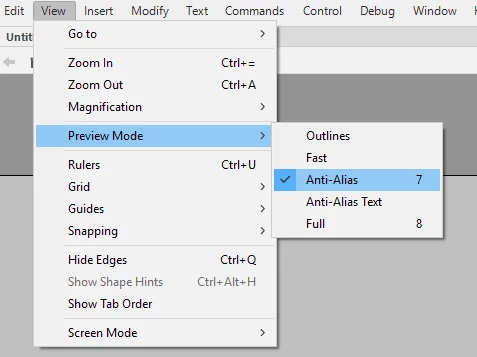
Go to view menu and choose a different preview mode

1 reply

n. tilcheff
n. tilcheffCorrect answer
Legend
March 23, 2019

Go to view menu and choose a different preview mode

Nick - Character Designer and Animator, Flash user since 1998 | Member of the Flanimate Power Tools team - extensions for character animation
beckleAuthor
Participant
March 23, 2019

Thank you!

It worked