


T3kwabz
Participant
June 26, 2020
Answered

Particularly large background keeps snapping and is unable to move where I want it to

  • June 26, 2020
  • 1 reply
  • 346 views

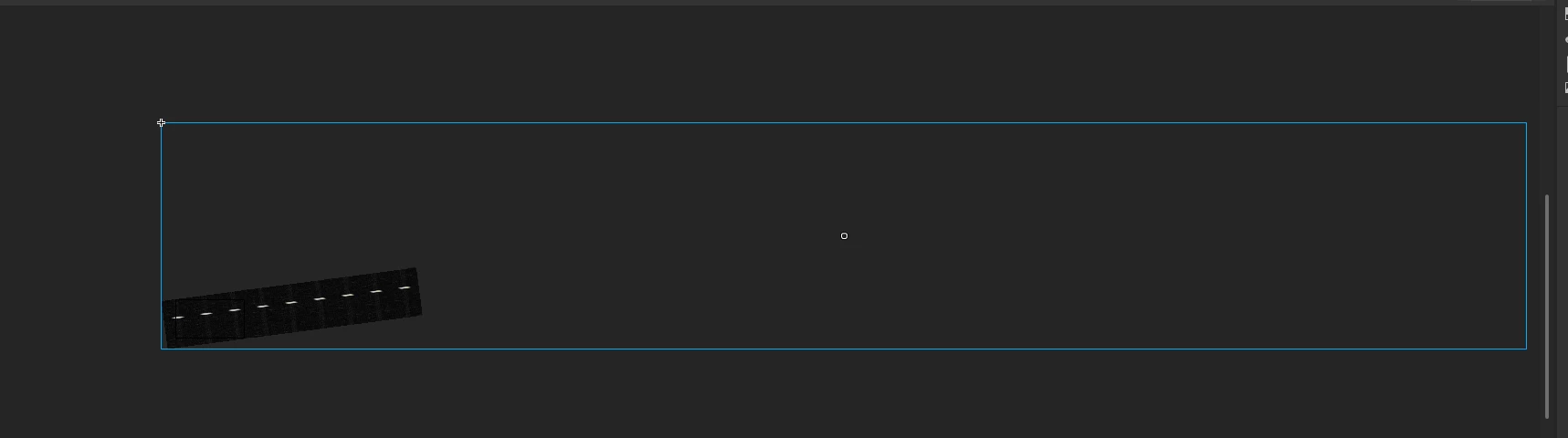
I've been trying to create a moving background (tunnel), and its meant to be quite fast paced so I've made a long background. But when I want to select the position of the background symbol for the last keyframe, it just snaps downwards and im unable to keep it how I like it. Is it because I'm moving it diagonally, because that's the perspective I need for the video or is it because the image is too big.

For example, since it kept snapping, I tried to avoid it by using the properties tab to create the position of the last keyframe of the motion tween and, I think the position is too far for the document, so it reverts back to the maximum number I could go.

(It doesnt render when i zoom out btw)

So does anybody know a solution to this?
 

    This topic has been closed for replies.
    Correct answer n. tilcheff

    Hi mate,

    Try a Classic Tween instead of Motion.

    If that does not work, it would mean you have gone over a limit and you will need to split your BG into two (or more parts) and move them together.


    1 reply

    n. tilcheff
    n. tilcheffCorrect answer
    Legend
    June 26, 2020

    Hi mate,

    Try a Classic Tween instead of Motion.

    If that does not work, it would mean you have gone over a limit and you will need to split your BG into two (or more parts) and move them together.


    Nick - Character Designer and Animator, Flash user since 1998 | Member of the Flanimate Power Tools team - extensions for character animation
    T3kwabz
    T3kwabzAuthor
    Participant
    June 26, 2020

    Thank you so much my friend, problem solved. Have a nice day my bro 😛

    n. tilcheff
    Legend
    June 26, 2020

    Well done! 🙂


    Nick - Character Designer and Animator, Flash user since 1998 | Member of the Flanimate Power Tools team - extensions for character animation

