
Marko Belic
Participating Frequently
November 20, 2017
Answered

Pasteboard?

  • November 20, 2017
  • 8 replies
  • 2981 views

So... who got angry with View > Pasteboard in Animate CC (v18.0)?

This topic is closed to new replies. Start a new post to keep the conversation going.
Correct answer Colin Holgate

Just to illustrate:

left image is 250x250 pixel document with vertical line positioned and 0x0 and Clip content turned off

right image is same with clip content turned on
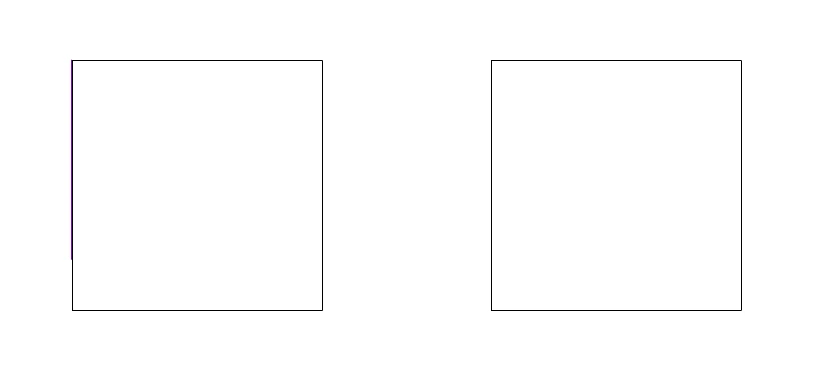
Separate image is same 250x250 document in Animate 2017.5 (16.5.104) as a result of turning off pasteboard and capturing area of 250x250 pixels without any problems. If you try to capture 250x250 image in new Animate you will always get black border on two sides.


The black border is a separate preference now. In Preferences/General is a Hide Stage Border option. Check that box and you can do your screenshots again.

8 replies

Participant
November 25, 2017

I did, because the default hotkey to something so essential had just disappeard after the update.  Had to look at the older version of Animate on my work computer to see what the feature was even called (Pasteboard).  My workaround now is to reassign the old Pasteboard toggle hotkey (Cmd + Shift + W) to "Clip to Stage" and then manually center the stage.  But I'm still missing how the old way would automatically align the workspace to the upper left.  Guess I'll just suck it up and get used to it as Adobe likes to keep longtime users scrambling :/

Marko Belic
Participating Frequently
November 21, 2017

Thanks for the suggestions and help. This is definitely a bit longer way around but not by a lot.

I am using AutoHotKey + Greenshot for automation of the process. While having "Hide border" button next to "Clip content" one would be easier I will write a macro for that. Thank you for this workaround.

Colin Holgate
Inspiring
November 20, 2017

Quite a few people did get angry. It was an intentional removal, as the only extra thing it gave you was that the stage was pushed into the upper left.

There are bugs logged for issues where you're able to select symbols that are in the hidden areas when using clip contents.

kglad
Community Expert
Community Expert
November 20, 2017

i can't envision any reason to hide the backstage/pasteboard now that you can toggle 'clip content outside of stage'.  so, i don't imagine anyone cares (unless they fail to find that toggle).

Marko Belic
Participating Frequently
November 20, 2017

Does that magic button hides black border that flows inside and over the content?

Reason? I make screenshots directly from the software that are supposed to be the size of the document. Earlier I could be sure that turning off pasteboard positioned content top-left and without black border. Now black border is present always and cannot be turned off.


I guess keeping old versions installed is always a good thing, because you never know when someone will start experimenting.

Marko Belic
Participating Frequently
November 20, 2017

Just to illustrate:

left image is 250x250 pixel document with vertical line positioned and 0x0 and Clip content turned off

right image is same with clip content turned on

Separate image is same 250x250 document in Animate 2017.5 (16.5.104) as a result of turning off pasteboard and capturing area of 250x250 pixels without any problems. If you try to capture 250x250 image in new Animate you will always get black border on two sides.
