


Pen tool problem
Im having this problem that the pen doesnt draw where I put it down on the screen. It jumps from the position I put the pen down on the screen up and then translates my movement in parallel motion (hence the sweet "trees").
But for example placing a rectangle and the other tools work as expected.
I'm using a Surface Pro 4 (Win 64), Photoshop is working fine as expected, as well as other programs (like clip studio). Only Animate acts up. I tried to disable pressure and tilt in Animate itself, also tried disabling and enabling and updating the driver for the surface Pen in Device Manager. No luck. I'm currently reinstalling but not sure that's gonna help (update: didnt help).
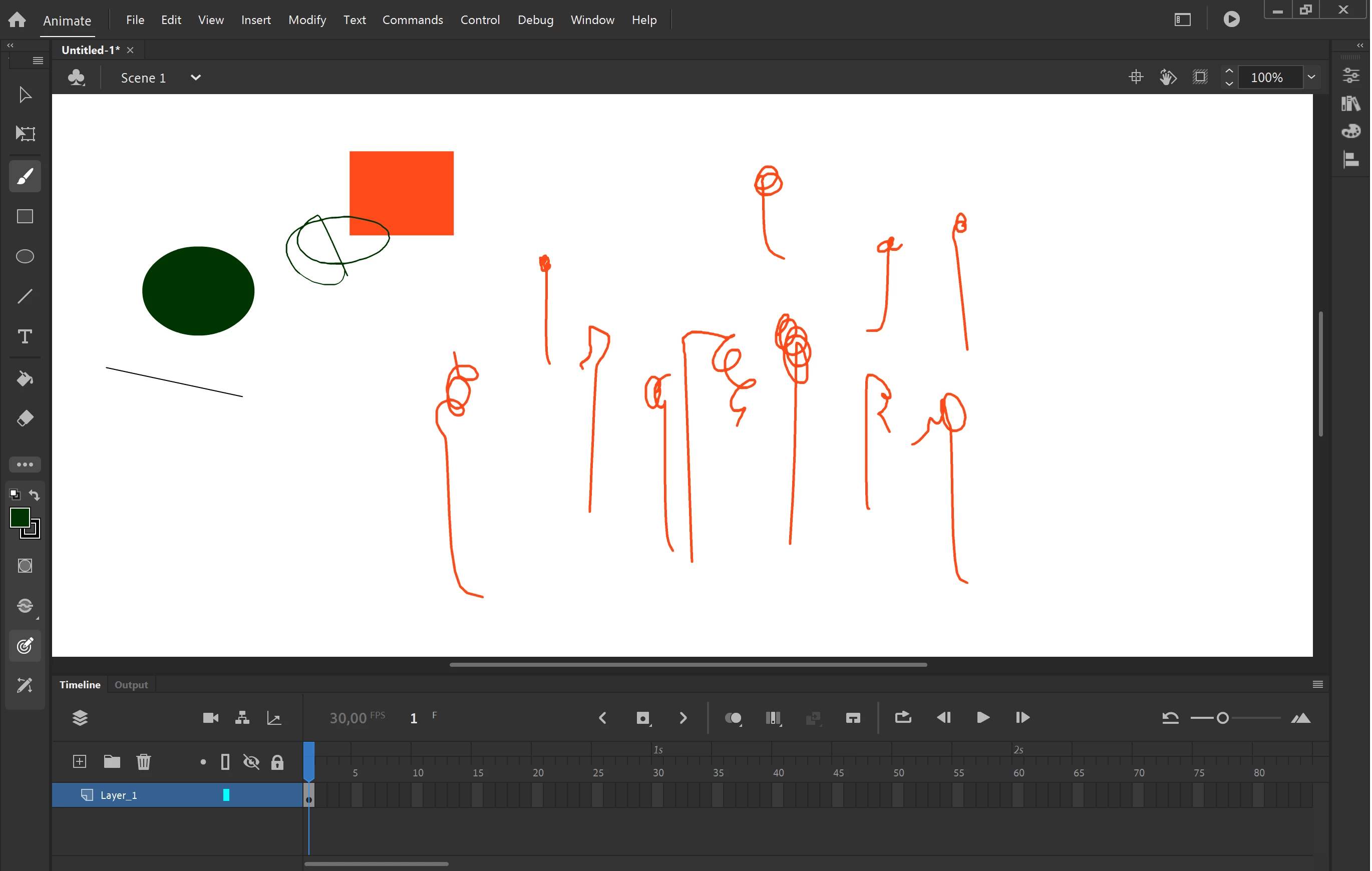
Is there something else I can try or any other suggestion what could cause this odd behaviour?
 AdChoices