
Participant
July 17, 2023
Question

Pencil Tool Issues

  • July 17, 2023
  • 2 replies
  • 849 views

Hello, I've just had some pencil tool issues that have been plaguing me for a while and I was wondering if anyone had a solution.

The first issue I have are these line jitters I get when I use the pencil tool, specifically after rotating the canvas or if I work inside of a symbol that has been rotated:
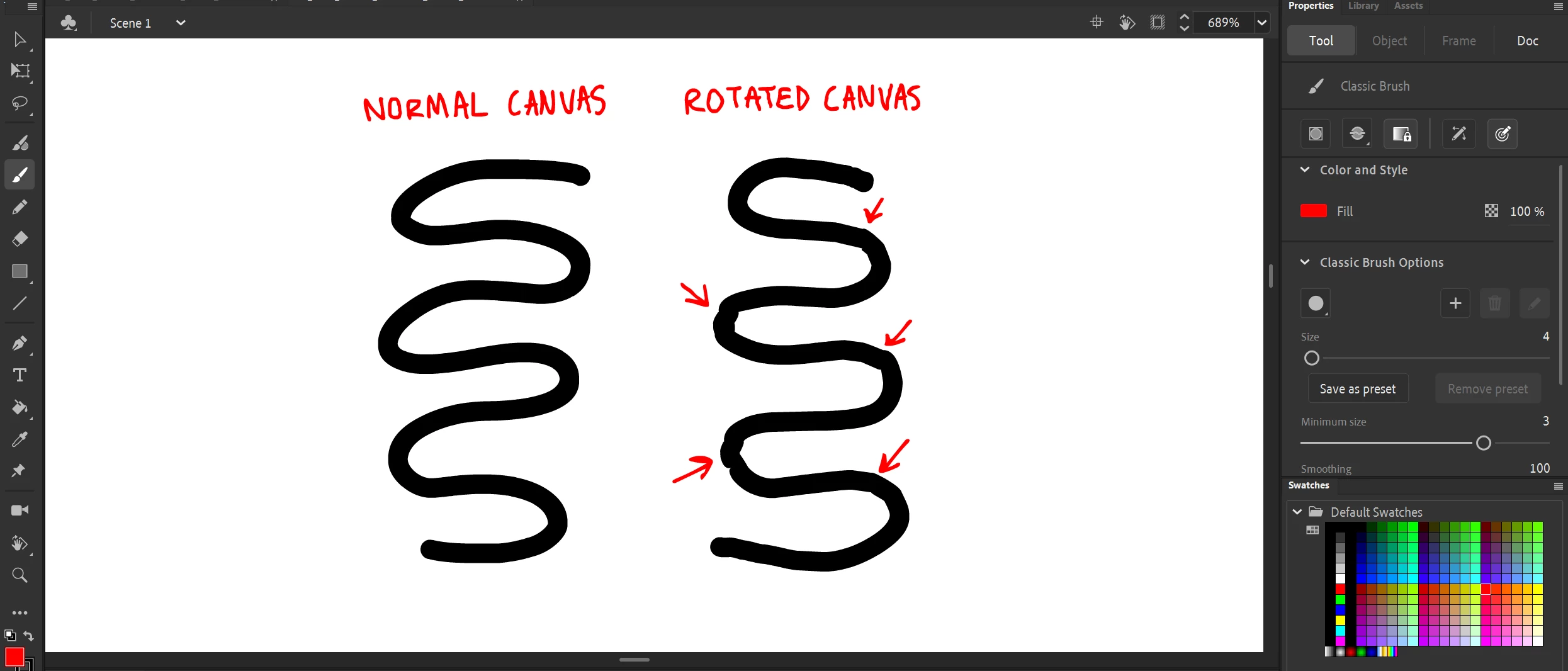
 

(They can get much worse than this too)


The second issue is after drawing a line with the pencil tool, often times it gets slightly offset. It's a bit subtle, but at times can get progressively worse and frustrating:
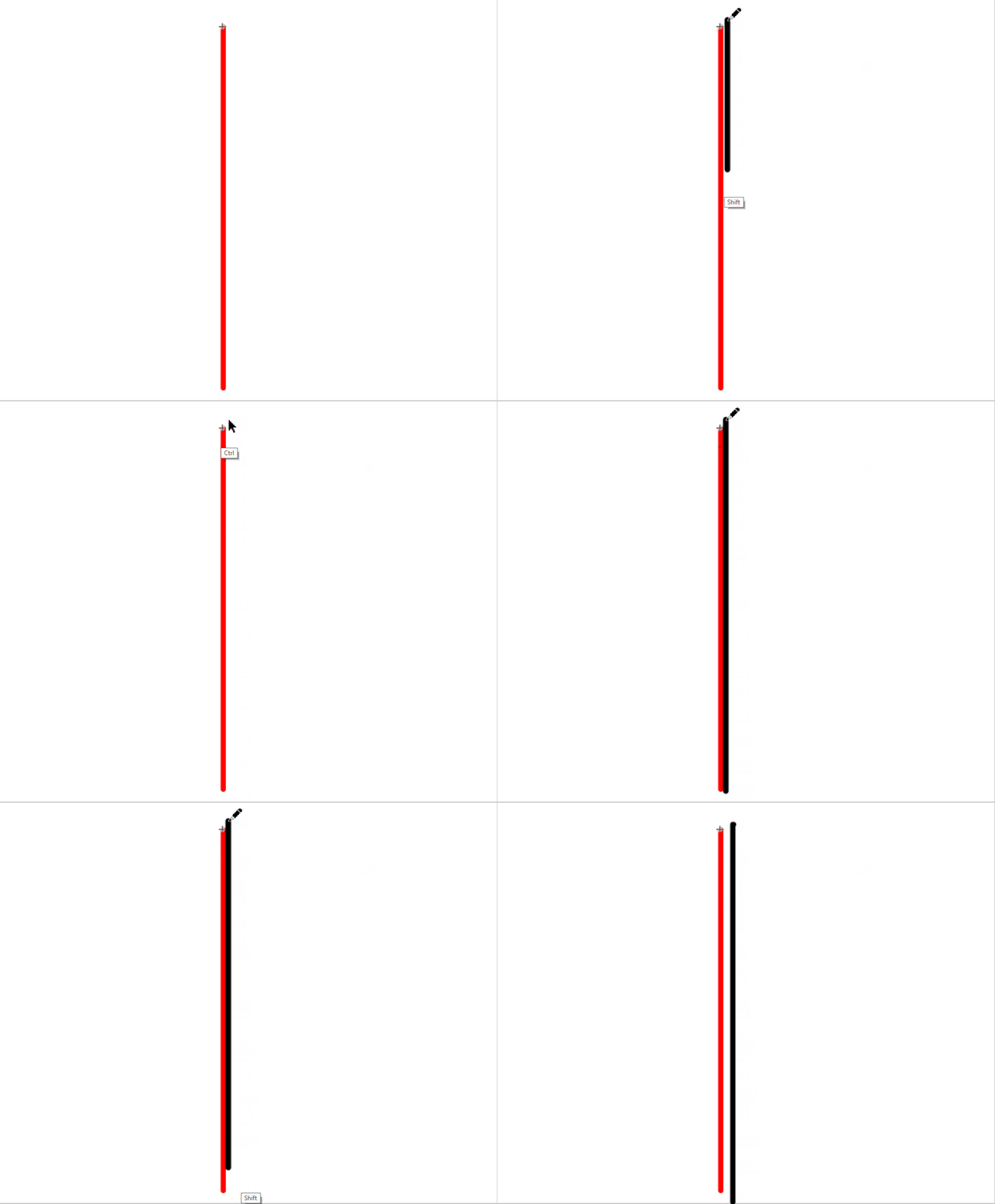
(Ignore how the pencil graphic freezes in places, just a recording glitch)

Lastly, is there a way to change the graphic of the pencil tool when drawing with it? Like how the brush tool's graphic looks like a crosshair.


I work on a Mobile Studio 13 and use version 23.0.01 of Animate.

Appreciate any suggestions, thank you!

    This topic has been closed for replies.

    2 replies

    Community Expert
    July 18, 2023

    That's weird. I tried it and I got the same results. 

    Mario_CR
    Community Expert
    Community Expert
    July 17, 2023

    Hello, I don't have solutions for these but I can suggest a few workarounds:


    1. First, instead of the Pencil Yool (Shift+Y),  use the PaintBrush tool (Y) with a basic line style. The PaintBrush is more accurate and has better smoothing.
    2. The offset can be caused by two things: Having a Camera on stage or having Windows Screen Scaling enabled with a value other than 100%. Remove the Camera while drawing, disable Screen Scaling or both.
    3. Lastly no, sadly there is no way of changing the pencil icon.


    Please consider making a bug report for these issues from this link: 

    https://www.adobe.com/products/wishform.html


    jakeuroAuthor
    Participant
    July 17, 2023

    Thanks for the suggestions! The Paintbrush tool doesn't seem to have the jitter problem, thanks for the reccomendation. Is there a way to get realtime rendering for this brush? Instead of this:

    I've messed around with the screen scaling before and it never seems to make a difference for me. And deleting the camera didn't change anything either unfortunately.

    Appreciate the help!

    Mario_CR
    Community Expert
    Community Expert
    July 17, 2023

    You're right the tool doesn't update live but the preview should be good enough for basic strokes. The pencil tool technically updates live yes, but once you release the button is never accurate so personally I never use it.


    About the offset issue make sure the scaling is set to 100% on all your monitors if you're using a multiple screen setup, any other value will mess things up; try making the Wacom screen the main one as well. Also double check that Windows Ink is enabled both in Animate and your Wacom Tablet. In Animate, you can find the option in Edit > Preferences > Edit Preferences...> Drawing.