
Participating Frequently
July 26, 2013
Answered

Play Button

  • July 26, 2013
  • 1 reply
  • 911 views

I have a problem with my play button.

Object(_root).button23.onRelease = function()

{

          Object(_root).button23._parent.nextFrame();

          play();

};

I thought this would work but it ends up skipping a bunch of frames and pressing it again just repeats the last bunch of frames.
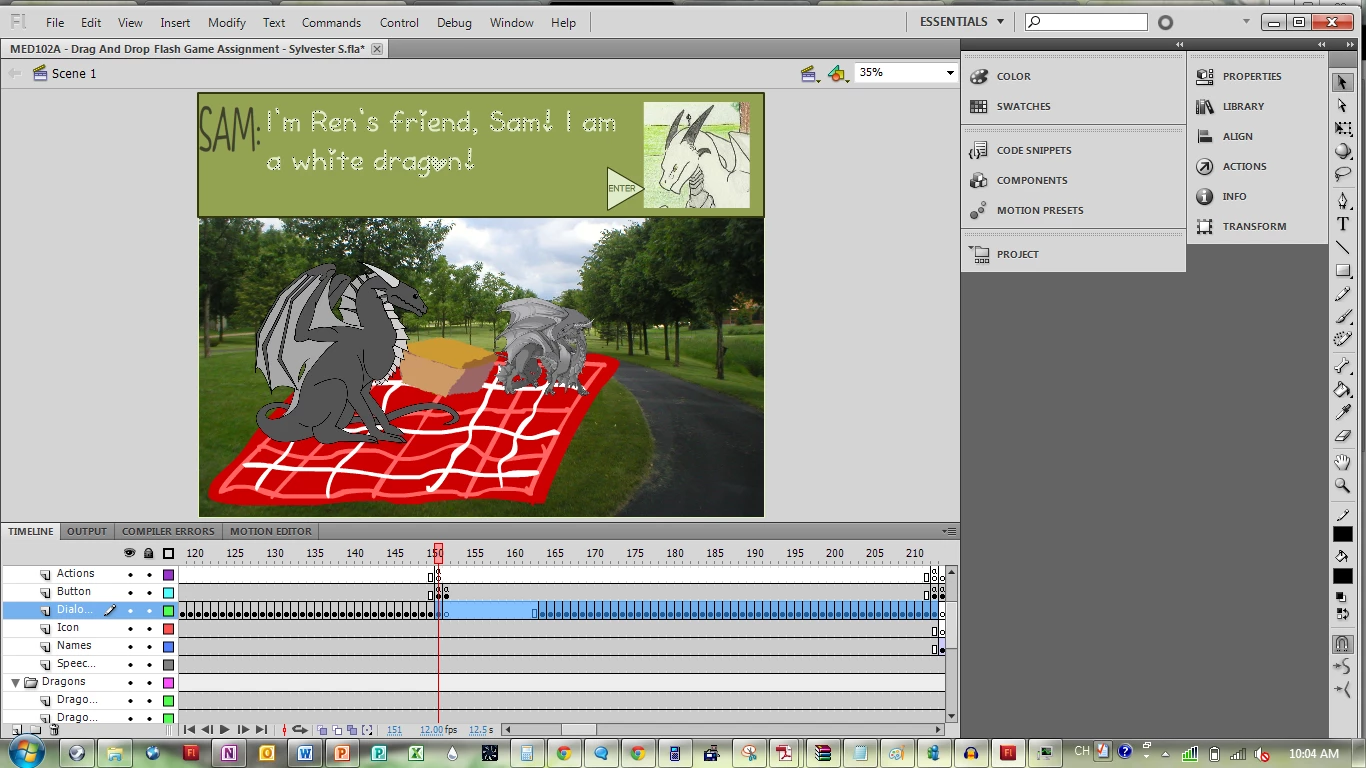
Every a in the layer above the selected has the code that has been pasted to the top. The button has 0% alpha on the frames I don't want it to appear.

I don't know why it doesn't want to continue playing.

This topic has been closed for replies.
Correct answer Ned Murphy

Where is that code relative to the main (_root) timeline?  Where is button23 relative to the main (_root) timeline?

The following line doesn't seem right...

      Object(_root).button23._parent.nextFrame();

The _parent of button23 would be what you are targeting as Object(_root)

You should be able to write that as

      _root.nextFrame();

1 reply

Ned Murphy
Ned MurphyCorrect answer
Legend
July 26, 2013

Where is that code relative to the main (_root) timeline?  Where is button23 relative to the main (_root) timeline?

The following line doesn't seem right...

      Object(_root).button23._parent.nextFrame();

The _parent of button23 would be what you are targeting as Object(_root)

You should be able to write that as

      _root.nextFrame();

Participating Frequently
July 26, 2013

Main timeline? Not sure what you mean.

Ned Murphy
Legend
July 26, 2013

When you first open your fla file you are looking at the main timeline (assuming you have the timeline panel opened).  Is that the timeline you show in the image you posted above?  Is that the timeline that contains the code you posted above?