



Participant
April 6, 2021
Answered

Preselection events don't show up when i'm typing the coding

  • April 6, 2021
  • 1 reply
  • 160 views

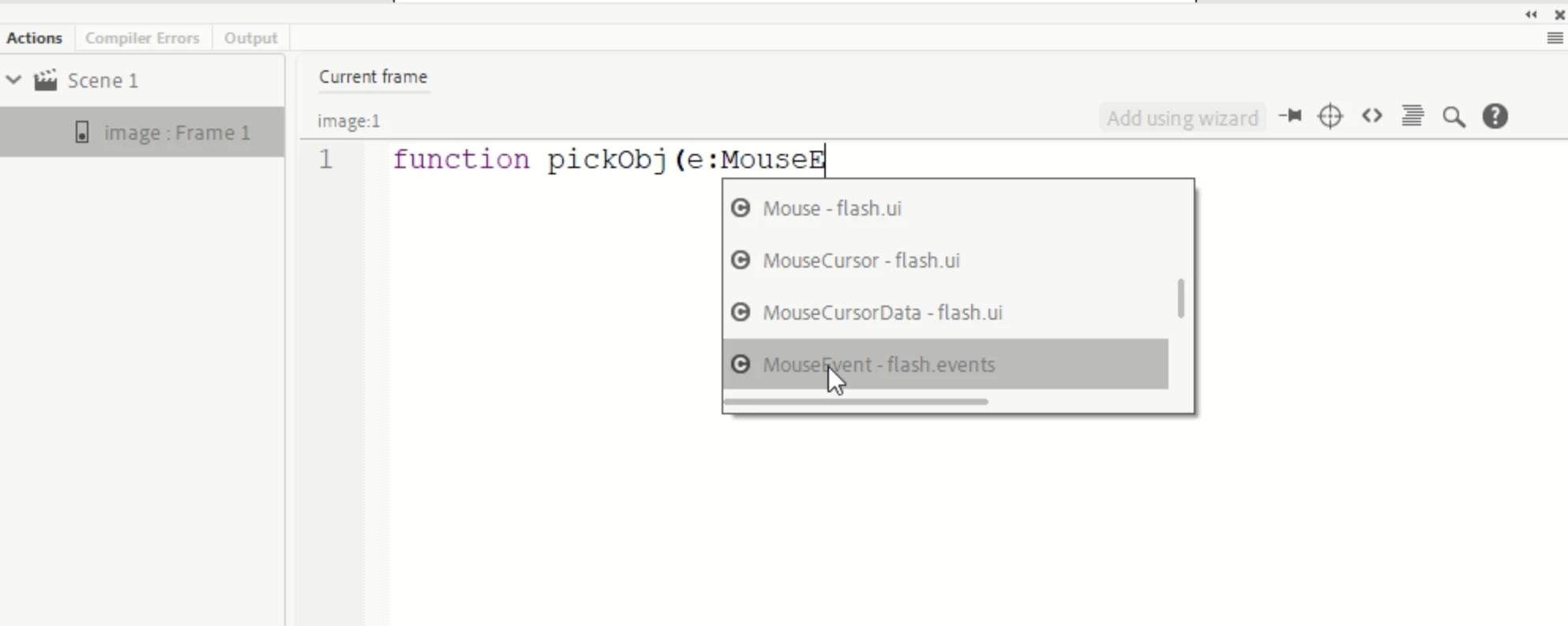
Hi, what can I do when typing coding it will be shown up the selection without typing coding entirely (refer the picture below). It works just fine on my windows computer before I switch to New MacBook Pro. Currently my Animate version is 21.0.4

This topic has been closed for replies.
Correct answer kglad

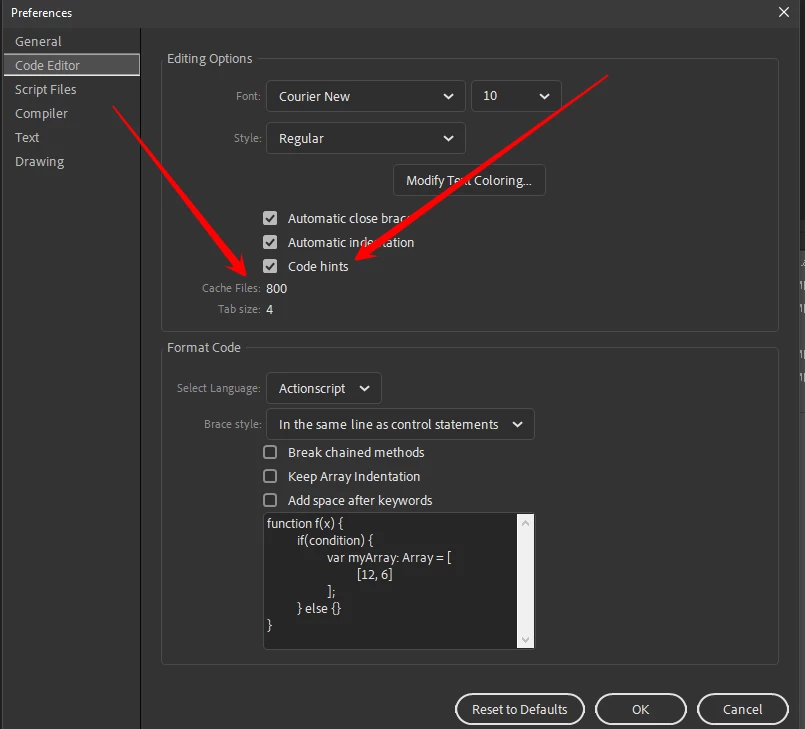
click edit>preferences>edit preferences>code editor and enable code hinting


also, you may need to increase your cache file number.


then check your keyboard shortcut (edit>keyboard shortcuts) for code hinting and customize of leave the default, but it sometimes helps to coerce animate periodically by using it.

1 reply

kglad
Community Expert
kgladCommunity ExpertCorrect answer
Community Expert
April 6, 2021

click edit>preferences>edit preferences>code editor and enable code hinting


also, you may need to increase your cache file number.


then check your keyboard shortcut (edit>keyboard shortcuts) for code hinting and customize of leave the default, but it sometimes helps to coerce animate periodically by using it.