

Problem of simple musical instrument simulation
I want to make a simple musical instrument simulation which will sounds when we press the keyboard that we used. On keyboard I used number 1 to 8 (do re mi fa sol la si do) . But the problem is when I have a long press the sounds will pilled, too noisy I think. 
I hope it can sound dynamically as long as we press the button and stop when we release it. I’m newbie on flash and ActionScript 3.
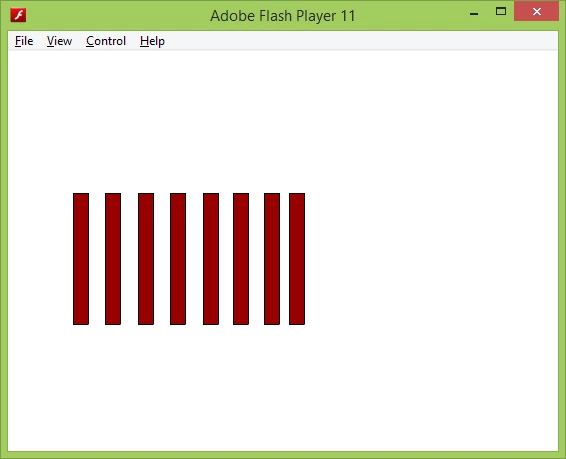
Sorry for my bad english, here is my code and my capture. Anyone can help me? Many thanks before..
import flash.media.Sound;
import flash.media.SoundChannel;
import flash.net.URLRequest;
import flash.events.Event;
import flash.events.KeyboardEvent;
import flash.ui.Keyboard;
import flash.display.MovieClip;
import flash.events.MouseEvent;
import flash.display.Stage;
var suaraFileArray:Array =
["c5.mp3", "d5.mp3", "e5.mp3", "f5.mp3", "g5.mp3", "a5.mp3", "b5.mp3", "c6.mp3"];
var suaraArray:Array = new Array();
for(var i=0;i<suaraFileArray.length;i++){
var soundClip:Sound=new Sound();
var sndChannel:SoundChannel=new SoundChannel();
soundClip.load(new URLRequest(suaraFileArray));
suaraArray.push(soundClip);
}
var tombolKeyboard:Array = [Keyboard.NUMBER_1, Keyboard.NUMBER_2, Keyboard.NUMBER_3, Keyboard.NUMBER_4, Keyboard.NUMBER_5, Keyboard.NUMBER_6, Keyboard.NUMBER_7, Keyboard.NUMBER_8];
- stage.addEventListener(KeyboardEvent.KEY_DOWN, function(e:KeyboardEvent){
for(var i=0;i<tombolKeyboard.length;i++){
if(e.keyCode == tombolKeyboard){
suaraArray.play();
movieclipTut.play();
break;
}
}
});
var movieclipTut:Array = [tut1, tut2, tut3, tut4, tut5, tut6, tut7, tut8];
for(i=0;i<tombolKeyboard.length;i++){
(movieclipTut as MovieClip).nomor = i;
(movieclipTut as MovieClip).addEventListener(MouseEvent.MOUSE_DOWN, function(e:MouseEvent){
var movieclip:MovieClip = e.currentTarget as MovieClip;
suaraArray[movieclip.nomor].play();
});
}


 AdChoices