Participant
December 20, 2017
Answered

Problem with exporting camera movements out of Adobe Animate

  • December 20, 2017
  • 5 replies
  • 14555 views

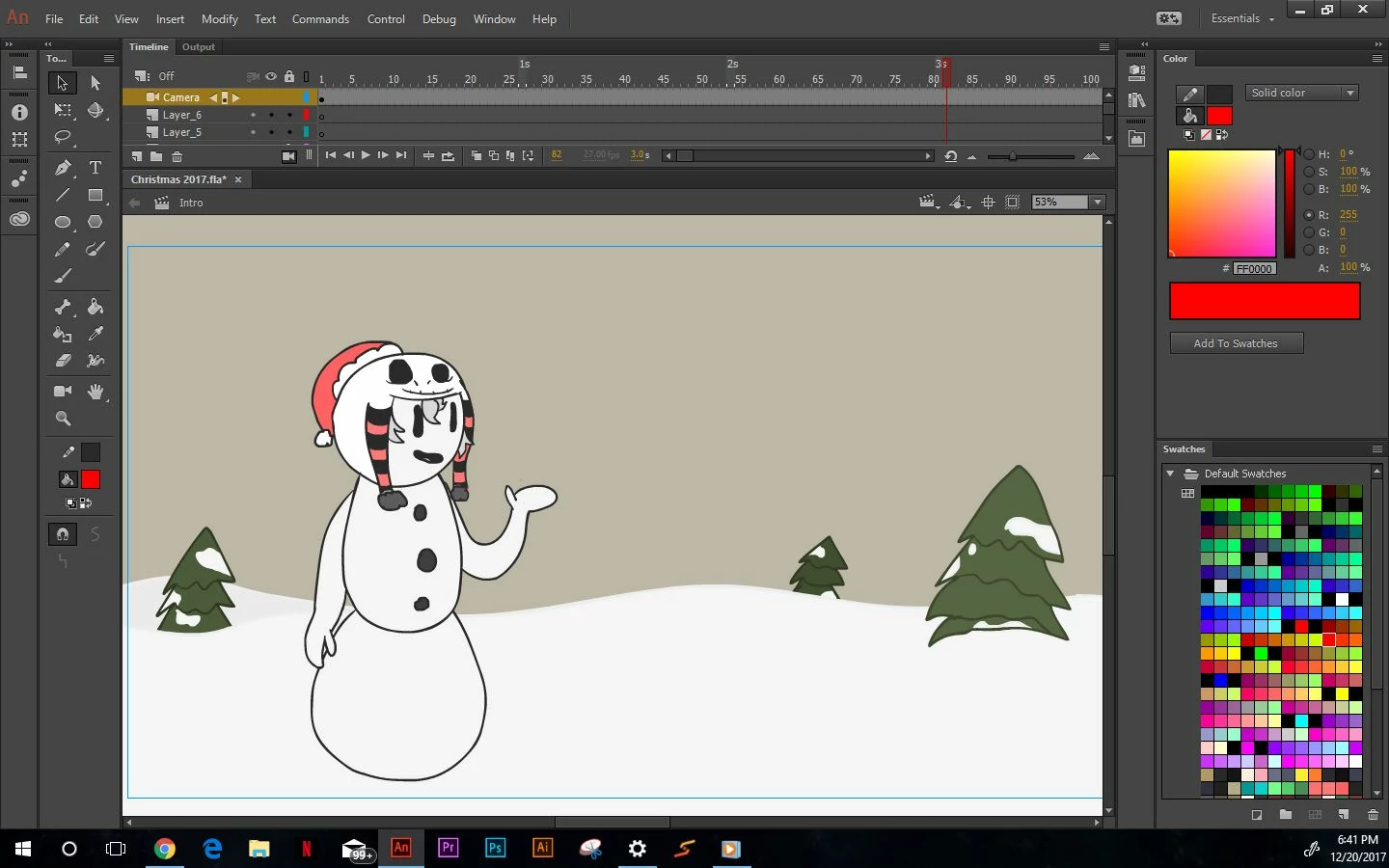
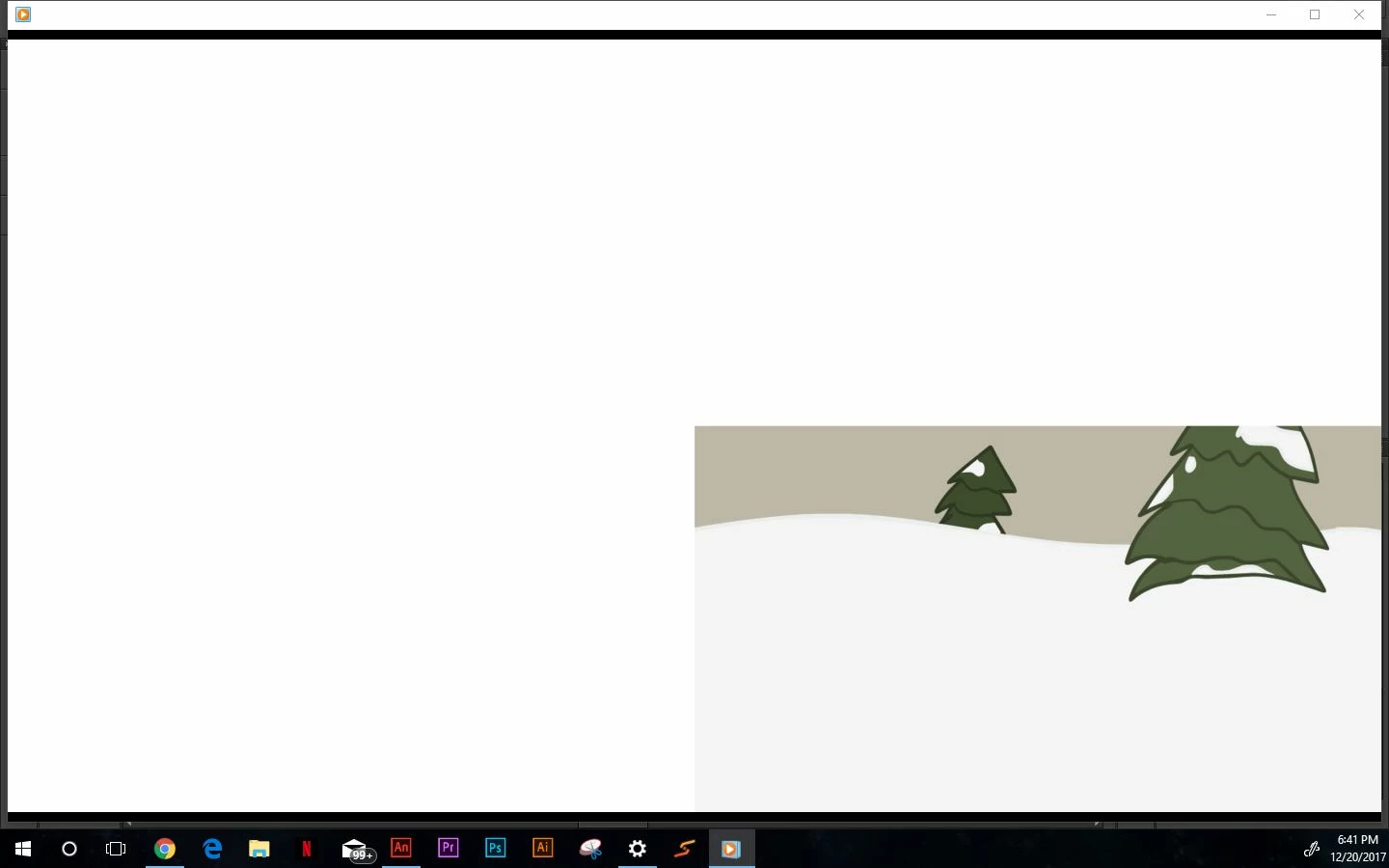
So I just recently discovered this glitch after updating my Adobe Animate to the current Adobe Animate CC 2018. When I'm in adobe animate and SWF preview the animation looks fine, but when I put it into swivel to convert to MP4 the camera movements make the animation white out everything but the right corner of the animation... I've attached pictures

I was wondering if anyone knows how to fix this. I've re installed both Animate and Swivel, and still no fix.

This topic has been closed for replies.
Correct answer _keyframer

this doesnt work for me, I still having the camera error on swivel, I cannt export a movie from Animate because there is som kind of error, only can export SWF movie and then try to export it with AE or Swivel, but AE says

and swivel has the camera error


The issue here is that the camera in Animate is still ActionScript based. This means all camera movements WILL work in the Flash Player but once imported to say After Effects or converted to video format by a 3rd party app, the ActionScript gets stripped out losing all your camera movements. I do believe Adobe engineers are working to solve this workflow problem.

WORKAROUND: Export to video from Animate. This will result in a very large uncompressed MOV file. You can then convert it to MP4 using Adobe Media Encoder or your encoder of choice.

As for symbol names with special characters, avoid it. I have learned the hard way it can cause problems in the form of bugginess. I thought that may have fixed this but always best to avoid special characters. I was naming custom ease curves using special characters like "&" and experiencing weird buggy behavior.

5 replies

Participant
November 15, 2023

I'm having a problem like this when I export my project as swf to test it before posting but the camera I made move while animating does nothing and stays in the same place any fixes? (I'm using animate 2024


álvaro261397403
Participant
June 18, 2020

You can do it in Adobe Animate 2020. It requires advanced layers in the first place, as well.

JacksonS7RAnimationz
Participant
January 8, 2019

All you have to Do is : Just Enable the Advance Layer Option at the top of your Timeline Layer column.

Just Enable This advance layer options and Run as SWF or Publish as SWF. And then Convert SWF to Video using SWivel. You got Full view without Error

_keyframer
Community Expert
Community Expert
January 8, 2019

Swivel! Never knew about this. Good to know - thanks.

Newgrounds Wiki - Swivel

Animator and content creator for Animate CC
PR07
Known Participant
December 14, 2018

I figured out one trick, im using animate 2019, i had the same issue with camera tool not exporting well etc...what i did is, when you create a new document, after setting up the size of your screen for exemple 1920x1080, then on the plateform side select: AIR for Desktop, if you export as video maybe via adobe encorder, it will work, but the main thing was the screen settin(1920x1080, platform: AIR for desktop) everything starts there.

Participating Frequently
October 4, 2019

This seemed like a fix initially, I think I had success with it once, but I continue to have problems with parallax and layer depth rendering correctly. It seems to export correctly as a gif, but nothing else adheres to what I'm seeing on my stage pre-render. I see no information out there about this but I'm clearly not the only one experiencing it. Please help Adobe Animate Developers!

PR07
Known Participant
January 7, 2018

I am experiencing the same issue, it's quite frustrating, the new camera and layer features seem to not work when exporting it, the advance layer feature and the camera, even though trying to use swivel, we hope adobe will fix that?

JoãoCésar17023019
Community Expert
Community Expert
January 7, 2018

Hi.

I exported the animation of this example (Add visual depth to animations | ) using the default File > Export Video... and all camera and layer enhancements got exported correctly.

What version of Animate are you using? Mine is 18.0.1 (Build 115).

Participant
January 15, 2018

I have the same problem but worse, it will not even export camera movement to swf or to anything else.

I get these errors in debug but I don't know how to fix them.

Scene 1, Layer '___layerObjectsOrdering___', Frame 1, Line 3, Column 11 1086: Syntax error: expecting semicolon before letf.

Scene 1, Layer '___layerObjectsOrdering___', Frame 1, Line 2, Column 14 1086: Syntax error: expecting semicolon before front.

Scene 1, Layer '___layerObjectsOrdering___', Frame 1, Line 1, Column 11 1086: Syntax error: expecting semicolon before 3.

I had also put a simple stop action on the last frame and it did not work.

It is very annoying, because I need the camera movements to finish the project which is a simple animated opening for a video.