

Firewood:D
Inspiring
March 22, 2023
Question

problem with swf extension
  • March 22, 2023
  • 1 reply
  • 444 views

I made a swf extension, but now I have a problem,
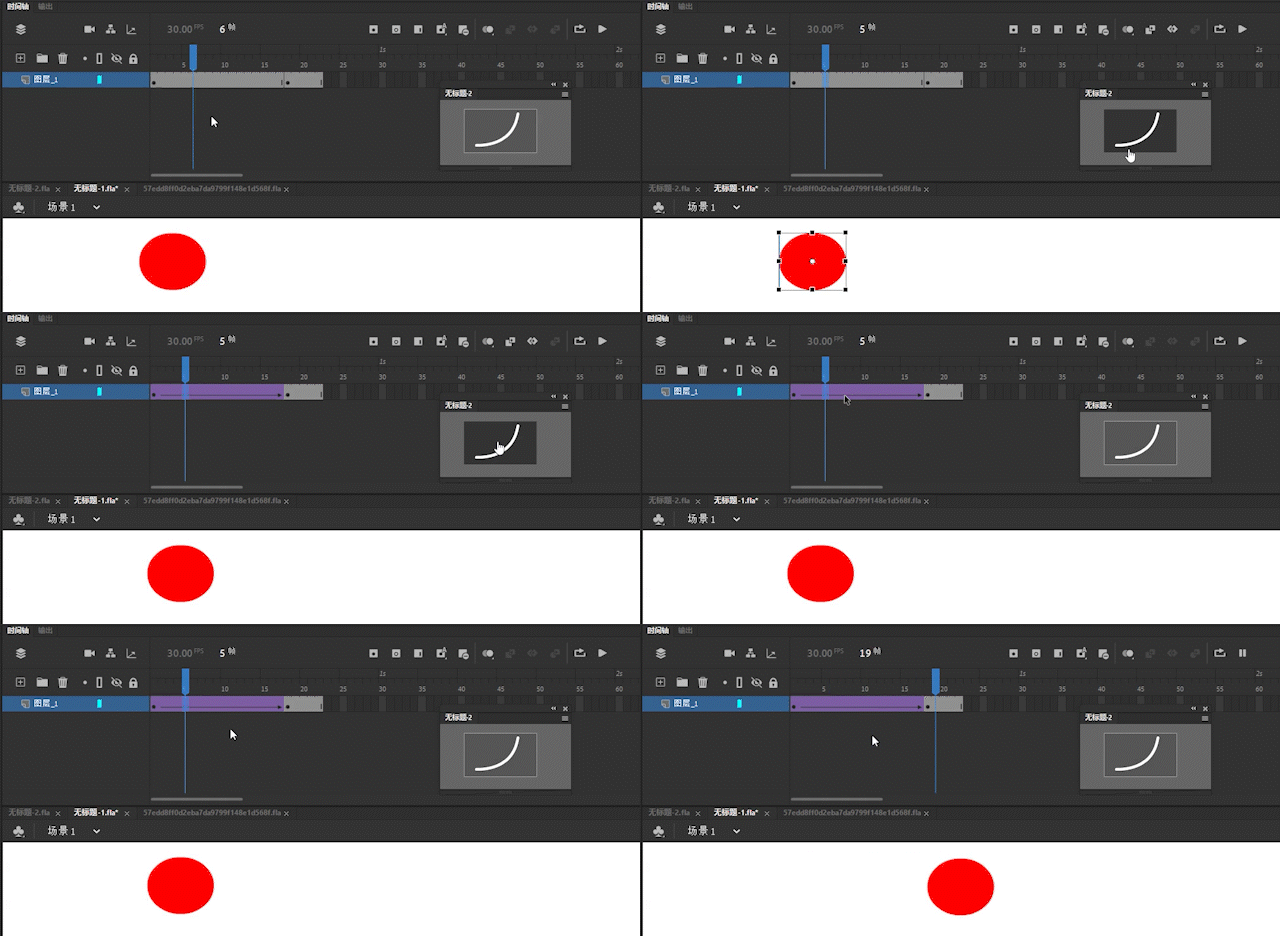
Nothing happens when pressing enter after calling jsfl command using panel,
Just like it is locked, you must use the mouse to click and release it at any other position before it can be played.
But if you use jsfl in commands, there is no such situation. After clicking enter, it will play directly, but the swf extension cannot, which is very strange!
Is there a way to solve this problem, thanks

This topic has been closed for replies.

1 reply

JoãoCésar17023019
Community Expert
Community Expert
March 22, 2023

Hi.


Do you mean that you cannot play the current timeline in Animate using the Enter key after using the JSFL extension?

n. tilcheff
Legend
March 22, 2023

Hi João,

A click in a SWF panel 'steals' the focus and keyboard shortcuts would only work within the panel, hence pressing Enter after a click in the SWF panel would not trigger Timeline playback.

Another click elsewhere in the application is required to move the focus away from the SWF panel and make Animate responsive to keyboard input again.

(Since the introduction of Advanced Layers and the need to hide all those 'invisible' movie clips, the Library was reworked and now also has a similar issue.)


Nick - Character Designer and Animator, Flash user since 1998 | Member of the Flanimate Power Tools team - extensions for character animation
JoãoCésar17023019
Community Expert
Community Expert
March 22, 2023

Got it.


Thanks for the clarification, Nick!