

Zeph33
New Participant
May 15, 2025
Answered

Resizing bounding box without changing PNG size

  • May 15, 2025
  • 3 replies
  • 494 views

Hello, I am very new to Adobe Animate. I was just wondering how I could change the bounding box size on my imported PNG's. I've went through various other posts in this community and still dont fully understand what im doing. First I just want to say I know I can resize the images in my drawing program, but Im trying to animate a character, and resizing and piecing it all back together wouldnt be ideal. Is there any way to just change the size of the bounding box? 


Heres the head bounding box size in Ibis paint, its the exact size of the layer:
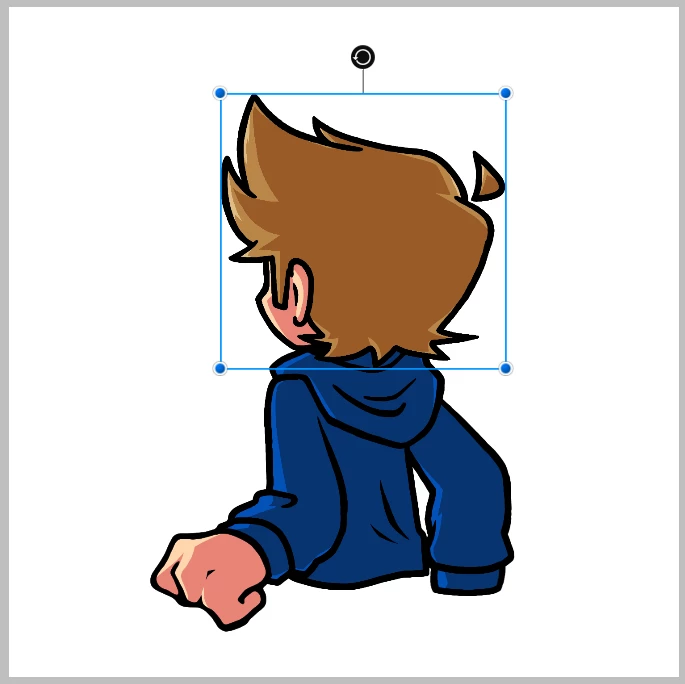
 

Heres the head bounding box size in Adobe Animate, its the size of the canvas I exported it from:
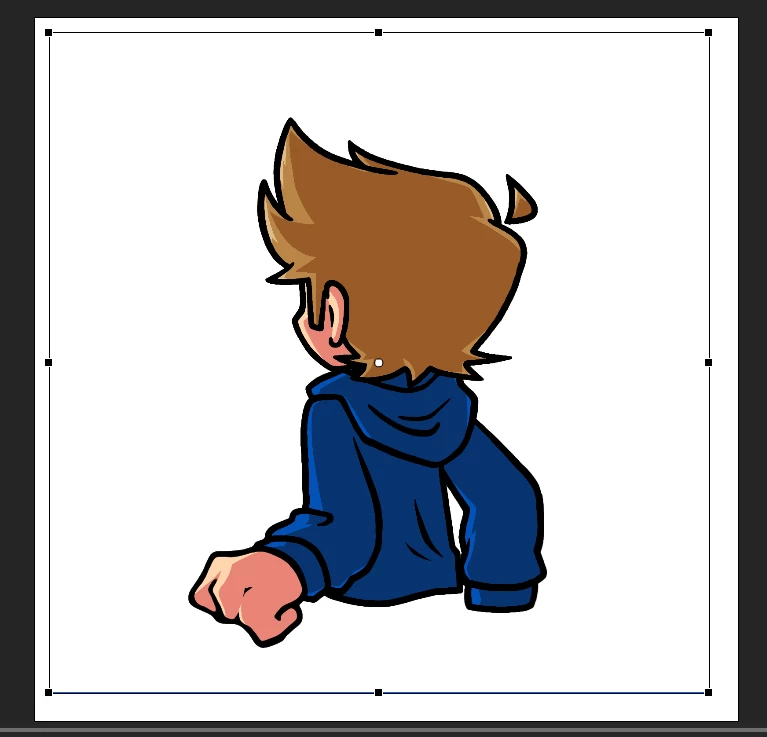
 

What makes this worse is that every single layer has the exact same bounding box size, making it basically a nightmare if I wanted to animate it. Any help would go a long way.

    Correct answer Mario_CR

    Select the bitmap on stage > Right-click > Trace Bitmap, and play with the pop-up settings.

    3 replies

    n. tilcheff
    Brainiac
    May 15, 2025

    Convert each body part to a Graphic Symbol.

    Inside these Graphic containers, mask the bitmaps.


    Nick - Character Designer and Animator, Flash user since 1998 | Member of the Flanimate Power Tools team - extensions for character animation
    kglad
    Community Expert
    May 15, 2025

    convert/trace bitmaps to convert to.a vector.  then you have more control.

    Zeph33
    Zeph33Author
    New Participant
    May 15, 2025

    Can you explain a little more step by step?

    Mario_CR
    Mario_CRCorrect answer
    Community Expert
    May 15, 2025

    Select the bitmap on stage > Right-click > Trace Bitmap, and play with the pop-up settings.

    kglad
    Community Expert
    May 15, 2025

    in the future, to find the best place to post your message, use the list here, https://community.adobe.com/

    p.s. i don't think the adobe website, and forums in particular, are easy to navigate, so don't spend a lot of time searching that forum list. do your best and we'll move the post (like this one has already been moved) if it helps you get responses.


    <"moved from using the community">
    Zeph33
    Zeph33Author
    New Participant
    May 15, 2025

    Got it. that helps alot, thank you.