

Resizing vector graphics are distorting dimensions
I'm having trouble resizing graphics. I'm using vector graphics. All snapping is turned off. I am looking for precision scaling. Even when input manually, not using any transform tools or scaling, the numbers jump randomly.
When I lock width and height and update one measurement, I end up with different results for multiple objects on the stage that started with the same measurements. For instance:
I have 7 sharps (hashtag symbol), each one starts the same: 16.05w x 54h px
I size them all down, some end up: 7.45w x 25h px
Others end up: 7.4w x 25h px
I am attaching a screenshot showing them before resizing and resized on the right. I can line them all up in the same position on the stage or have them staggered like this, same results. Is there a snapping, preferences, or advanced editing setting that I can adjust?
Also, If I manually change the width to match, selecting to "unlock width and height" the number won't stay input. So I can change the ones that end up 7.4 width to 7.45 width and they just revert back. Any suggestions?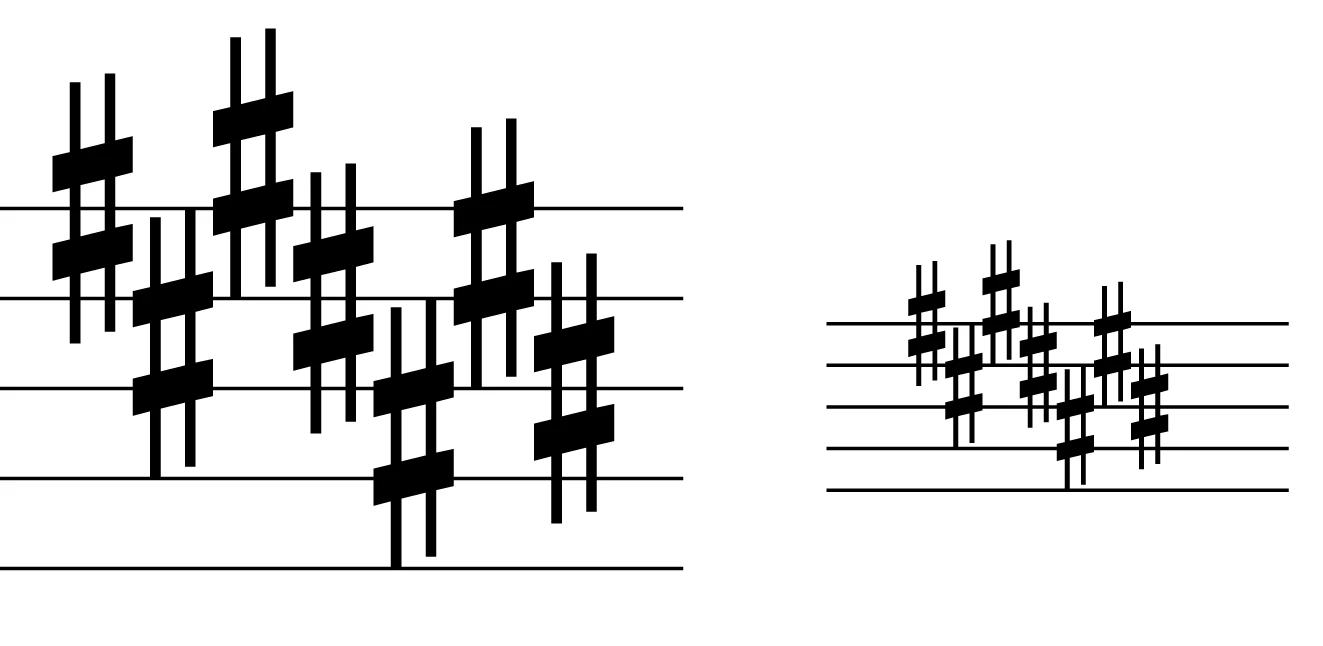


 AdChoices