


Participating Frequently
January 15, 2024
Question

Responsive html5 animation not scaling to fit on mobile

  • January 15, 2024
  • 12 replies
  • 820 views

I am very sorry, I am sure this is a stupid question, but I just can't seem to figure it out.


I have made a looping animation in Adobe Animate. I have gone into the publish settings and given it these settings:
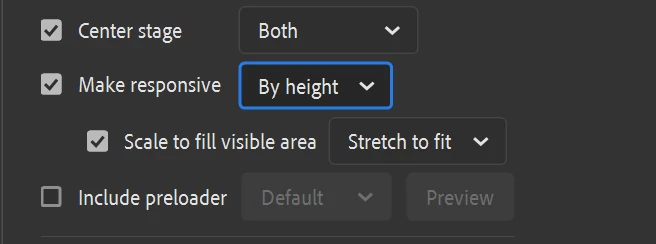
 

I want it to fill the vertical dimension of whatever window I have the browser set to including the mobile window.


On desktop it looks great and acts as expected:
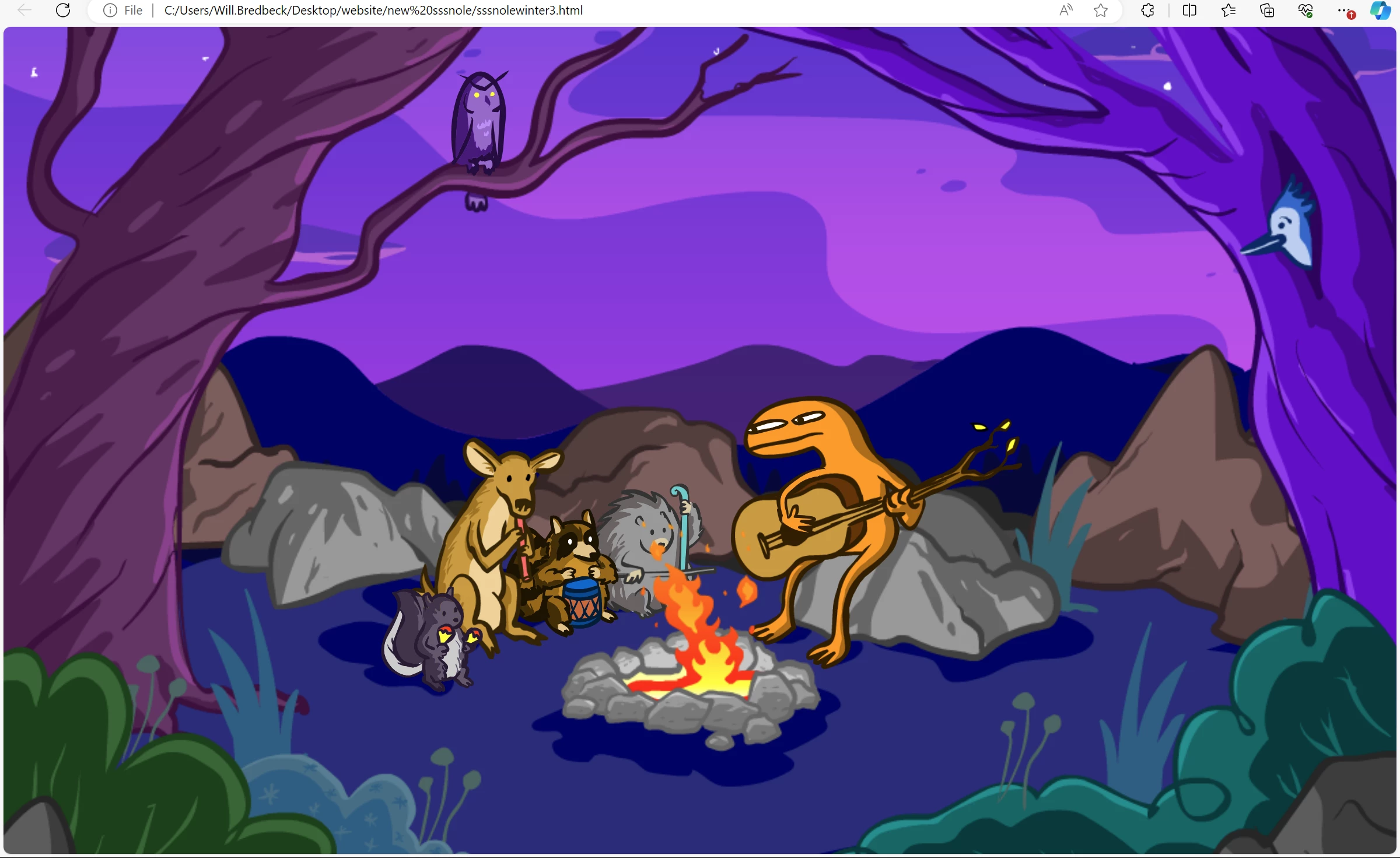
on mobile it does not:
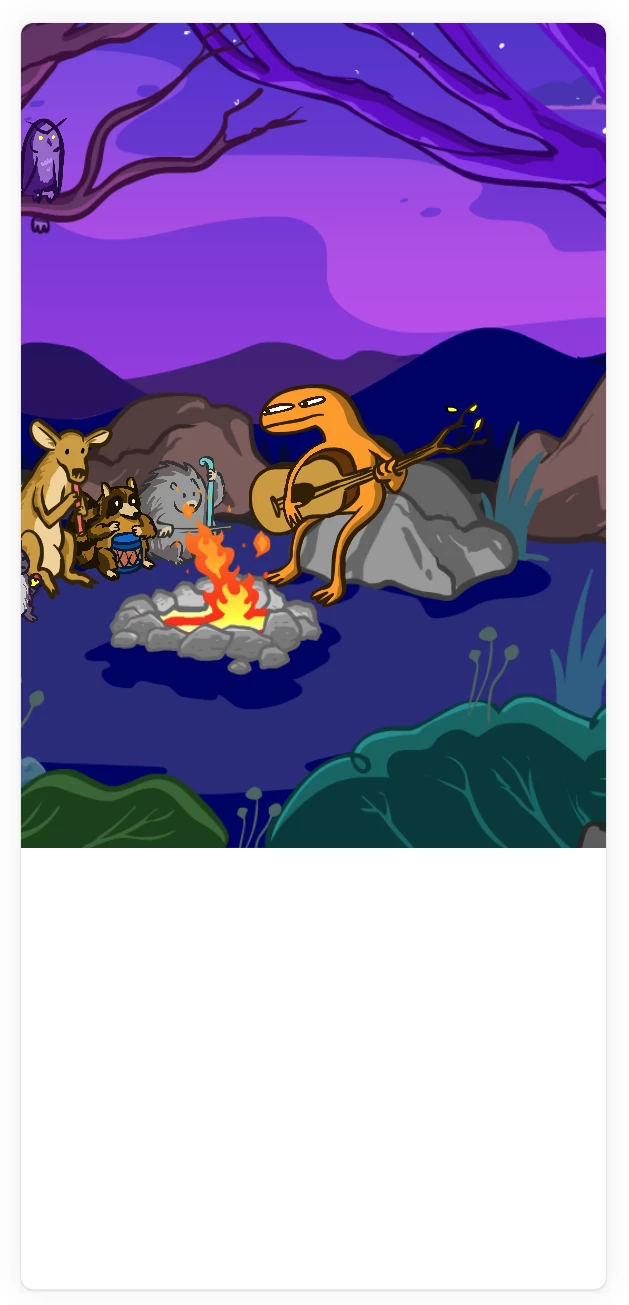
Nevermind that it is not centered, it is not scaling to vit the vertical dimension. There is a whole bunch of white space at the bottom.


I have tried changing all of those publish settings and nothing is working. Interestingly it shows the animation correctly for a quarter of a second before resizing it to this incorrect view. What am I doing wrong?


Thank you for any help that you can provide! Adobe Animate version 23.0.3

    This topic has been closed for replies.

    12 replies

    Inspiring
    January 18, 2024

    Hmm, try adding the following meta tag to your head tag?
    <meta name="viewport" content="user-scalable=yes, width=device-width, initial-scale=1.0, maximum-scale=1.0, minimum-scale=1.0">

    kglad
    Community Expert
    Community Expert
    January 19, 2024

    @joejoe_jack 


    that fails with a desktop browser.

    Participating Frequently
    January 18, 2024

    I am now trying to take away the responsiveness in publish settings and see if I let squarespace handle that if it will work better.

    kglad
    Community Expert
    Community Expert
    January 18, 2024

    it'll be a guaranteed mess if they're both resizing 

    n. tilcheff
    Legend
    January 16, 2024

    I can't help, but just wanted to say:


    What a beautiful, cozy scene!

    Very nice color and designs!


    Nick - Character Designer and Animator, Flash user since 1998 | Member of the Flanimate Power Tools team - extensions for character animation
    Participating Frequently
    January 16, 2024

    Thanks!

    Participating Frequently
    January 16, 2024

    Don't all speak at once! 

    I don't know if my question is just really stupid, and Iam approaching this all wrong, or if nobody actually knows. I can't believe that nobody actually knows because this must be something that everybody is doing all of the time. If i am doing this in a wrong way could someone please enlighten me?


    In the meantime I did a test and made a test file with the same dimensions as my animation. It is still being cropped off at the same vertical point.


    Then I changed the file and added a bunch of space to the vertical parameter at the bottom. It actually scales down smaller and crops off at the same point as before:

    So I am still completely flummoxed.


    kglad
    Community Expert
    Community Expert
    January 16, 2024

    i think you have to hand code your app or setlle for close.

    Participating Frequently
    January 16, 2024

    Do you know the right way to do something like this? Should I have a separate mobile version of the scene? What is happening that it is getting cut off like this? I just want a full screen version of the scene on mobile!

    Participating Frequently
    January 15, 2024

    The document dimensions are 1024x768 if that matters.