Participant
May 28, 2018
Answered

Scene length.

  • May 28, 2018
  • 6 replies
  • 1964 views

Hello,

Apologies if this is an obvious answer, but I did not have much luck in the FAQ or forums. I am trying to shorten the length of a scene, many people have written to adjust the duration in the scenes properties, however I cannot see that attribute in the properties window.

Any thought son where this would live?

Ev

    This topic has been closed for replies.
    Correct answer chenjil43641795

    Sorry, my English is not good, I may not understand what you mean.

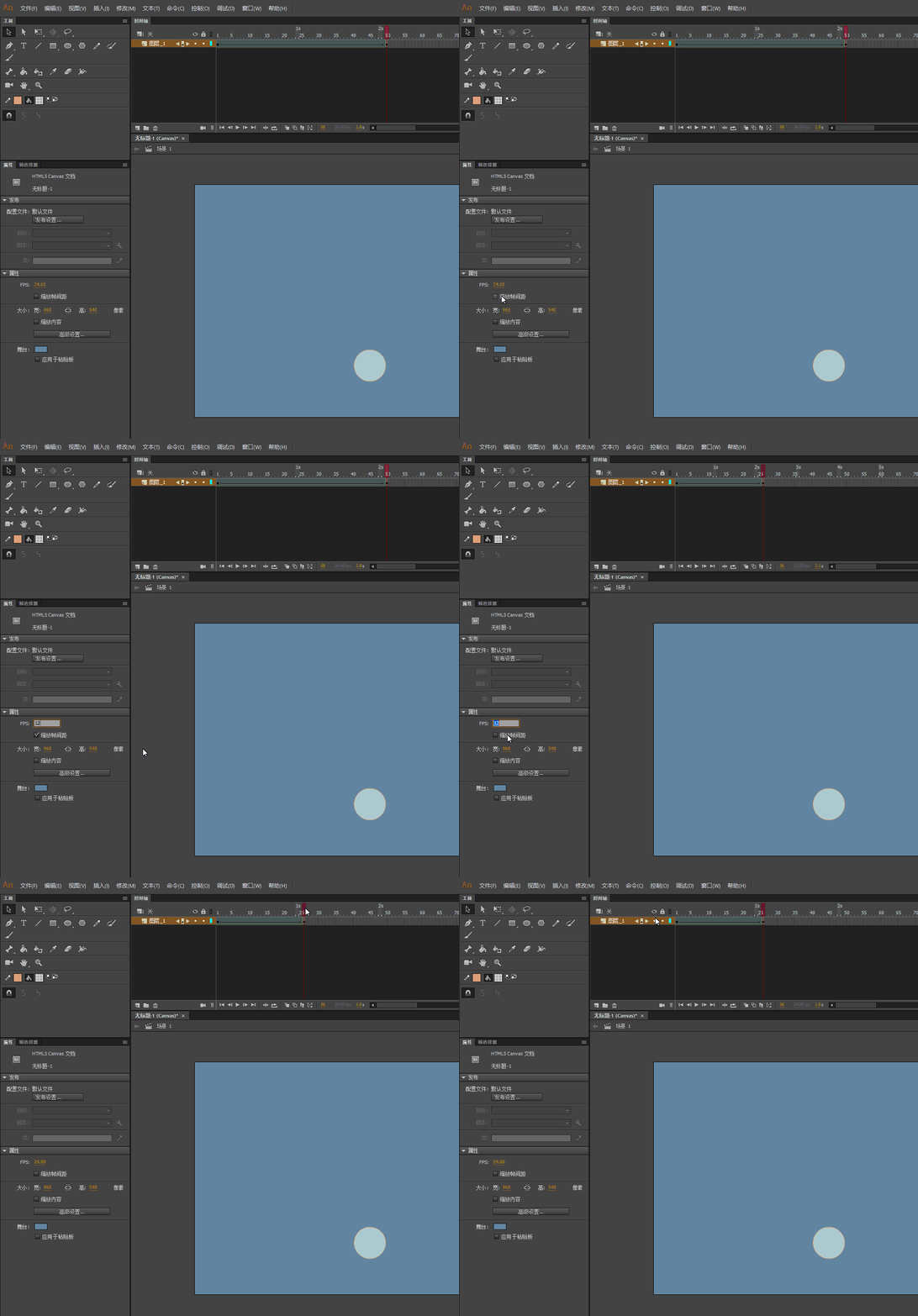
    Do you want to shorten the playback time of the scene?

    Now the time divided by the time you want to get the playback.

    Then select zoom Frame Spacing

    FPS divided by the number of.

    FPS Input Value.

    Then cancel the zoom frame spacing

    FPS Enter the original value

    So the scene will change.

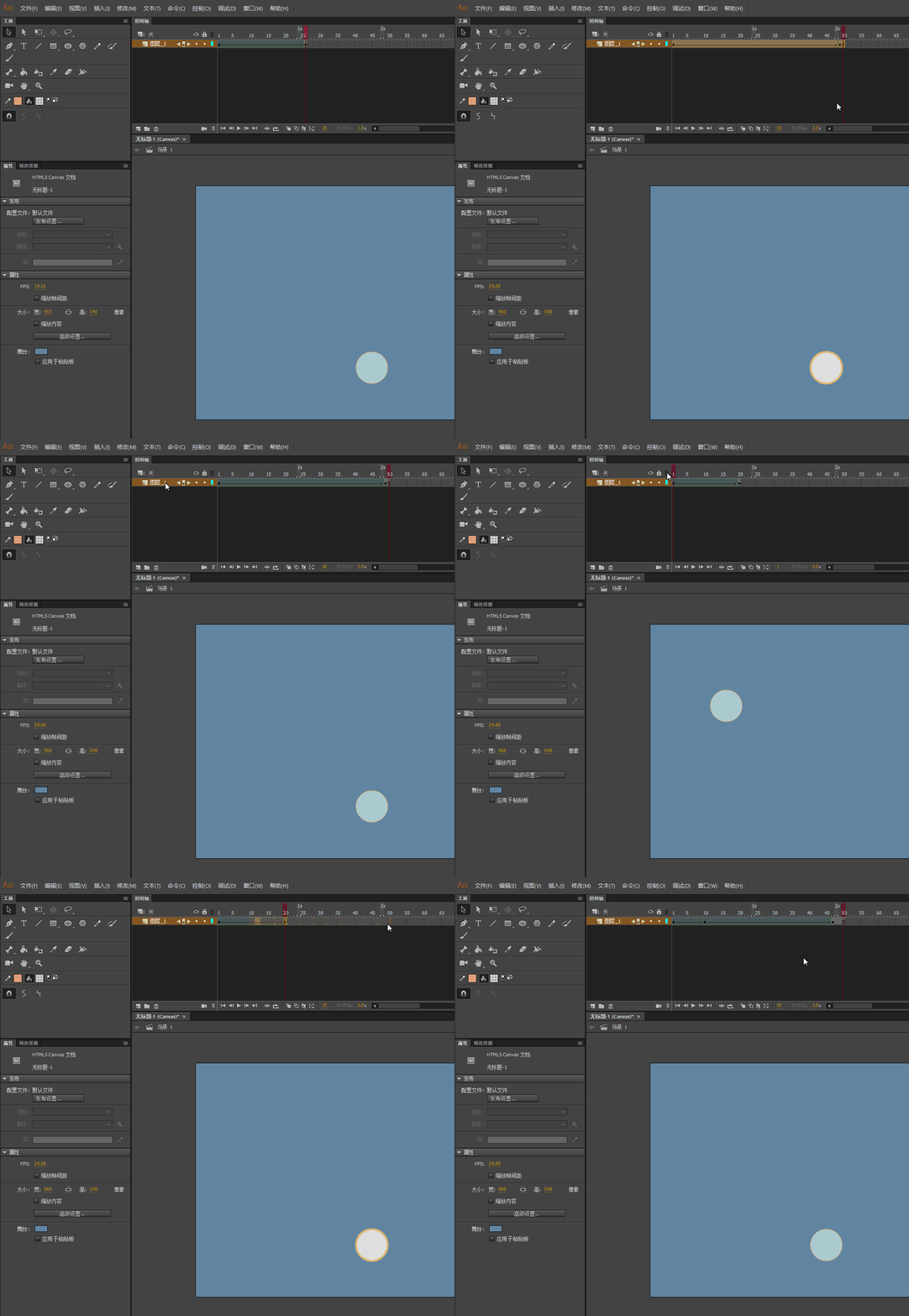
    If you are going to change the playback time of a layer.

    You can select the layer you want to drag

    If my understanding is wrong, please let me know.

    6 replies

    Participant
    May 28, 2018

    Hello everyone,

    Thanks you for all your suggestions.

    chenjil43641795

    Was able to give me the help I needed. I didn't realize that playback would stop at the end of the longest key frame. Then by enabling Loop Playback I was able to get what I was after.

    chenjil43641795
    Legend
    May 28, 2018

    I've forgotten one thing.

    For the traditional animators,

    All frames are key frames

    ANCC can't shorten the scene.

    So I'm going to give you a "command code"

    Please create a new JSFL file.

    Copy the code below to the inside.

    Then save as, name Delete frame

    var shijianzhou=fl.getDocumentDOM().getTimeline();
    var zhenshuzu = fl.getDocumentDOM().getTimeline().layers[0].frames;
    var zzs = zhenshuzu.length;
    var zsy = Math.round(zzs/2)

    for(i=1;i<=zsy;i++){
    shijianzhou.removeFrames(i);
    }

    When used, select the command to run this command-select the file to save as.

    Remove traditional animation frames to shorten time.

    This is the form of the deletion frame,

    Therefore, you want to save the original file.

    JoãoCésar17023019
    Community Expert
    Community Expert
    May 28, 2018

    Great suggestions, guys.

    OP, sorry for not getting what you really want.

    Regards,

    JC

    Colin Holgate
    Inspiring
    May 28, 2018

    You can shorten the scene in two steps. You will need to calculate how much shorter you want it to be, then use the right numbers. For an easy example case, let's say that you want it to be about 16.666% shorter:

    1. Change the frame rate from 24 fps to 30 fps. That will then make the scene the length you want it, but the frame rate is name 30, and you want 24 in the end.

    2. After changing the frame rate to 30, check the box that says Scale Frame Spans. Change it back to 24 fps.

    You should then have the animation at 24 fps, but going a bit quicker than it did before.

    Be careful though, I think the steps will change the whole FLA, not just this scene. You could copy the frames into a new 24 fps FLA, do the changes, then copy the frames back into your main FLA.

    chenjil43641795
    chenjil43641795Correct answer
    Legend
    May 28, 2018

    Sorry, my English is not good, I may not understand what you mean.

    Do you want to shorten the playback time of the scene?

    Now the time divided by the time you want to get the playback.

    Then select zoom Frame Spacing

    FPS divided by the number of.

    FPS Input Value.

    Then cancel the zoom frame spacing

    FPS Enter the original value

    So the scene will change.

    If you are going to change the playback time of a layer.

    You can select the layer you want to drag

    If my understanding is wrong, please let me know.

    JoãoCésar17023019
    Community Expert
    Community Expert
    May 28, 2018

    Hi.

    You can't do this by setting a single paramater like in After Effects.

    Your main options are:

    - Put a stop() function (AS3) or this.stop() (HTML5) in the frame you want to be the last; (app/game/website output)

    - Manually trim the frames you don't want by selecting them and pressing Shit + F5; (video/animation ouptut)

    - Set a duration when outputting your video using File > Export > Export Video.... (video/animation ouptut)

    I hope this helps.

    Regards,

    JC