Inspiring
Aug 28, 2020 8:37 AM UTC
Answered

Scenes play VERY fast in preview and export. Play normally when working on the file.

Hi All,


Since the last update I'm experiencing a very frustrating problem. I can animate each of my scenes just fine and play through them on the timeline with no problem however if I preview the movie or export it, every scene after scene 1 plays super fast. Like it's complressing each of the other scenes into half a second.


I don't think I can share the file because it has sensitive company information in. Has anybody experienced this? Perhaps it is something in the settings that I have accidentally clicked on but I cannot figure out why it has started doing this. I've been working on this animation for about 3 months and have never had this problem until now.


Thank you in advance.

    This topic is closed to new replies. Start a new post to keep the conversation going.
    Mario_CR
    Mario_CRCorrect answer
    Community Expert
    Nov 24, 2023 9:01 PM UTC

    im just going to try and move part 9 back over to cs5.5 my buddy still has a old version of that and publish it there, if that doesnt work.. well then im screwed


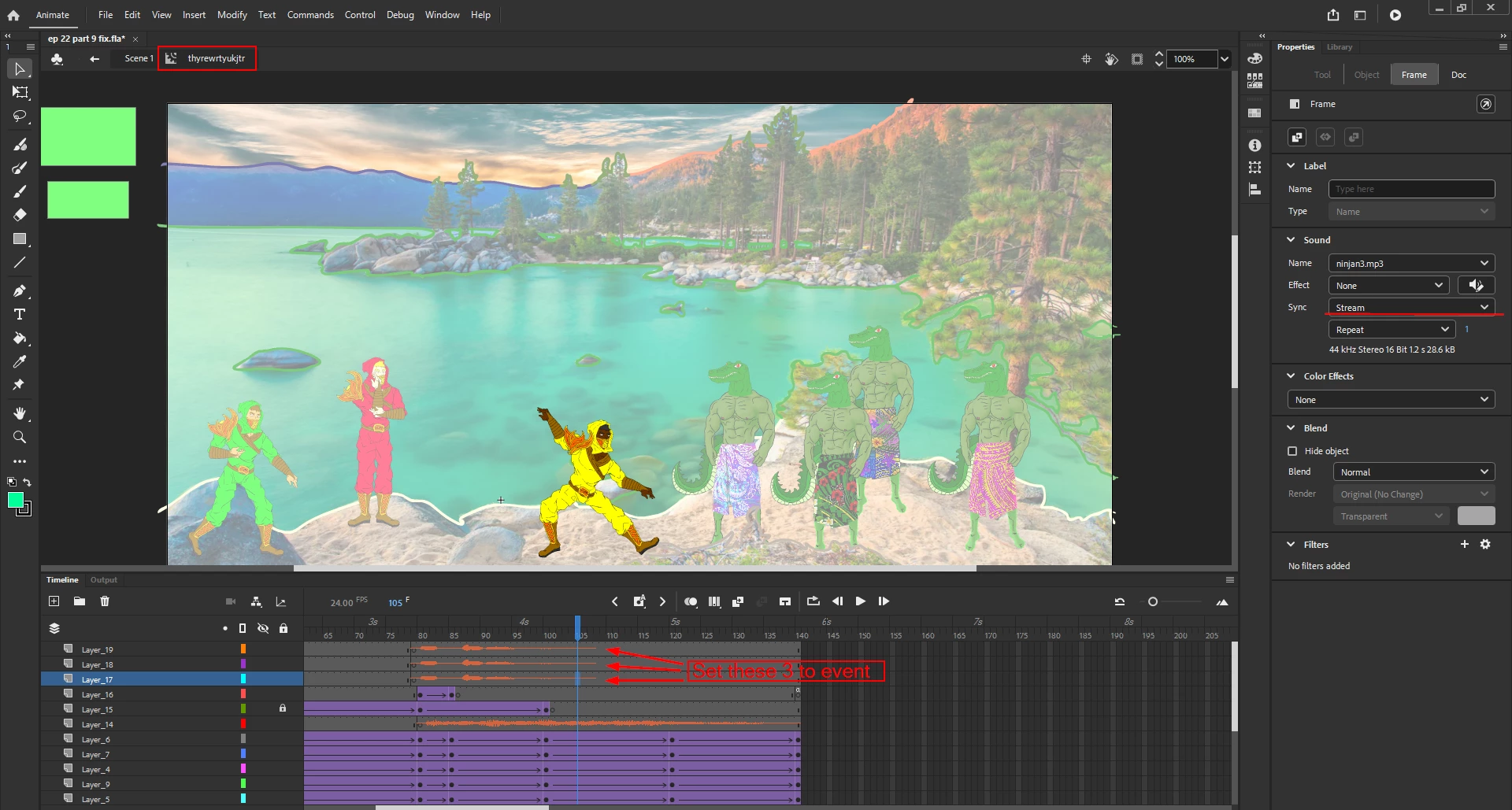
    3 of your audio layers are set to Stream on Scene 1, if you set them to Event and test the SWF again, it will play at the right speed.


    So it turns out the original solution of this thread was the right answer all along.

    53 replies

    JoãoCésar17023019
    Community Expert
    Community Expert
    Aug 28, 2020 10:22 AM UTC

    Hi.


    Are you using some kind of code? Because this behavior you described usually happens when a code error is triggered.


    Please let us know.


    Regards,

    JC

    Translate
    Inspiring
    Aug 28, 2020 11:04 AM UTC

    Hi JC,


    Thanks for your help. I hadn't been using any coding however I have discovered that the audio had been set to "Stream" instead of "event" which caused the scenes to speed up to stay in time with the first audio track.


    I'll leave this here incase anyone else is having this trouble. Thanks!

    Translate
    JoãoCésar17023019
    Community Expert
    Community Expert
    Aug 28, 2020 11:16 AM UTC

    This is great! Glad to know that you figured it out.


    Have a nice weekend!


    Regards,

    JC

    Translate