


Community Expert
March 24, 2021
Answered

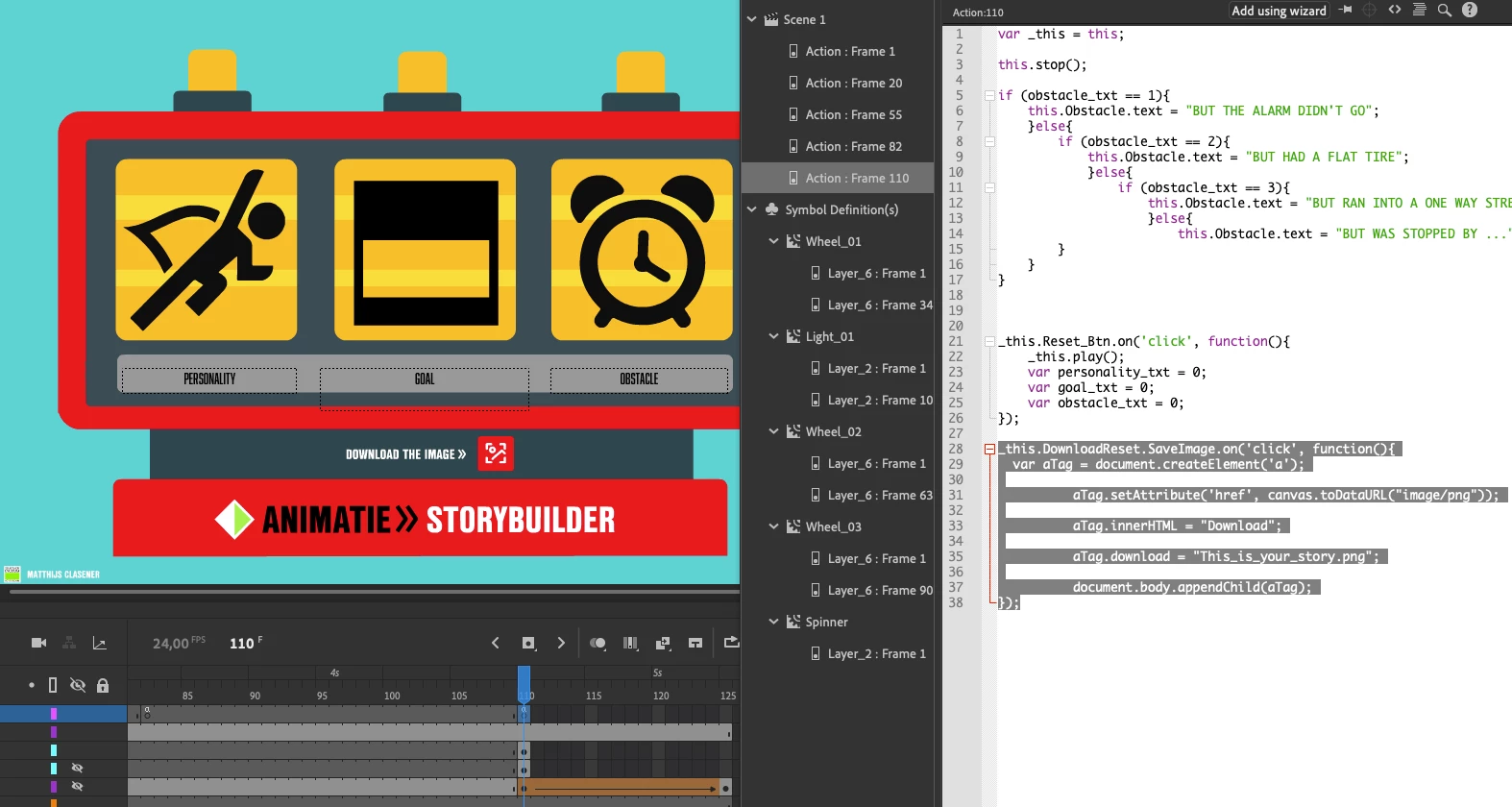
Screenshot button of frame

  • March 24, 2021
  • 1 reply
  • 772 views

In my online html5 canvas game I want the user to be able to download the score of the game as an image. In the forum I've found a script that works very good!


_this.DownloadReset.SaveImage.on('click', function(){
var aTag = document.createElement('a');

aTag.setAttribute('href', canvas.toDataURL("image/png"));

aTag.innerHTML = "Download";

aTag.download = "This_is_your_story.png";

document.body.appendChild(aTag);
});


But I actually want the user to download it with a button within my interface. This shows a download text outside of the div. Is there a easy fix for that? Instance name of my button is "SaveImage".

 

    This topic has been closed for replies.
    Correct answer kglad


    _this.DownloadReset.SaveImage.on('click', function(){
    var aTag = document.createElement('a');

    aTag.setAttribute('href', canvas.toDataURL("image/png"));

    aTag.innerHTML = "Download";

    aTag.download = "This_is_your_story.png";

    aTag.click()
    });


    1 reply

    kglad
    Community Expert
    kgladCommunity ExpertCorrect answer
    Community Expert
    March 24, 2021


    _this.DownloadReset.SaveImage.on('click', function(){
    var aTag = document.createElement('a');

    aTag.setAttribute('href', canvas.toDataURL("image/png"));

    aTag.innerHTML = "Download";

    aTag.download = "This_is_your_story.png";

    aTag.click()
    });


    Community Expert
    March 24, 2021

    Fantastic. thank you for your swift reply!

    kglad
    Community Expert
    Community Expert
    March 24, 2021

    you're welcome.