Participant
February 6, 2014
Question

Scrollpane offsetting image issue

  • February 6, 2014
  • 1 reply
  • 904 views

Hi there,

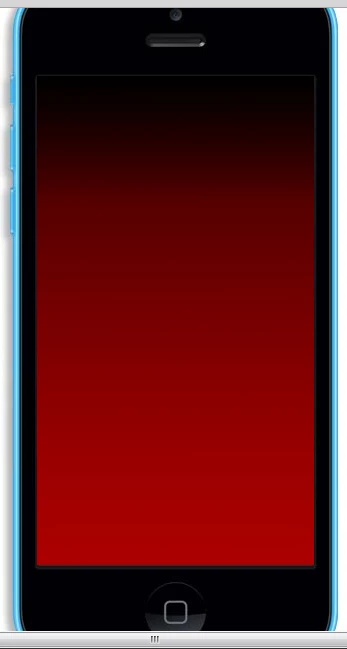
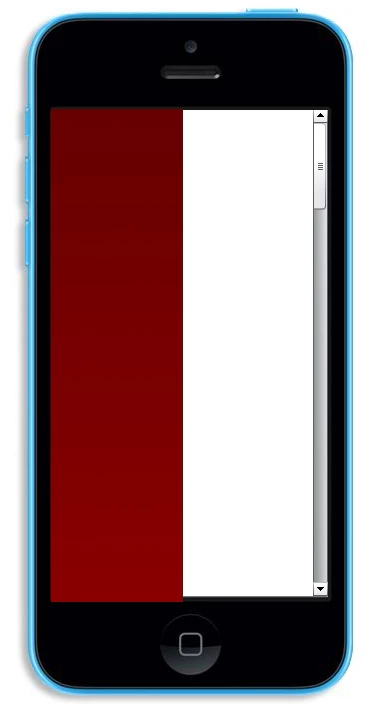
I'm having an issue with the scrollpane in Flash CS5.5 using Actionscript 3. Each time I use it the image starts at the middle and is offset to the left. Here is what I mean:

How it should be:
How it is:
The code I'm using is:

spanetest.source = test1;

Not a coder at all so have pretty much no knowledge about this, if anyone can tell me in the simplist way I'd be so appriciative of it.

This topic has been closed for replies.

1 reply

sinious
Legend
February 6, 2014

I'm assuming that's a photoshopped example being the image is spilling out of the ScrollPane.

Couple things that are noticable, the first image fills the screen and the second in the ScrollPane looks nothing like it with a large amount of veritcal scroll available. Did you transform the first image to fit? If so, that transform needs to be applied to the image you're putting in the ScrollPane to look similar.

Aside that, ScrollPanes support scrolling both vertical and horizontal, and both can be configured. By default it allows scrolling both vertical and horizontal and is set to ScrollPolicy.AUTO, which means a scrollbar will appear in both directions if there is enough image to require it. In your picture you can see it detected your image is too tall so a vertical scrollbar appeared. It isn't detecting that your image is too wide however or your image would have a horizontal scroll control.

Are you sure the image you're inserting into the ScrollPane is correct? It looks like it's many screens tall, so you have a vertical scrollbar, yet far too narrow on width for that device's resolution.

VLJ26Author
Participant
February 7, 2014

Yeah, the scroll bars on the bottom of the first image aren't really anything, ignore them.

The image I'm using has a width a little be less than the phone screen, so I made the scrollpane the same size as the screen, so there is no horizontal scroll.

In terms of image, I was imported an Ai file in the scrollpane, but then changed it to a PNG when I encounted this issue. Both PNG and AI cause this weird offsetting and starting at the top scenerio. I've tried moving the location of the image, more to the right but whereever I move it to it will always start half way through and off set to the left.

sinious
Legend
February 10, 2014

Does this happen on the emulator?

What device is this happening on (brand/model), what size is your scrollPane set to and what is the resolution and DPI of the image? BTW since it's a component have you simply ran an invalidate() on it (e.g. myScrollPane.invalidate()) after you loaded the image or setSize so the ScrollPane can redraw itself properly?