No problem if you don't have Illustrator.
As suggested by Chen, you can try some importing approach and hopefully your images will be replaced.
Alternatively, here is a small script to replace bitmaps from a imported PSD file.
Preview:
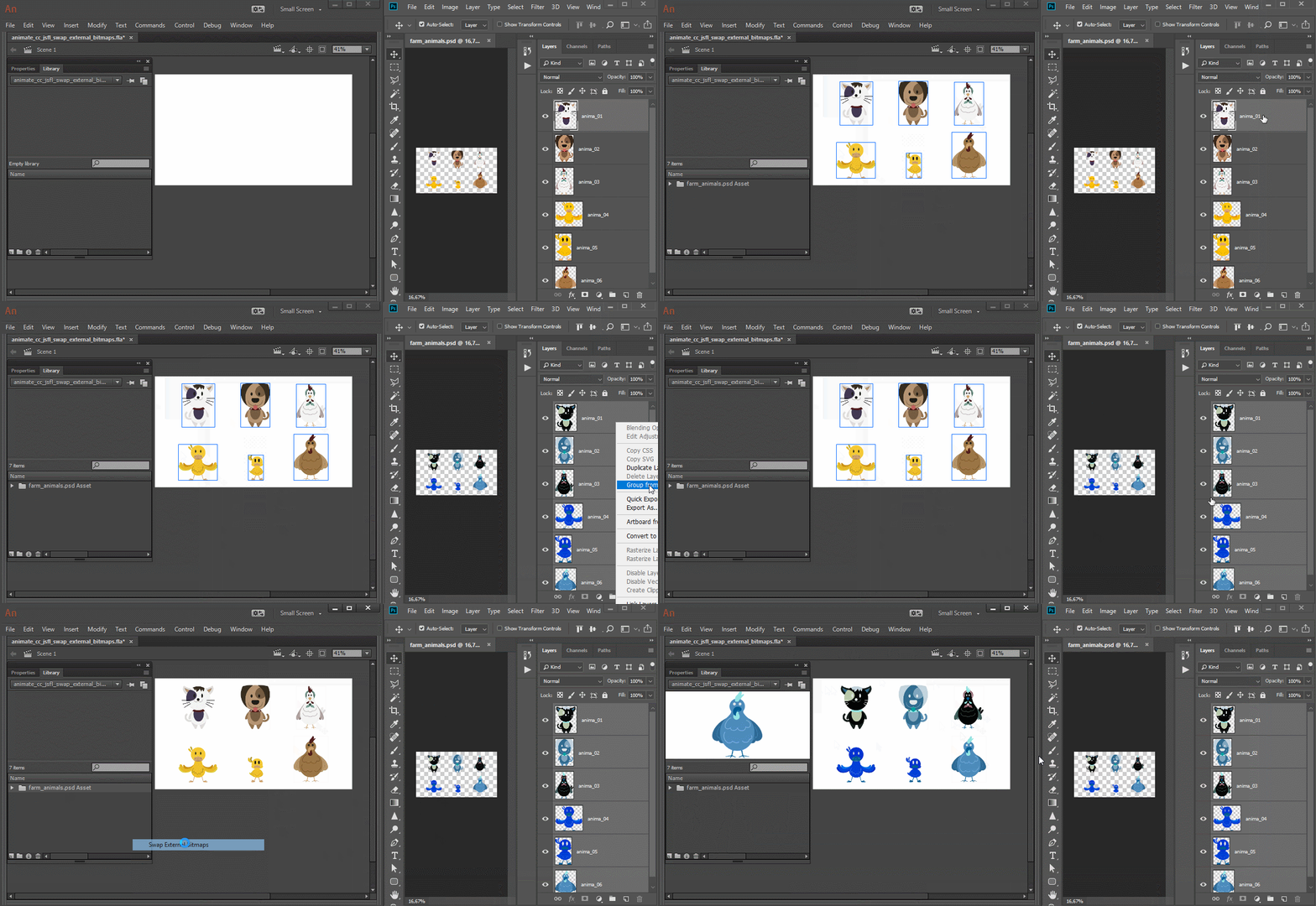
Usage/considerations:
- Select the folder that directly contains the imported bitmaps and run the script;
- Photoshop appends numerical indexes to layers with the same names using dashes while Animate CC uses underscores. So if one outputs to "image-1", "image-2", the other outputs "image_1", "image_2". So, for these cases, the images won't be replaced.
Swap External Images JSFL script download:
Swap External Bitmaps.jsfl - Google Drive
JSFL code for reference only. Feel free to fix and/or optimize if needed:
var uri;
function importImages()
{
var doc = fl.getDocumentDOM();
var lib;
var libFolder;
if (!doc)
return;
lib = doc.library;
libFolder = lib.getSelectedItems()[0].name;
if (!libFolder)
return;
try
{
var externalBitmaps = getExternalBitmaps();
var path;
var newName;
if (!externalBitmaps)
return;
for (var i = 0, total = externalBitmaps.length; i < total; i++)
{
var path = uri + "/" + externalBitmaps;
var newName = externalBitmaps.replace(".png", "");
doc.importFile(path, true, false, false);
lib.selectItem(externalBitmaps);
lib.renameItem(newName);
lib.moveToFolder(libFolder, newName, true);
}
}
catch(error)
{
fl.trace(externalBitmaps);
fl.trace(error);
fl.trace("___________");
}
}
function getExternalBitmaps()
{
uri = fl.browseForFolderURL("select", "Select the folder containing the PNGs.");
return FLfile.listFolder(uri + "/*.png", "Images.");
}
importImages();
I hope this helps.
Regards,
JC



 AdChoices