IAmChrishonda
Inspiring
October 12, 2021
Question

Selected layers are dotted.

  • October 12, 2021
  • 2 replies
  • 153 views

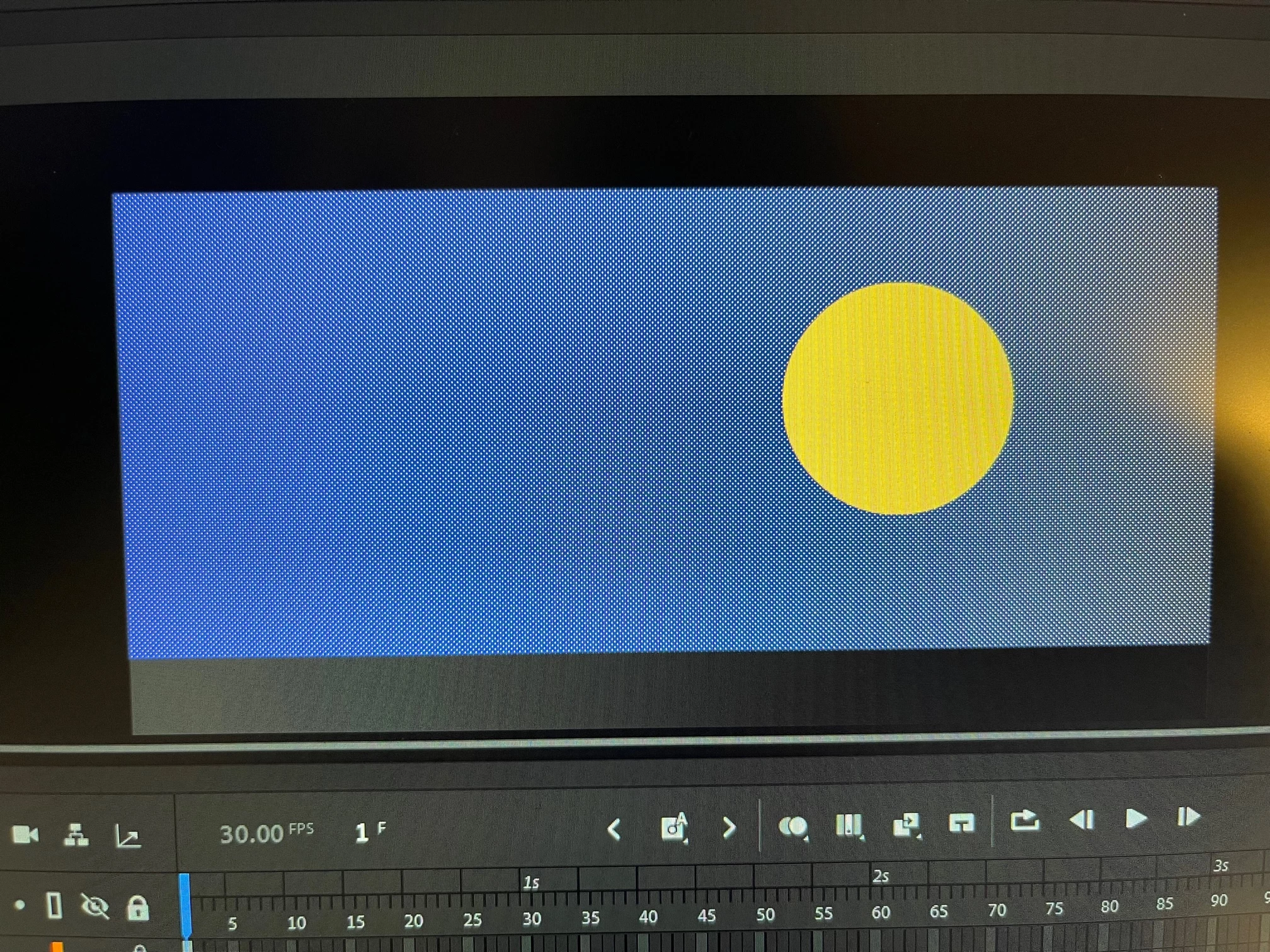
Does anyone know why this is? Whenever I click on a layer, it looks like this. Sorry for the low quality pic.

    This topic has been closed for replies.

    2 replies

    n. tilcheff
    Legend
    October 12, 2021

    To add to what Joao has said: to see the selected without the dotted pattern, from the menu choose View > Hide Edges.


    Nick - Character Designer and Animator, Flash user since 1998 | Member of the Flanimate Power Tools team - extensions for character animation
    JoãoCésar17023019
    Community Expert
    Community Expert
    October 12, 2021

    Hi.


    Selected shapes in Animate have this dotted pattern. When you select a layer, all instances in this layer are selected and so are all the shapes in it.


    Regards,

    JC