


Rasmushauschild
Participant
March 8, 2019
Answered

Shape hints not registering curve

  • March 8, 2019
  • 3 replies
  • 1645 views

Hi there!

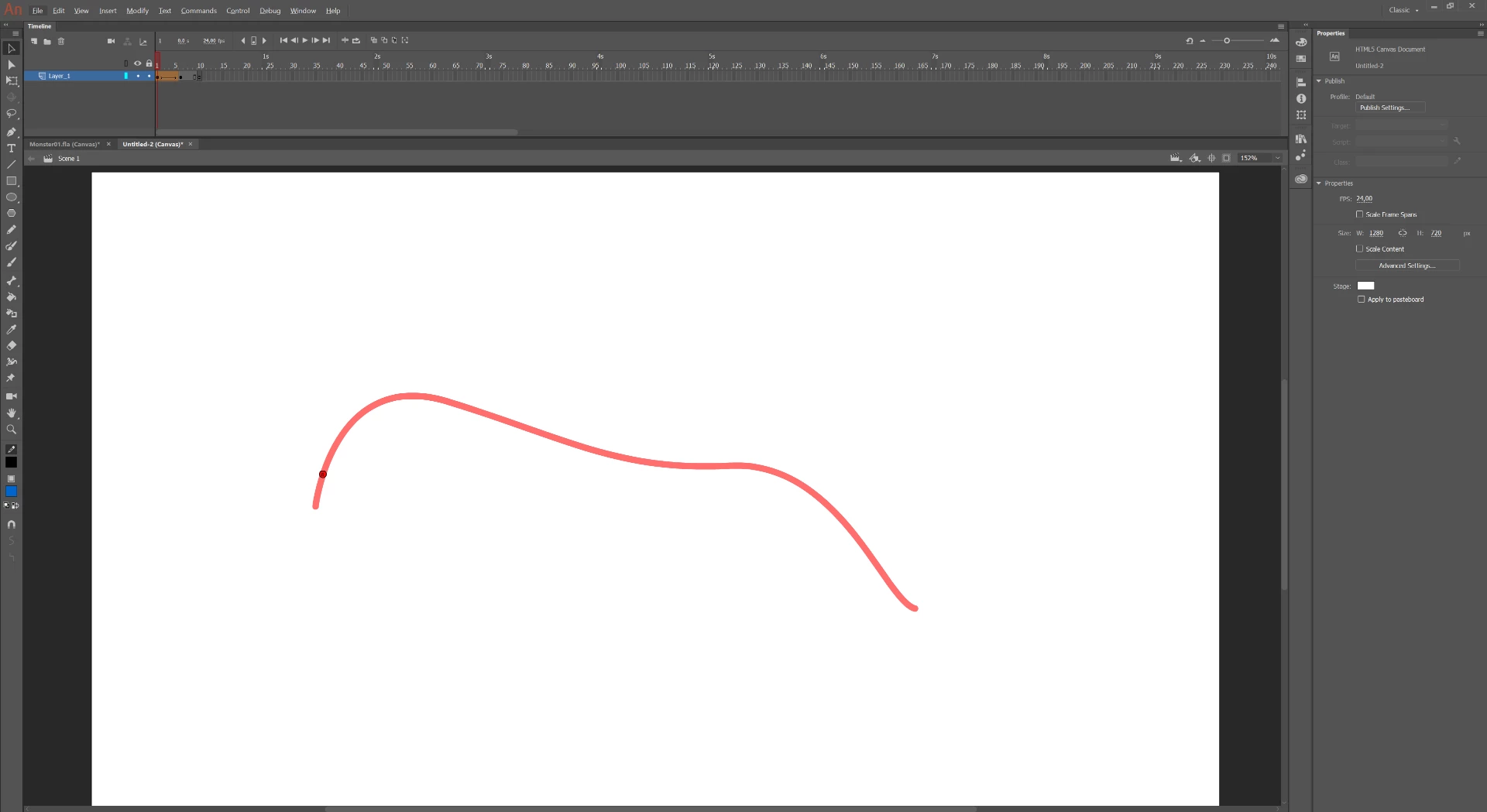
I'm just getting started with animating in Adobe Animate (2019), and I have found something which really puzzles me - for some reason the Shape hints are not able to register the curve I place them on (See attached screenshot). As I was unable to find anyone with a similar experience online, I tried reinstalling Animate, after which the Shape hints worked as expected for a bit, before they suddenly stopped functioning again.

Most likely I'm simply overlooking something, but I can't seem to figure out what.

Does anyone know what could make the shape hints not register the curve they are placed on?

Any help is greatly appreciated - thank you in advance!

Rasmus
This topic has been closed for replies.
Correct answer n. tilcheff

Try switching the little magnet on and drag the shape hint again, mate. It should turn snapping on.

Try with a simple line drawn with the line tool first.

3 replies

Participant
June 5, 2020

Hey! Thankyou verymuch for your answer. It help me a lot. I searched for answer why my shape doesnt work for two days, and then i finally your answer. Thankyou

n. tilcheff
Legend
March 8, 2019

Is your line a Drawing Object?

If it is, just break it apart (Ctrl+B) to raw vector and it will most likely go green/yellow.

Even if red if it snaps it should work though.

Nick - Character Designer and Animator, Flash user since 1998 | Member of the Flanimate Power Tools team - extensions for character animation
Rasmushauschild
Participant
March 8, 2019

The curve was made using the pen tool with object drawing mode off - so Ctrl+B did not work for me.

The shape hints neither changes color nor snaps to the curve when hovering over it.

Any other ideas why this might be?

n. tilcheff
n. tilcheffCorrect answer
Legend
March 8, 2019

Try switching the little magnet on and drag the shape hint again, mate. It should turn snapping on.

Try with a simple line drawn with the line tool first.

Nick - Character Designer and Animator, Flash user since 1998 | Member of the Flanimate Power Tools team - extensions for character animation
Community Expert
March 8, 2019
Rasmushauschild
Participant
March 8, 2019

Unfortunately, I'm not able to follow the video tutorial, as the shape hints simply do not work for me. They don't change color when placed on the curve, nor do they snap to it.

Any ideas why this might be?
