
Known Participant
April 21, 2021
Question

Shocked at the level of bugs

  • April 21, 2021
  • 5 replies
  • 841 views

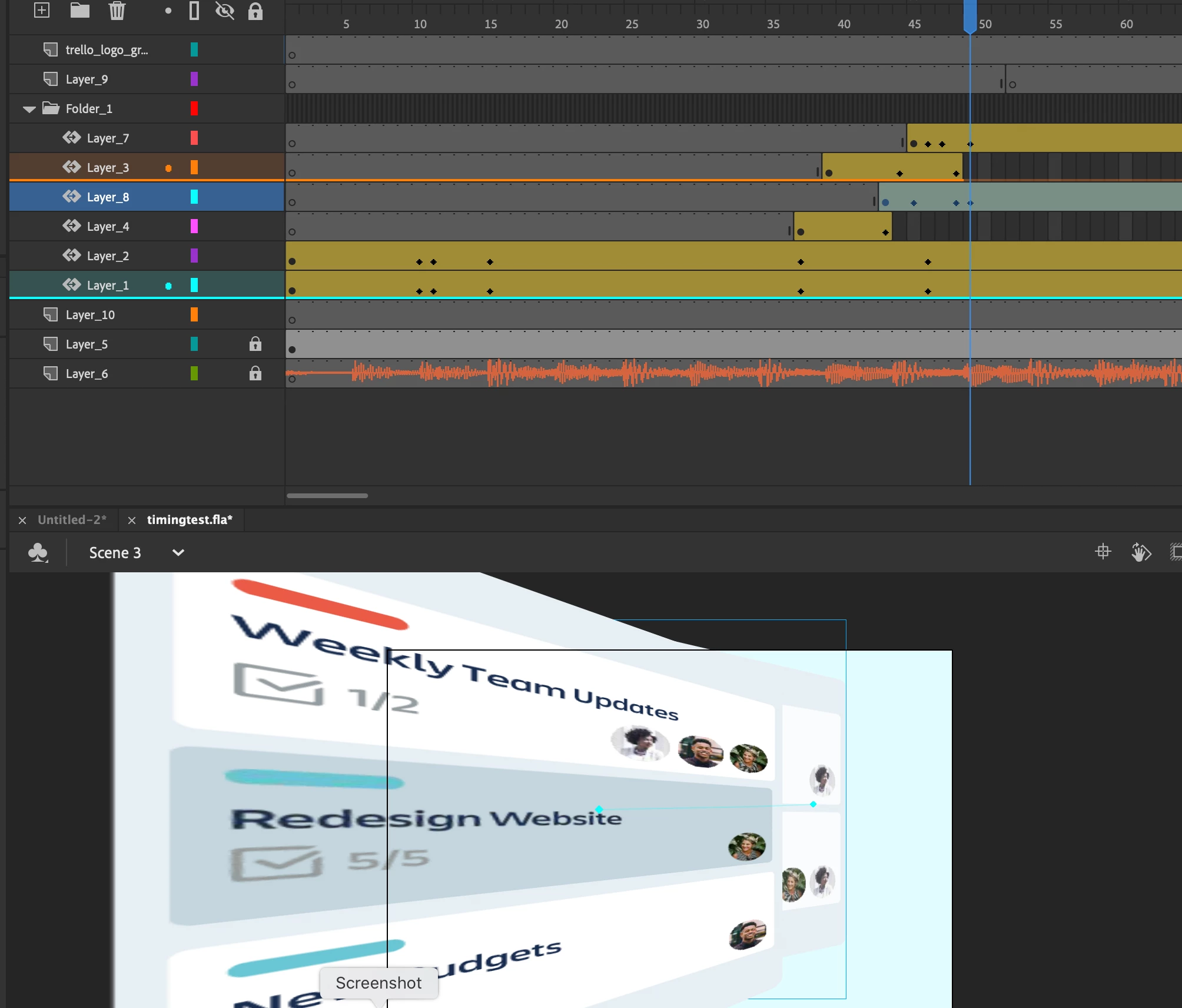
We typically use AE to create animations but I wanted to do something that I could export in both html5 and video. HTML5 works really well in Animate now compared to what it did previously. However, as I am building this project in Animate I am just stunned at the number of weird quirky bugs and strange behavior. Adding an ease should not extent the time of the animation. This causes so much weird keyframe behavior. Making a 3D tween is like trying to wrestle a greased pig. If I move keyframe my MC's implode and double in scale for no reason. Publishing it it still looks fine but it is hosed in the authoring enviroment. I cannot move things on a keyframe without trouble following. WT heck is going on? You can see in this screenshot what is happening. Undo does nothing. I have to save close and reopen every time. And WHY cant you simple move a motion tween keyframe like very other timeline allows you to do? Any help understanding would be great. I am about to jump ship only because it is putting my project behind schedule. 
    This topic has been closed for replies.

    5 replies

    Community Expert
    April 27, 2021

    Classic motion tween is always the best to use in my eyes. 

    Also, make sure you have the later version of adobe animate 21.0.5.

    Known Participant
    April 27, 2021

    I wanted a little 3d action. I am use to coding animations but this needs to be delivered as a video. I am well into my project now and findinig new problems. Playback has slowed to a crawl when publishing. The only way I can get an accurate playback is to publish as a video, which is a lot more time consuming. Now it is not exporting the music so I will have to add that after the fact I guess. How in the world do animators deal with the playback? Maybe if I create a preloader or something? Ugh, feeling like I made mistake not using AE. Mabye once I have everything in place I will try to open the .fla in AE, I imagine that has its fair share of challenges. 

    _keyframer
    Community Expert
    Community Expert
    April 23, 2021

    Yeah man, looks like you are using Motion Tweens instead of Classic Tweens. You have to "Split Motion" at each keyframe inside the Motion Tween in order to apply separate eases. Classic Tweens work differently as they are frame-based whereas Motion Tweens are object based.


    Animator and content creator for Animate CC
    Known Participant
    April 23, 2021

    Yeah I was just getting this weird thing where clicking and draging a keyframe actually duplicated it. It takes a very intentional click and then a seperate click and drag. Might just be my mouse. The wonky 3D tween undo bug is still a mystery. I have to restart app every time I undo anything. 

    Colin Holgate
    Inspiring
    April 22, 2021

    In the timeline options you can choose whether selecting something selects the whole span, or just that frame. Look to see what you are set to.


    I think you want to have that not be checked.

    Are you doing 3D tweens? Do you know those don't work in HTML5 Canvas?


    Known Participant
    April 23, 2021

    Oh that is cool. No it is not checked. I think they are just a little tempromental. You sort of have to select the keyframe and then click and drag. Got that working. Yes, it is 3D tweens. clearly it is some kind of weird bug. Saving and reopening the app fixes it. 

    Known Participant
    April 22, 2021

    Update 2: If I undo anything that weird scaling pop happens. I have to restart the app to resolve. 😞 

    Known Participant
    April 21, 2021

    update. I have been able to more or less move things without problems using the path panel entering the x and y manually.