Answered
Shortcut key F8 on a mac
Hi
How do I activate the F8 on a mac? I can't find a way to make all the F keys work on a Mac they all keep on opening up other Mac related things instead of, for instance creating a new symbol.
Thanks
Mic

Hi
How do I activate the F8 on a mac? I can't find a way to make all the F keys work on a Mac they all keep on opening up other Mac related things instead of, for instance creating a new symbol.
Thanks
Mic
go into system preferences > keyboard and make sure the first option is checked like in the screenshot attached.
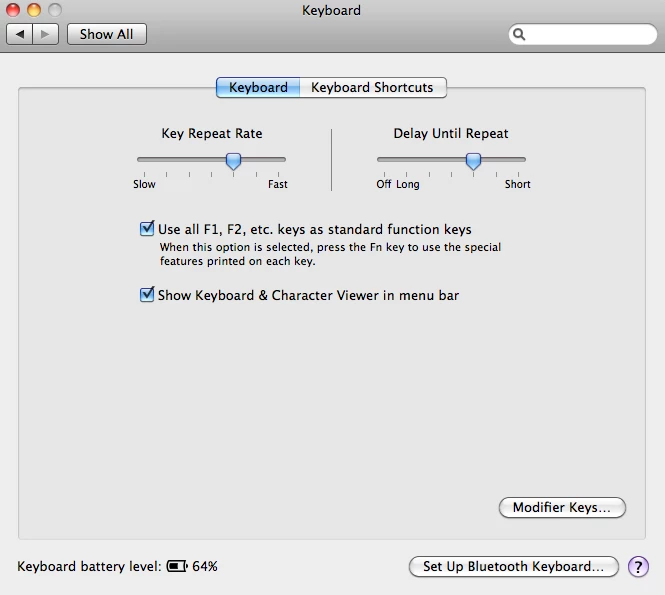
note this will make the function keys work as they should in Flash. But every time you want to use f keys to change your volume, open the dock, change brightness you will have to hold down the fn key.
Already have an account? Login
Enter your E-mail address. We'll send you an e-mail with instructions to reset your password.
 AdChoices